26
se r v i c e w o r k
National Rejectors, Inc. GmbH, Buxtehude
SRG – Internal HENRI functions
DownloadingthenewrmwareandFWupdatingPCapplicationfromtheinternet
HenriFlash can be downloaded from the NRI website (www.nri24.com,
Internal) either as zipped le along with the latest FW or as .exe le using
your customer password.
Should you have any further questions, please do not hestitate con-
tacting our sales staff at any time.
Installing HenriFlash
To install the program onto the hard disc of your PC:
If necessary, unpack zipped le.
1
In addition to HenriFlash this directory also contains the HENRI
rmware "xxx.hen"
Thedirectorymayalsocontainleswiththeextension.cxb/.mot./dsp.
TheselesrepresentthecurrentFWforthecurrenzac
2
coin changer
(cp. separate c
2
service manual).
Sart .exe le and follow the installation wizard. 2
HenriFlash is installed.
InstallingnewrmwareinHENRItool/Uploadingnewc
2
rmwareinHENRItool
There are two aspects to consider, using the HenriFlash application
A Installing a new HENRI rmware itself or
B Loading the currenza c
2
rmware in the HENRI tool.
Launch the HenriFlash application.
1
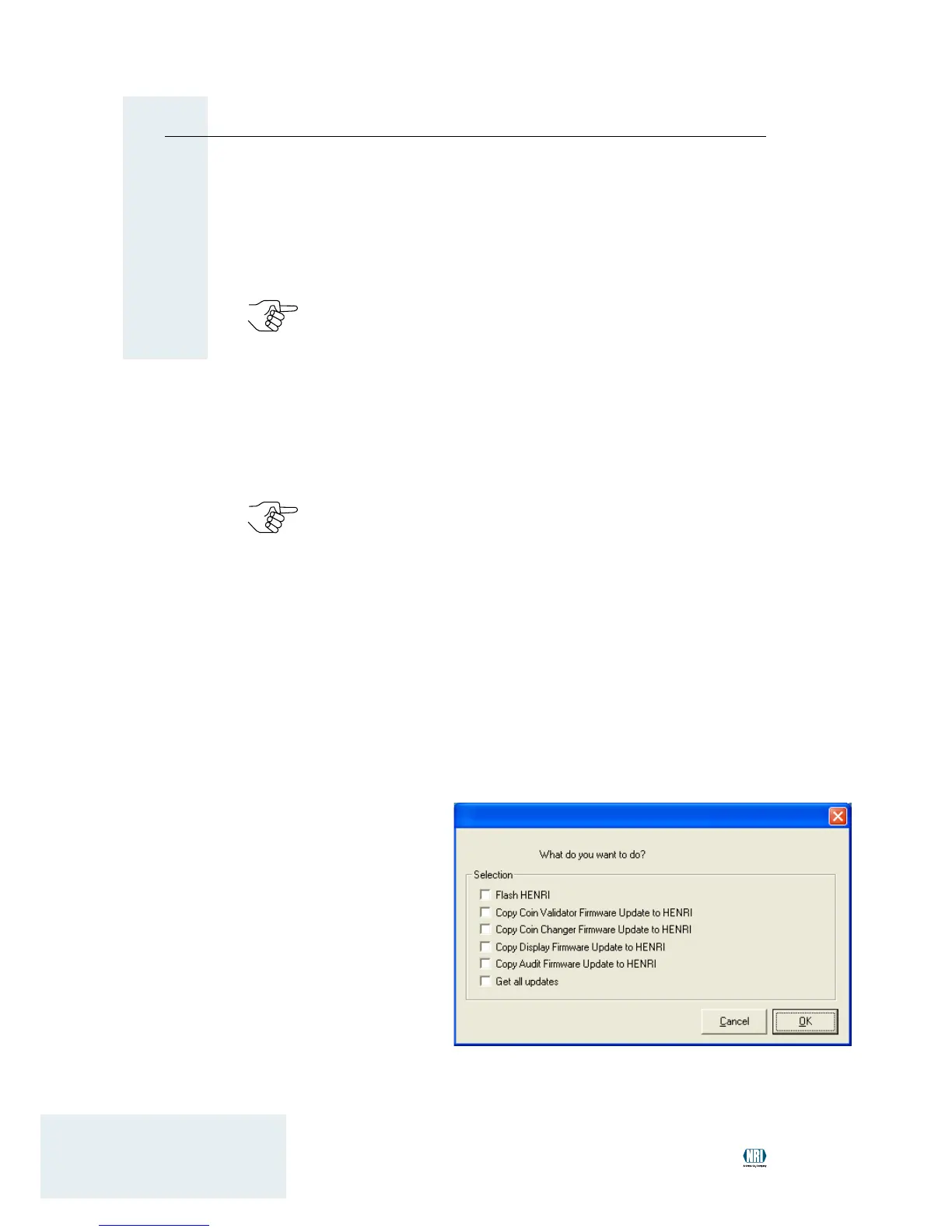
The start screen along with a selection box will come up.
Select the rmware required:
2
A Check the FLASH
HENRI box if the
HENRI rmware
needs to be updat-
ed. Conversely,
B check the box for
the correspond-
ing coin changer
rmware if the coin
changer rmware
has to be loaded in
HENRI and updated
later on (cp. c
2
serv-
ice manual).
Individual or all coin changer rmware (GET ALL UPDATES) can
be checked.


 To Next Page