25
National Rejectors, Inc. GmbH, Buxtehude
se r v i c e w o r kSRG – Internal HENRI functions
Firmware update
Before updating the rmware (FW) you can call up the current FW version.
If the FW is nally supposed to be updated, it is loaded from the hard disc
of your PC into the service tool.
Callingupcurrentrmwareversion
To determine the current HENRI FW version:
Press
1 HENRI key.
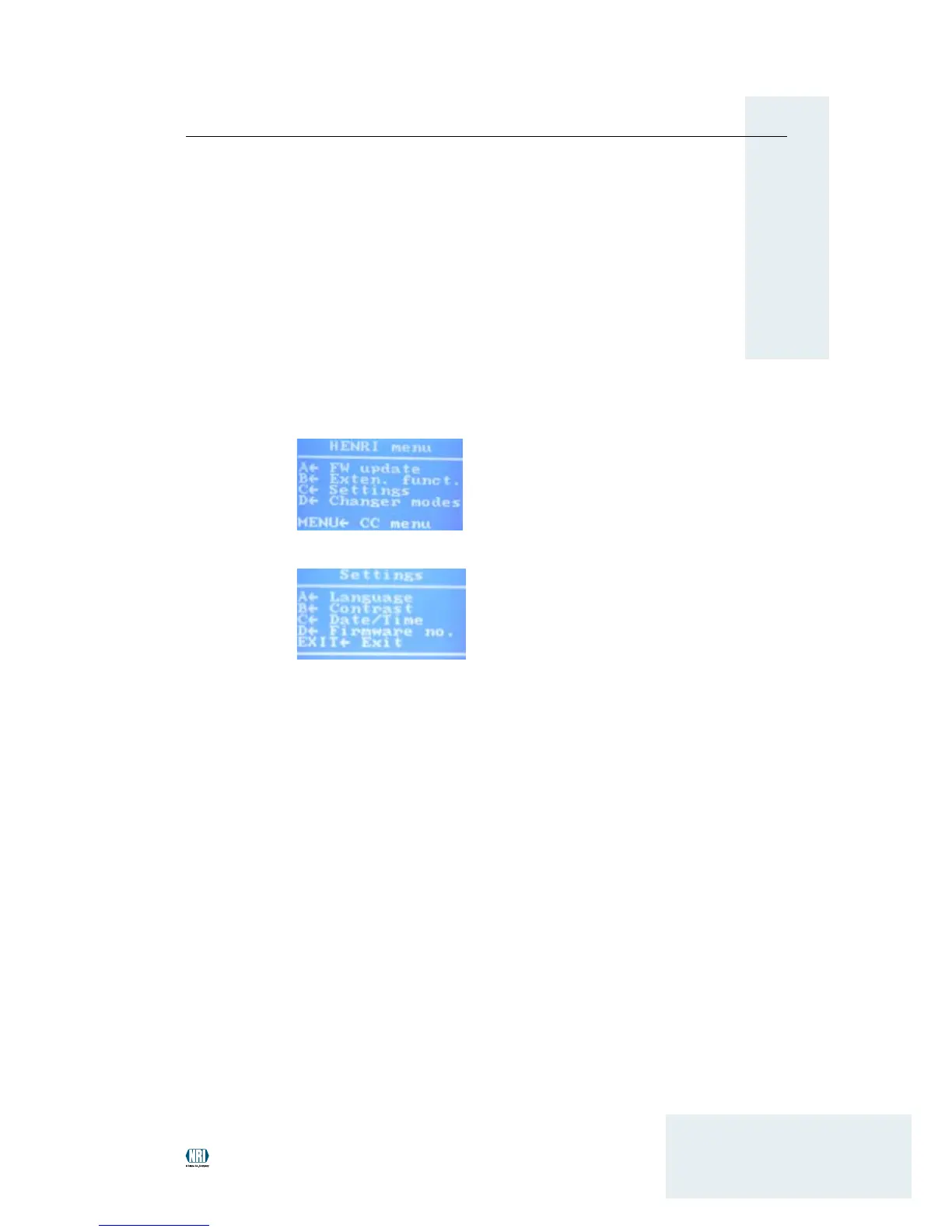
You enter the main menu:
Press 2 C key to open the se T T i n g s menu:
Press 3 D key to call up the current FW version of the service tool in
submenu fi r m w a r e no.: SxxBxx, 9200382xxxx.
Use
4 EXIT key to return to the main menu.
Updatingrmware
For updating the FW you will require the PC application HenriFlash
which you can download along with the current FW from the NRI website
(www.nri24.com) using your customer password.


 To Next Page