20
ba s i c s e T T i n g s
National Rejectors, Inc. GmbH, Buxtehude
SRG – Internal HENRI functions
Altering display contrast
The default setting of the display contrast is "46". To alter the contrast:
Press
1 HENRI key.
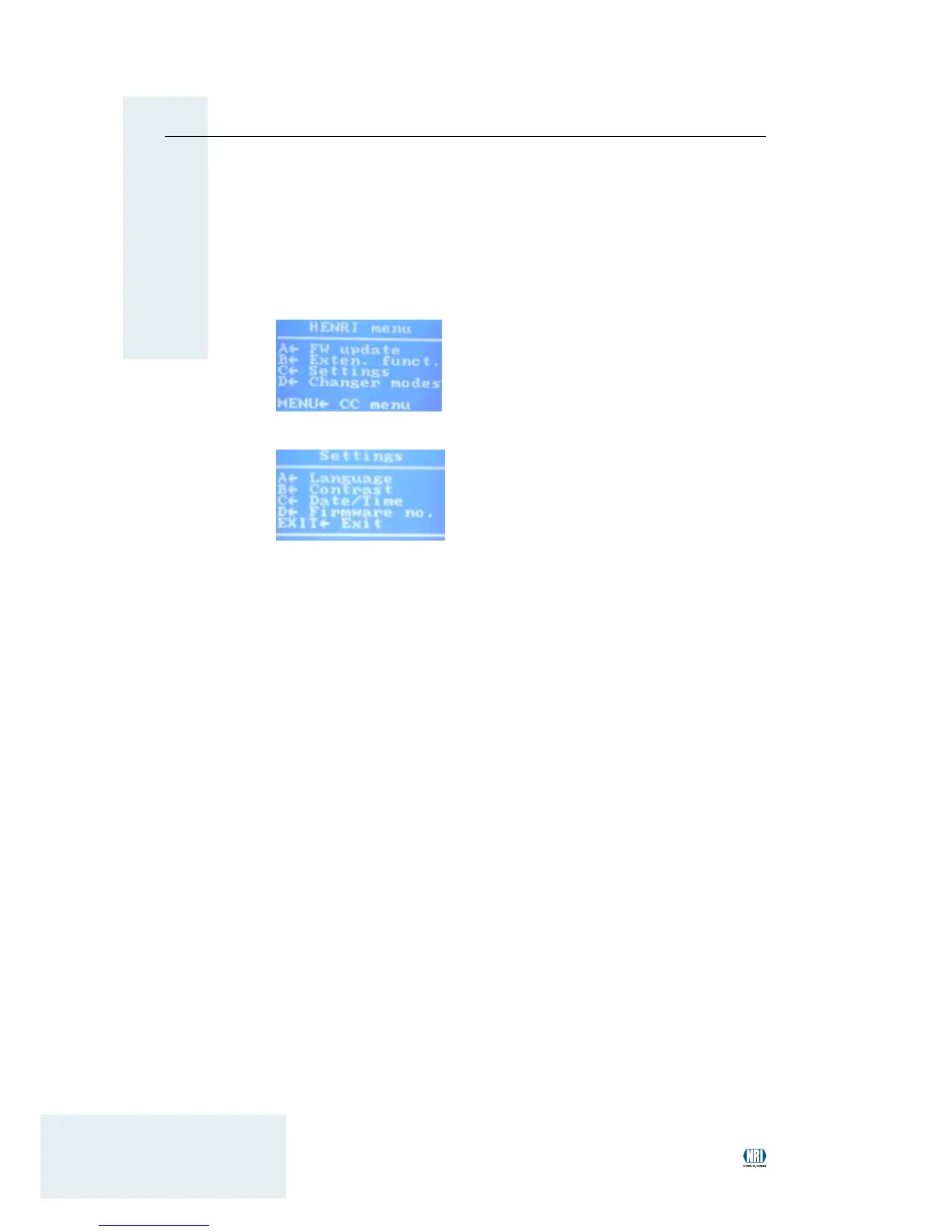
You enter the main menu:
Press 2 C key to open the se T T i n g s menu:
Press 3 B key to open submenu co n T r a s T .
• Use
4 A key (up-arrow) to increase the contrast.
Use • B key (down-arrow) to decrease the contrast.
Use
5 EXIT key to return to the main menu.


 To Next Page