30
G-46/E-66/A-66 c o n f i G u r A t i o n
National Rejectors, Inc. GmbH, Buxtehude
SRG – Internal HENRI functions
Accessing Dis menu
Depending on whether you want to start conguring the coin changer di-
rectly or you made basic settings using the HENRI main menu beforehand
the way to the Dis menu can differ:
1a Connect HENRI to the coin changer (cp. Chap. 5 "Connection").
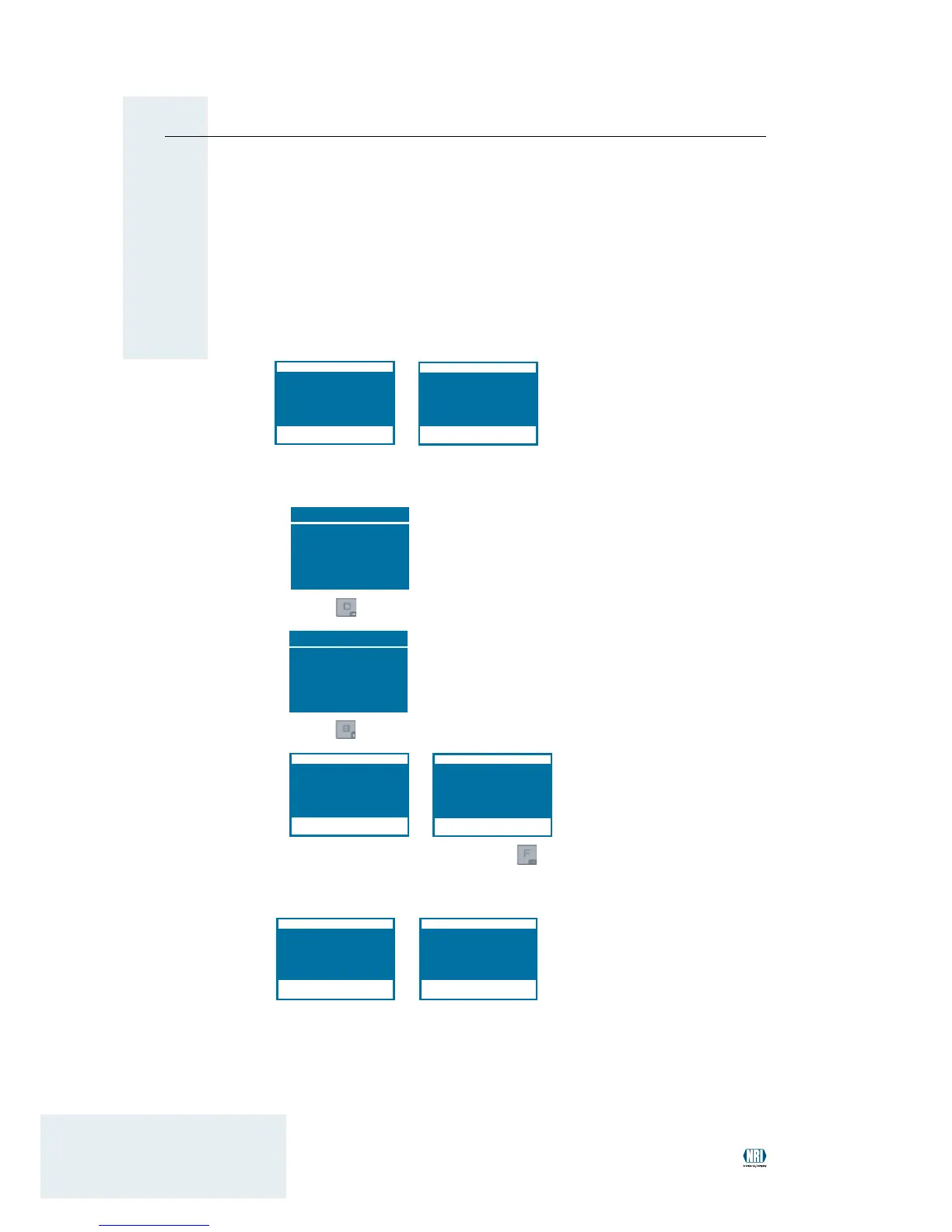
HENRI changes to the G-46/E-66/A-66 mode automatically:
1b • Press HENRI key.
You enter the main menu:
HENRI menu
A← FW update
B← Exten. funkt.
C← Settings
D← Changer modes
E← DB update
MENU← CC menu
Press • -key to open the ch A n G E r m o d E s :
Changer modes
A← c
2
B← E/A-66/G-46
C← Palm settings
EXIT← Exit
Press • -key to access the G-46/E-66-/A-66 mode:
2 Proceed as normal and press the -key
(if necessary hold down for 2s).
You enter the d
i s menu:
3 Follow the instructions in the manual for the old setting module.


 To Next Page