27
National Rejectors, Inc. GmbH, Buxtehude
se r v i c e w o r kSRG – Internal HENRI functions
Click the 3 OK button.
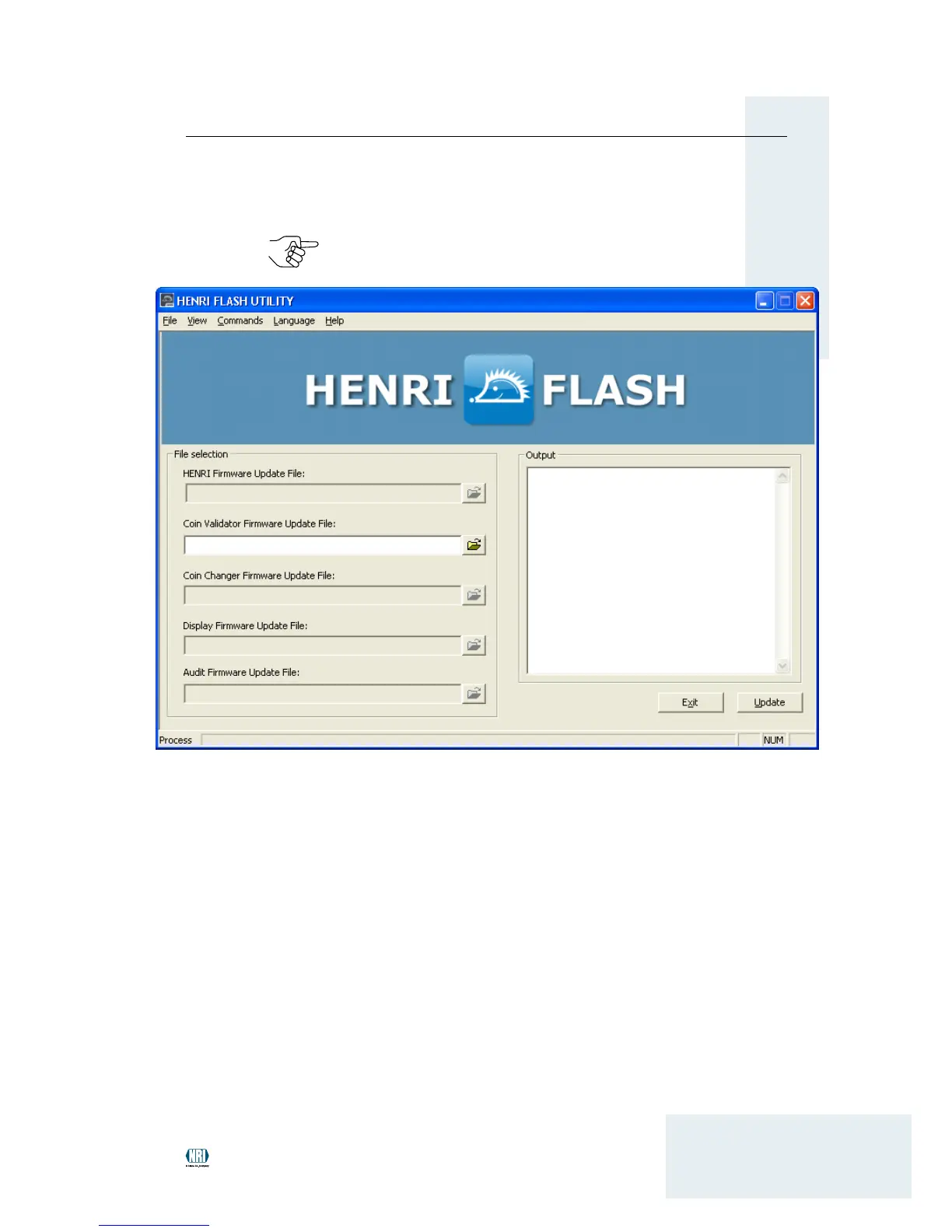
Now you can set the menu language required by selecting the La n -
g u a g e menu.
In the left eld 4 fi l e s e l e c T i o n and in the line of the appropriate
rmware, enter the path of the directory started during installation
and rmware le using the folder button.
After having selected all rmware les required, HenriFlash is ready
for a rmware update or simple upload.
First, connect the USB cable provided to a PC USB port. Then:
5
A If the HENRI rmware is to be updated, (INSTALLATION)
Press and hold the • MENU button on the HENRI tool while con-
necting the free end of the USB cable to HENRI.
Wait until the HENRI tool has started the bootloader mode.•
Release the • MENU button.
B If c
2
coin changer rmware is to be loaded, (SIMPLE STORAGE)
Connect the free end of the USB cable to HENRI •
The HENRI tool shows the main menu.


 To Next Page