NU-SET Smart-Box Series Lockbox User Guide
13
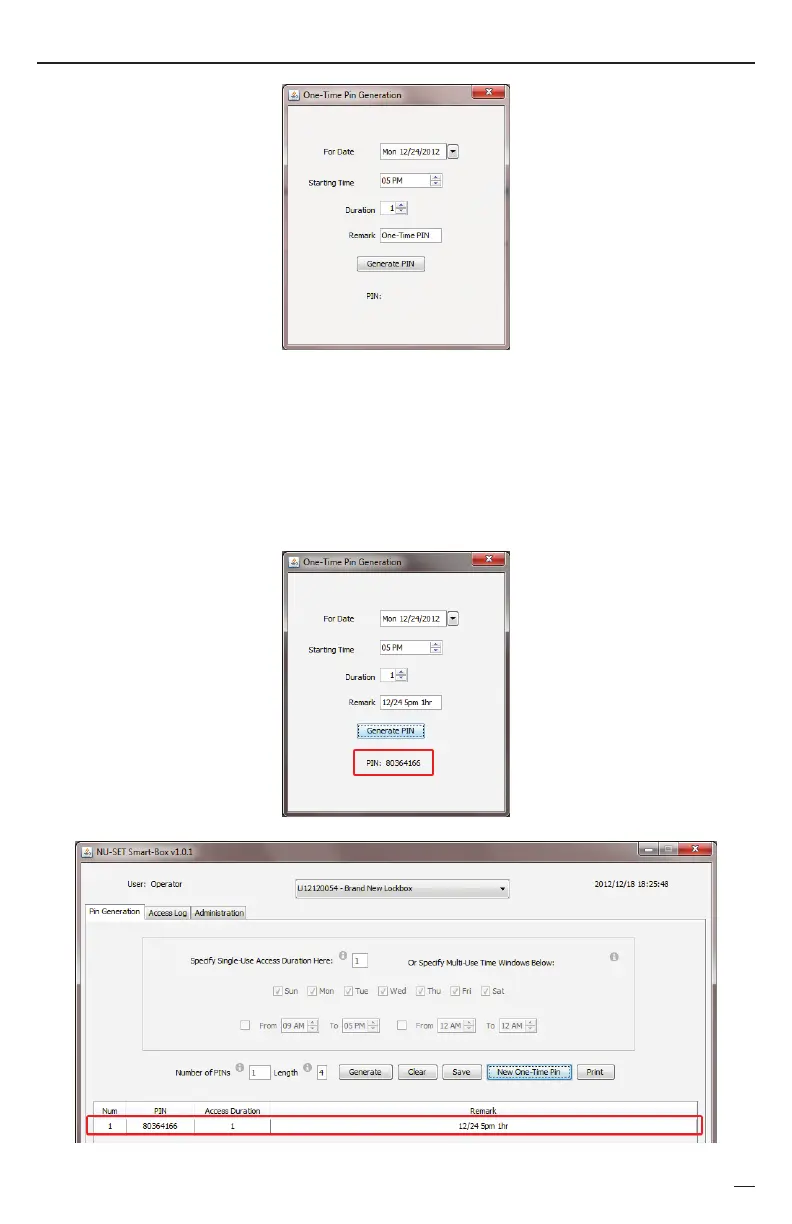
c. Select the starting time for the new one time PIN.
d. Enter a duration for the PIN (1 to 10). If the starting time is 5pm, and the duration is 1
b.
e.
Click the [GENERATE PIN] button to generate the one time PIN.
f.
The one time PIN appears at the bottom, as well as on the main application screen.
Select a date from the drop down calendar in which access is allowed.
g.
hour, the one time PIN will work between 5pm and 6pm on the selected date.
Enter a remark in the Remark field.


 To Next Page