4 - 22 en-938821/2
Execute the 3D function. ☞
3D
MODEL
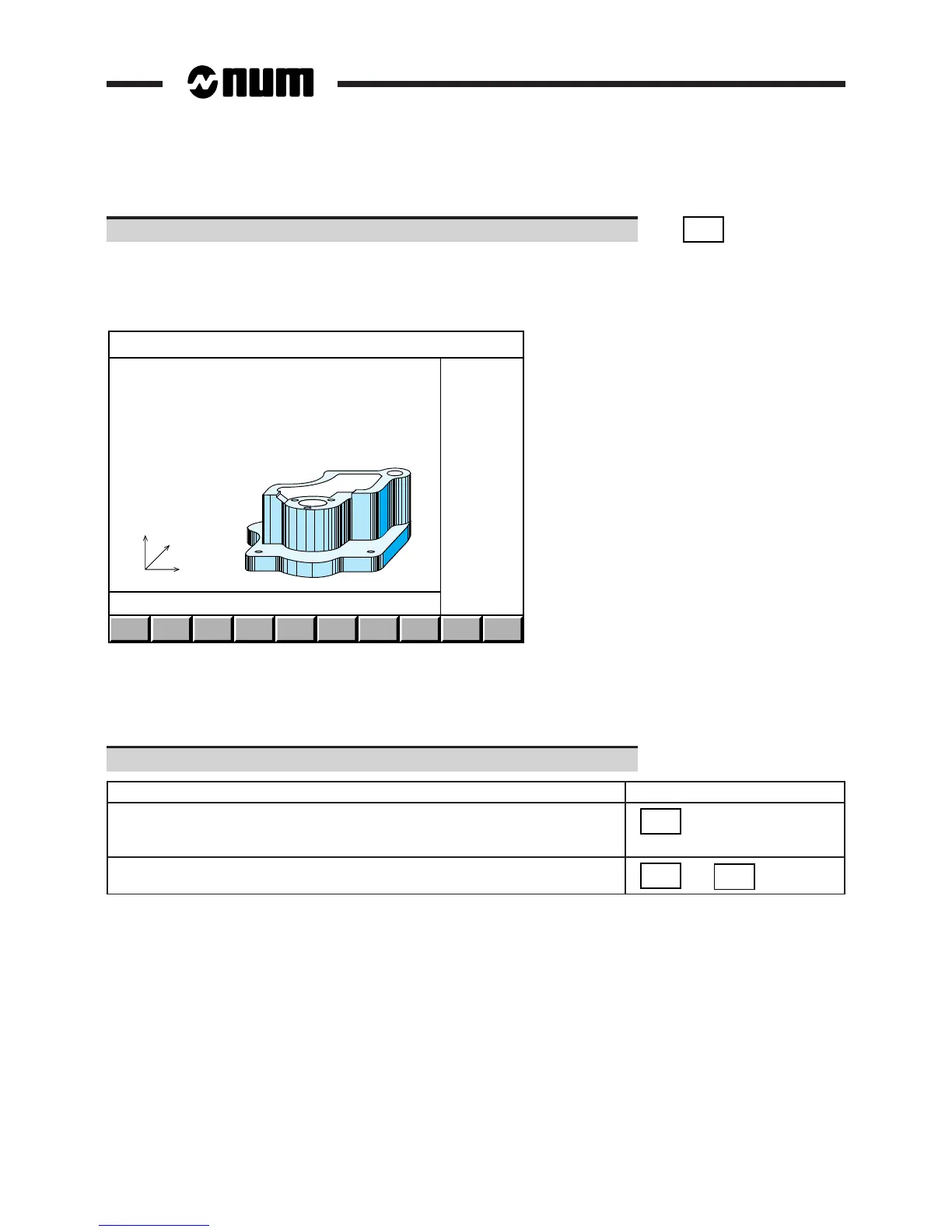
The system computes the 3D model of the part, displays the message "Calculating geometric model" and the
programme blocks currently being processed.
Once calculation is complete, the page is displayed in 3D with the part represented in isometric projection:
CROSS
SECTN
ZOOM
AREA
RECALC
MODEL
ROTATE
-90
ROTATE
+90
ERASE
MODEL
EXIT
Z
Y
X
REMARK When a 3D model of the part has already been produced in the same conditions
(same resolution and tool orientation), the system does not repeat the calculation.
It simply redisplays the part stored in memory (even if the part programme has
been modified).
Select the desired options (See table below).
Option Softkey
Recalcuate the 3D model of the part
RECALC
MODEL
(when the part programme has been modified
between two 3D displays of the part)
Rotate the part about a vertical axis
ROTATE
-90
or
ROTATE
+90



 To Next Page