12
Making Adjustments
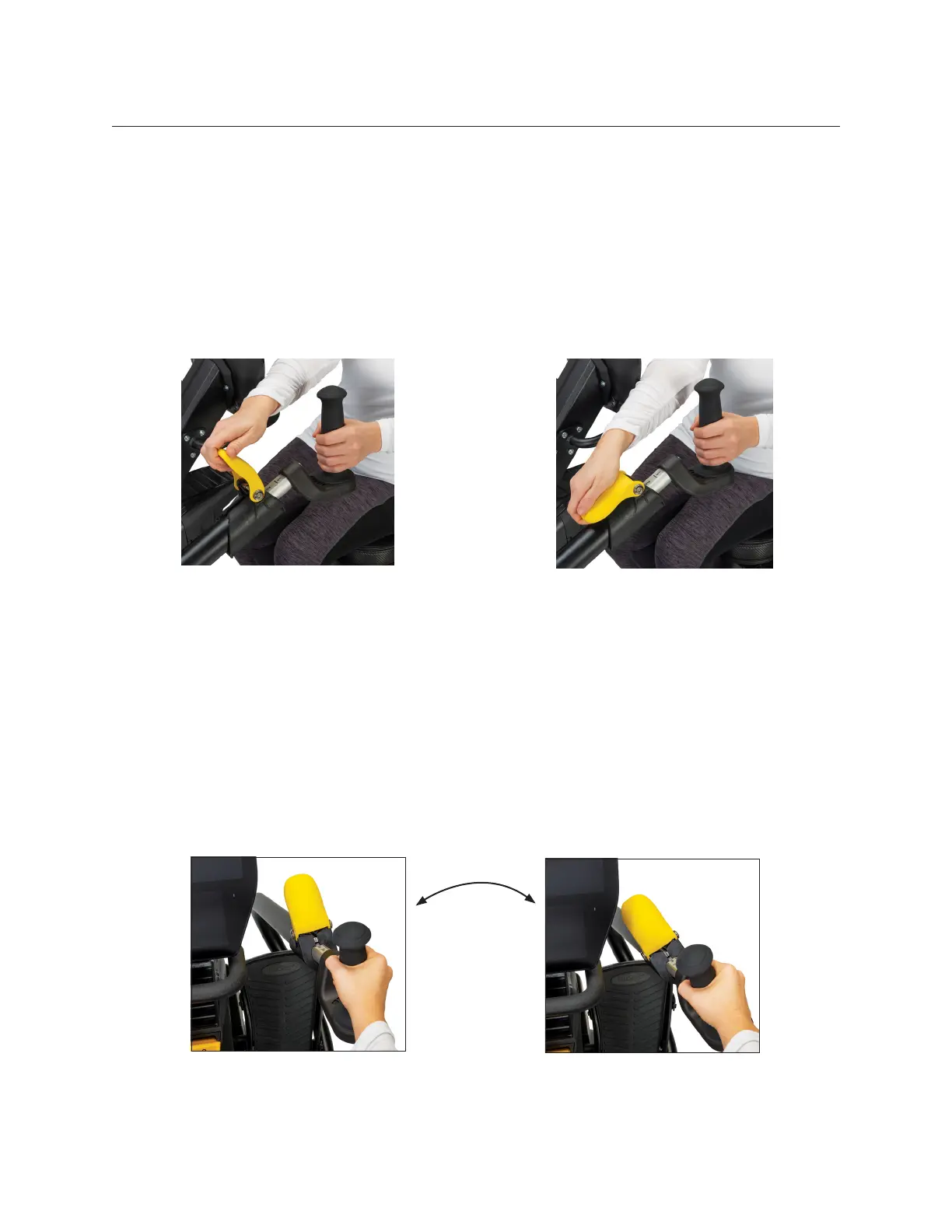
Adjust Handle Length
1. Pull up on the yellow arm adjustment release lever to unlock arm handles.
2. Slide handle in or out to adjust length.
3. Adjust handles until elbow is slightly bent when arm is almost fully extended (for
many people this may be the same number as their seat position).
4. Press release lever down to lock into position.
Adjust Arm Rotation
1. Pull up on the yellow arm adjustment release lever to unlock.
2. Rotate the hand grip right or left.
3. Once set, press the release lever down to lock in position.
Pull up on lever to unlock.
Push down on lever to lock.


 To Next Page