20
Exporting User Prole Data
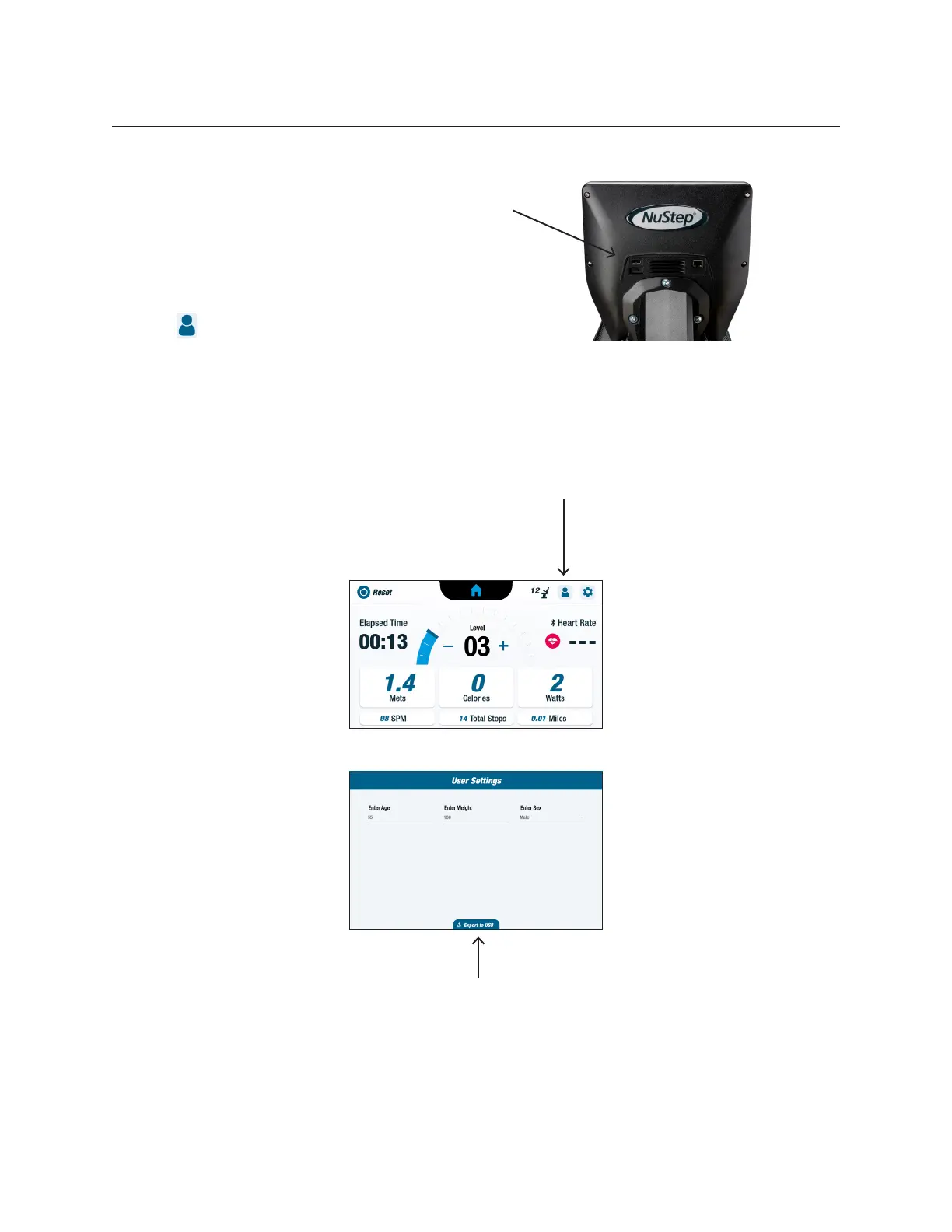
Users can export their prole data
to a USB drive at any time.
To export:
1. Insert USB drive into the USB
port on the back of the display
console.
2. Tap on the Metric screen to
open the User Settings screen.
NOTE: Skip this step if the
prole screen launches
automatically.
3. Tap Export to USB tab at the
bottom of the screen.
USB port
Tap to open
User Settings
Tap to export
prole data


 To Next Page