17
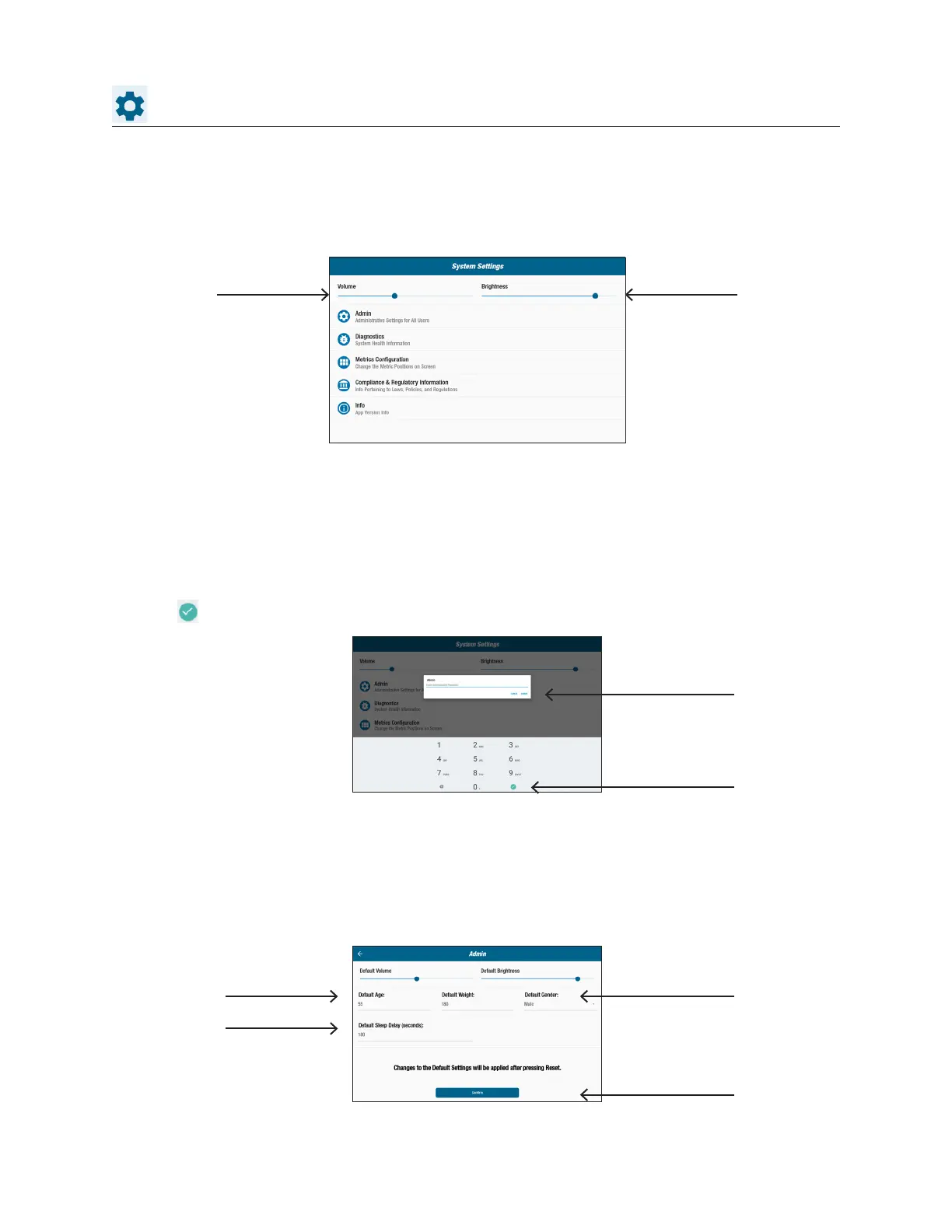
System Settings
Admin
Use to change default settings (age, weight, gender). Changes made to the default
settings are global. Once the Admin screen opens, a password is required to change
default settings. To enter password:
1. Tap screen to open numeric keyboard.
2. Enter password, tap Submit.
3. Tap icon to close keyboard.
System Settings
Use to adjust volume and screen brightness, change default settings, view diagnostics,
change metric conguration, view regulatory and software information.
Tap to submit
password
In the Admin screen:
1. Tap into default elds and enter new default settings.
2. Tap Submit to apply changes.
Tap to close
keyboard
Slide to adjust Slide to adjust
Tap to change
defaults
Tap to change
default
Tap to apply
changes



 To Next Page