21
Exporting Workout Summary
Users can export their workout summary to a USB drive. The summary is saved in a
PDF format.
NOTE: Before working out, insert USB drive into the USB port on the back of the
console.
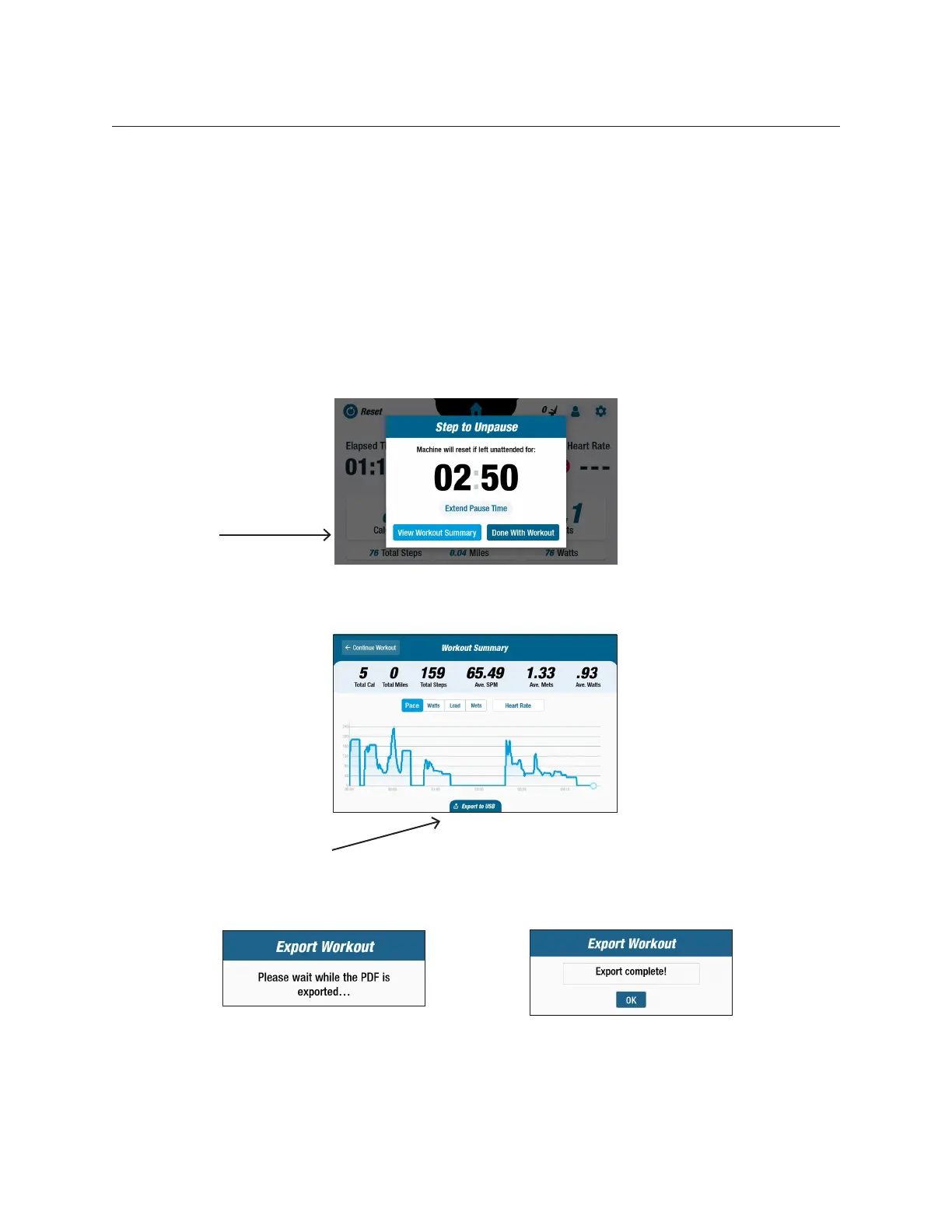
At the end of a workout (when the user has stopped stepping) the Step to Unpause
screen will open.
1. Tap View Workout Summary.
NOTE: Do not tap Done With Workout as this ends the exercise session and resets
the machine. It does not allow the user to export their workout summary.
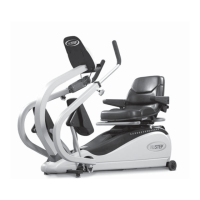
2. From the Workout Summary screen, tap Export to USB
Export to USB
Tap to open
summary
screen


 To Next Page