18
3. Go to the Metric screen.
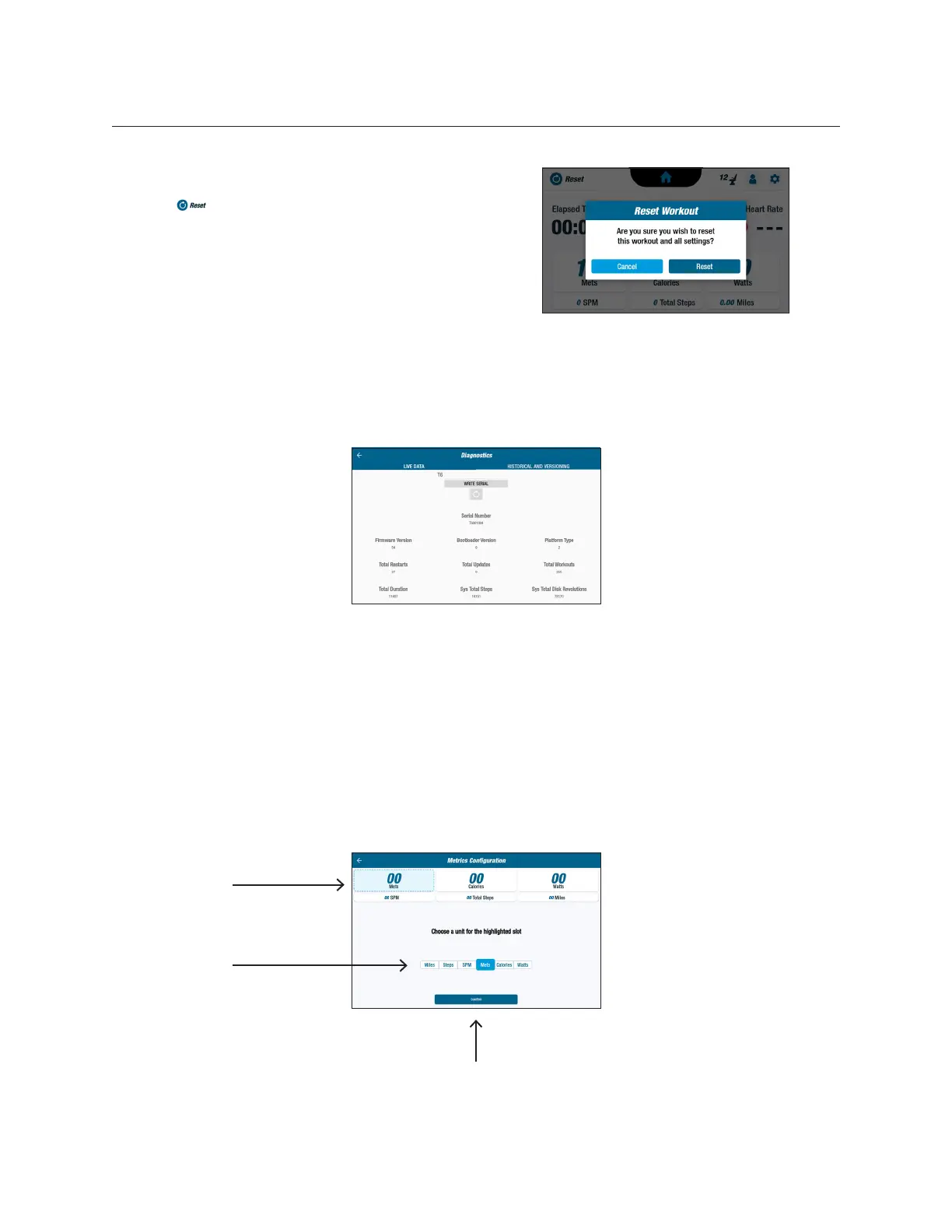
4. Tap to open the Reset Workout screen.
5. Tap Reset to apply changes.
System Settings
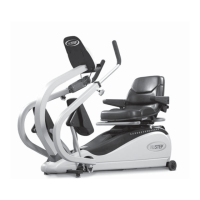
Diagnostics
The diagnostics screens display live and historical data for service technicians or those
responsible for equipment maintenance. The Historical and Versioning screen requires
a password to access.
Metrics Conguration
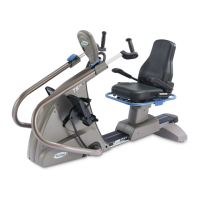
Users may change which metric units are displayed on the metric screen. The top row
displays the current metric conguration. To change:
1. Tap on a current metric unit to highlight.
2. Tap on a metric unit for the highlighted slot.
3. Tap Conrm to apply change.
Current metric
conguration
Tap to choose
new metric unit
Tap to apply
changes


 To Next Page