Nuvoton Nu-Link Debug Adapter User Manual
Oct 24, 2019 - 26 - Revision V1.01
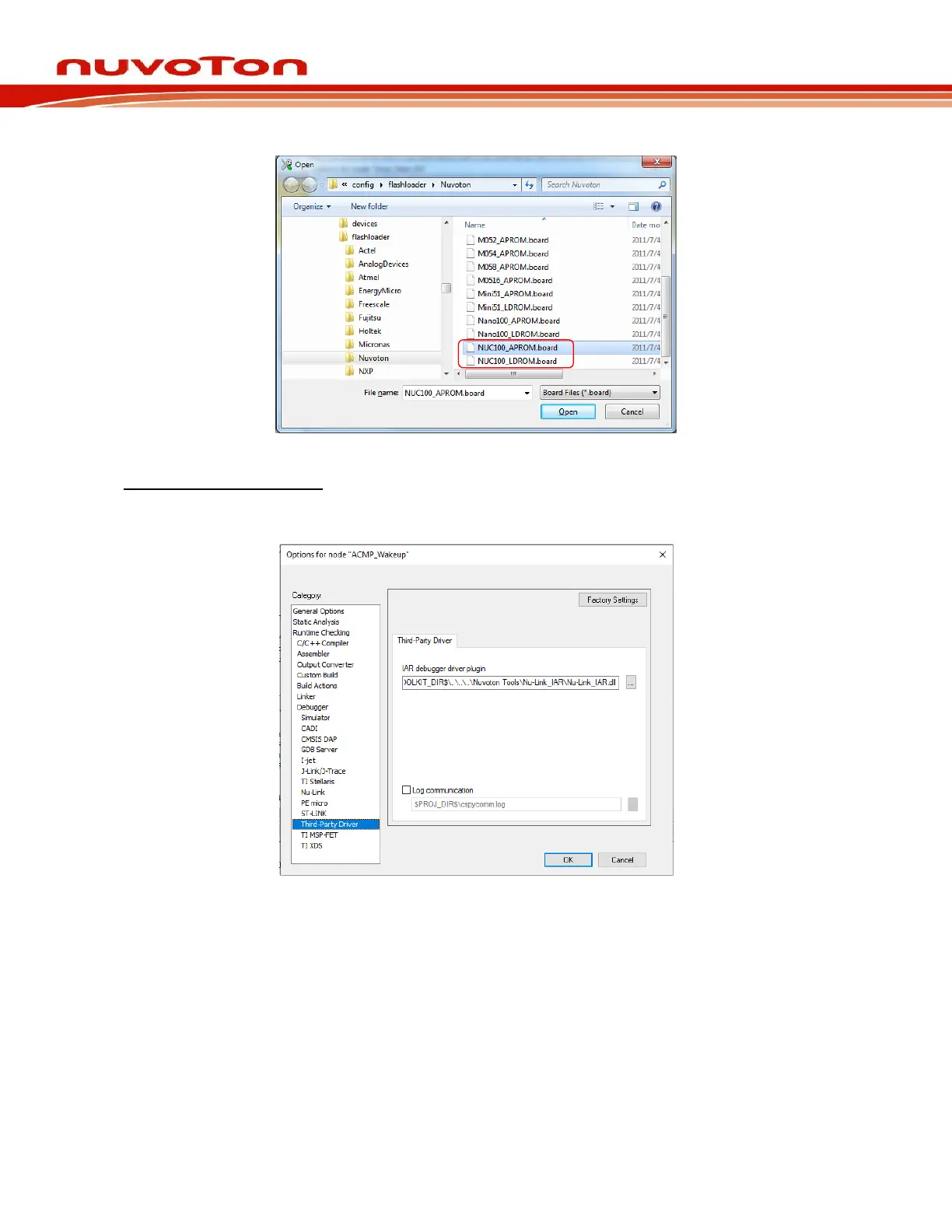
Figure 4-18 Select.board File for IAR EWARM
Driver Plugin File Settings:
Step 7: In the Third-Party Driver page, specify the path of the IAR debugger driver plugin
“C:\Program Files\Nuvoton Tools\Nu-Link_IAR\Nu-Link_IAR.dll”, as shown in Figure 4-19.
Figure 4-19 Set the Path of the IAR EWARM Debugger Driver Plugin
Step 8: Click OK to save the settings and return to the IAR EWARM main window.
Step 9: Invoke Nu-Link to open the Nu-Link form, select SWD as the Port, and specify the Nu-Link-
Pro I/O Voltage in the Target power control section (3.3V in this case), as shown in Figure
4-20.



 To Next Page