19
Attaching the Output Stacker
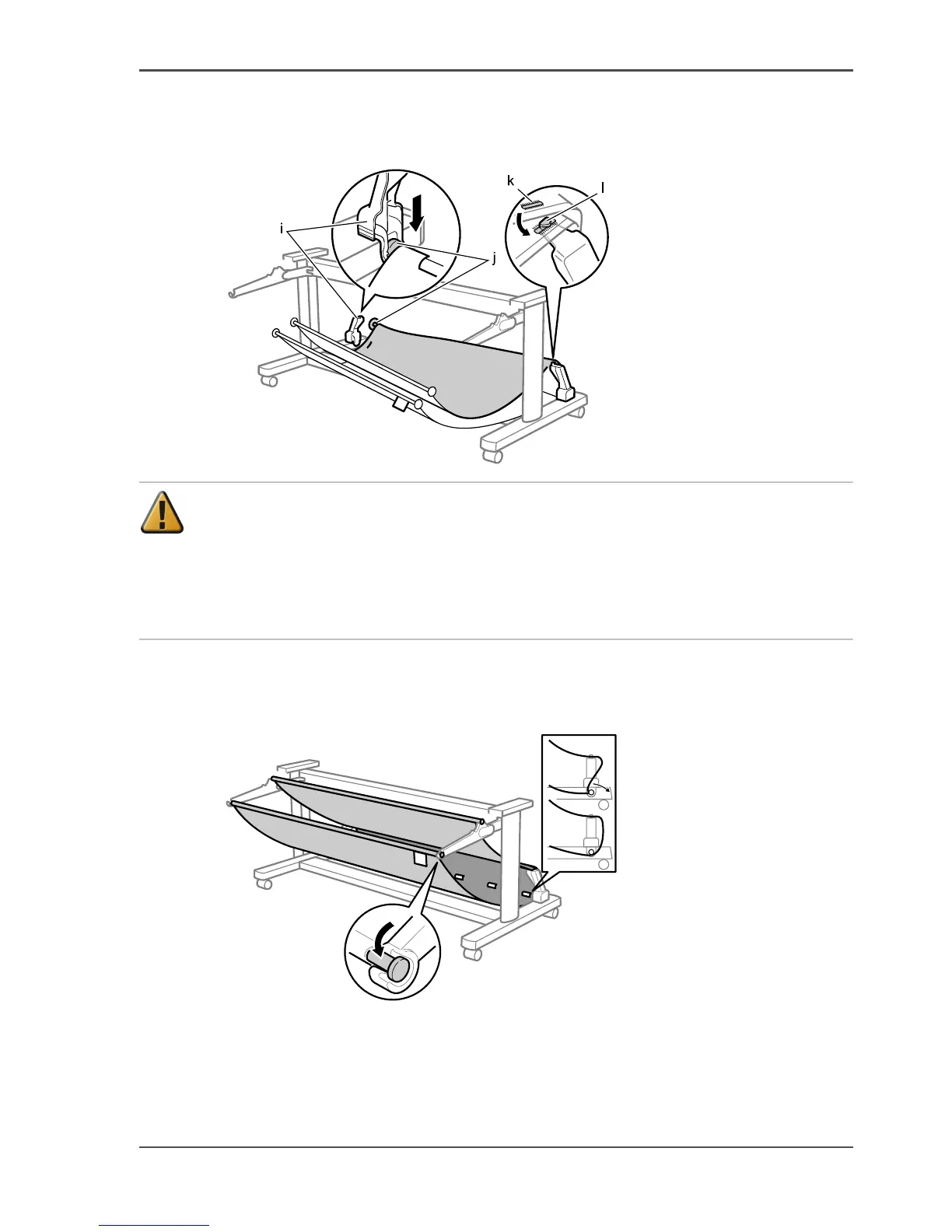
4. Attach the Output Stacker Rod (j) in the center of the Output Stacker fabric to the
Rod Holder (i), and loop the hole in the fabric (k) over the hook (l) above the Rod
Holder.
[50]
Attention: Attach the Output Stacker Rods to the Rod Holders in front of the
Output Stacker Arm and at the very back of the Rod Holder. If the Output Stacker
Rods are attached to the second rod holder from the back, the media will not
enter the Output Stacker when ejected, and may cause dirtying or damage to the
print surface. Use the rod holder that is second from the back to temporarily hold
the Output Stacker Rod during maintenance.
5. Pull out to the back any slack in the paper stacker cloth, and then attach the two
Output Stacker Rods to the Rod Holders at the very back and front of the Output
Stacker Arm.
[51]



 To Next Page