18 Chapter 1 Read this first
Attaching the Output Stacker
Attaching the Output Stacker
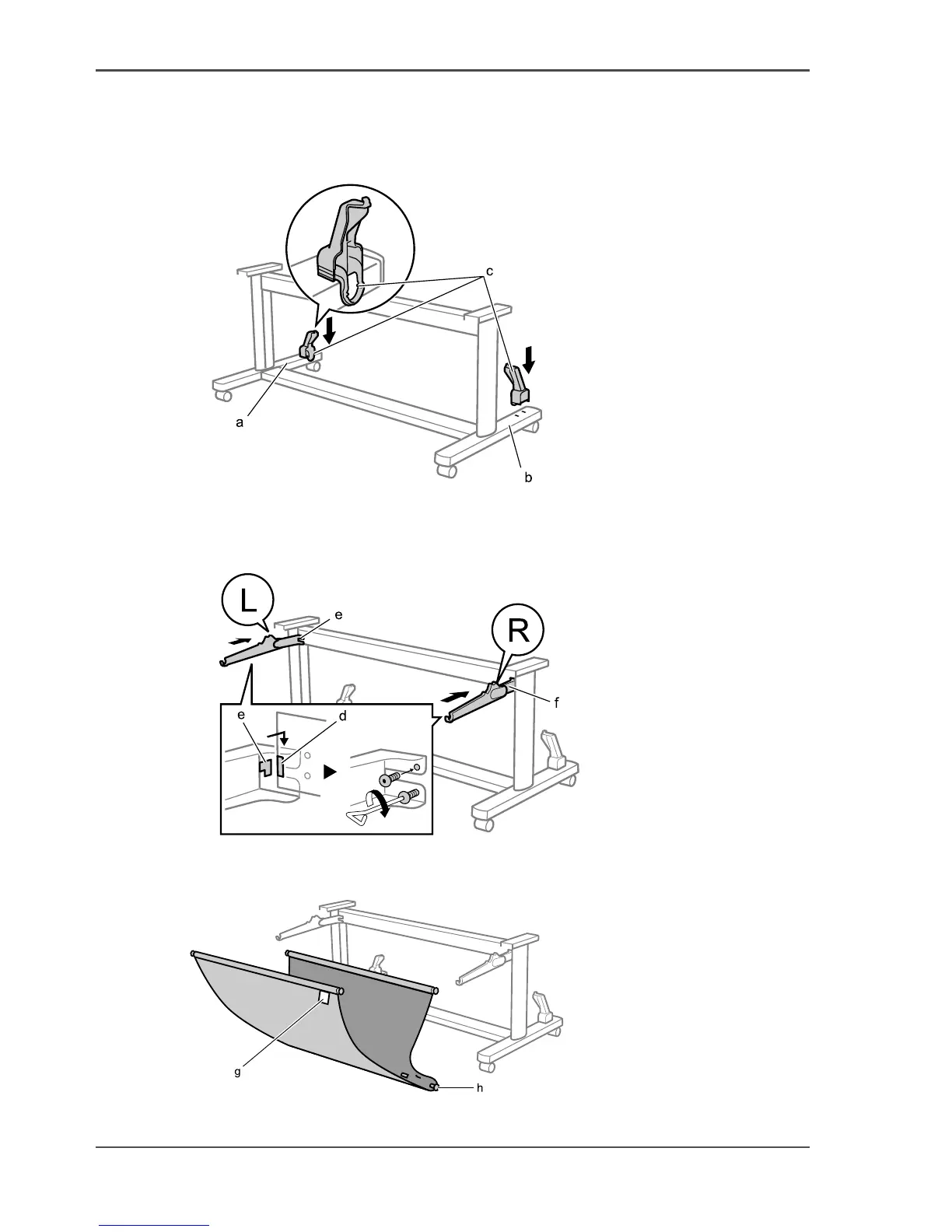
1. Insert the Rod Holders (c) into holes on the back of Stand Leg L (a) and Stand Leg
R (b).
[47]
2. Insert Output Stacker Arm L (e) and Output Stacker Arm R (f) into the grooves (d)
in the left and right ends of the Stand Upper Stay, then attach them using 2 hex
screws.
[48]
3. Stretch out the Output Stacker fabric such that the white mark (g) on the fabric is at
the front right, and the center Output Stacker Rod (h) is at the back.
[49]



 To Next Page