25
Installing the Printhead
Installing the Printhead
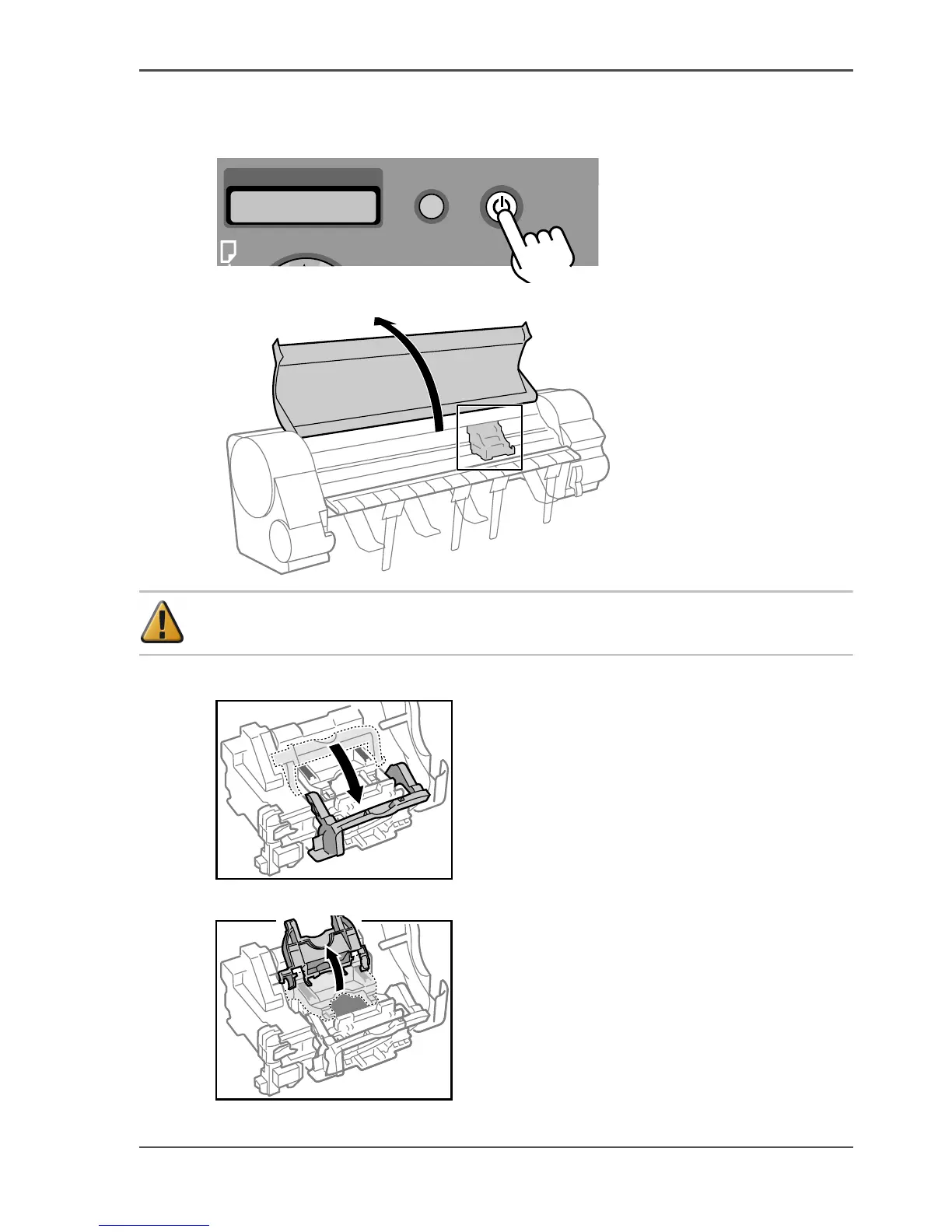
1. If the printer is off, press the Power button to switch the printer on.
[63]
2. Open the top cover.
[64]
Attention: Do not touch any areas other than as directed under any
circumstances. Doing so may damage the printer.
3. Pull the printhead fixer lever towards you as far as it will go.
[65]
4. Pull the printhead fixer cover up as far as it will go.
[66]



 To Next Page