26 Chapter 1 Read this first
Installing the Printhead
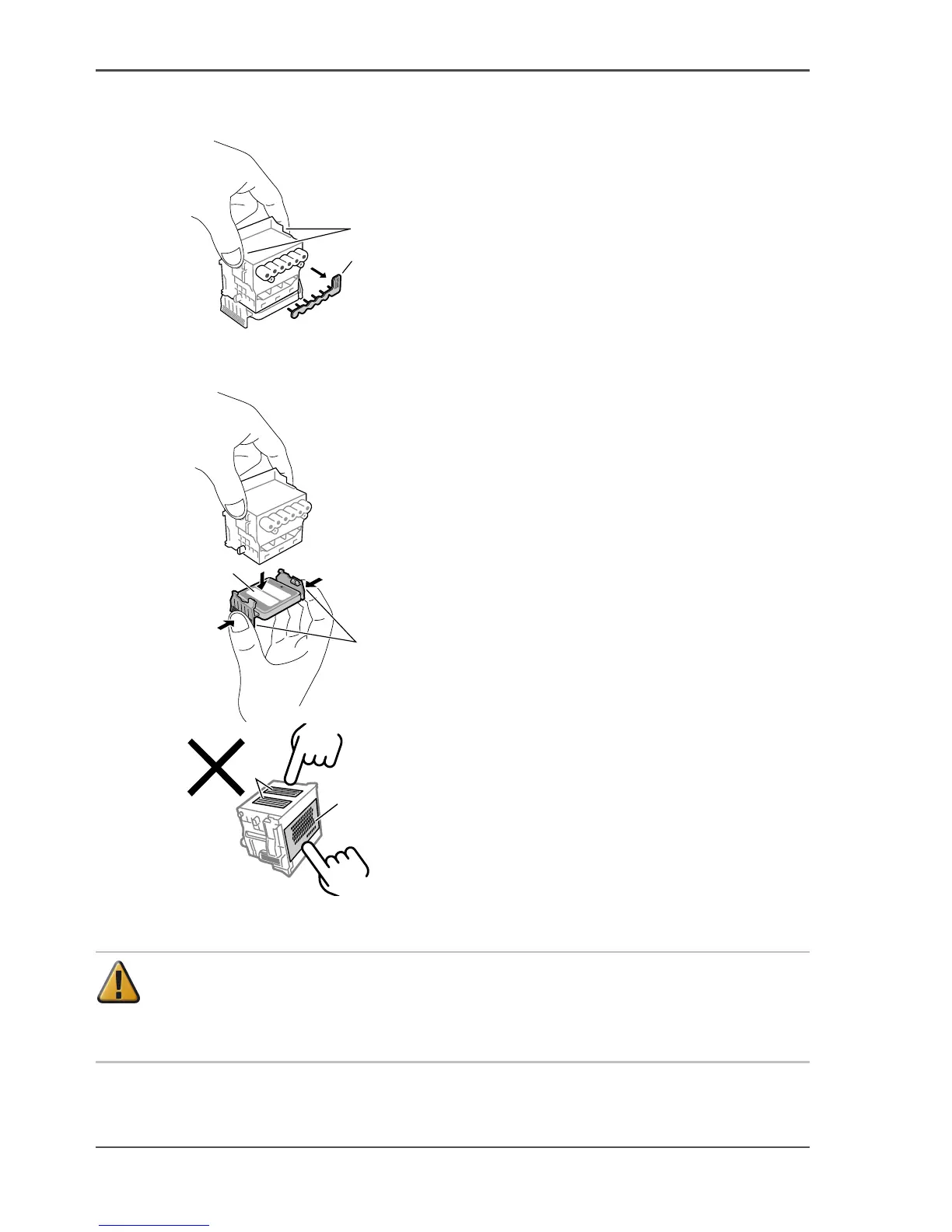
5. Hold the printhead by the grips (a) and remove it from the case, then remove the
protective orange cap 1 (b).
[67]
6. Push the tabs (d) on either side of printhead protective cap 2 (c) as shown in the
diagram, and pull down to remove the cap.
[68]
[69]
[69] Do not touch the nozzles (e) or the electrical contacts (f)
Attention: The printhead contains protective nozzle ink. If ink leaks, it may soil
the printer or peripherals. It is recommended that the protective cap 2 (c) should
be removed on the box in which the printhead was packed. If ink does leak, wipe
the ink off with a dry cloth. This ink is harmless to the human body.
a
b
d
c
e
f



 To Next Page