19
Use Océ Doc Works for tab printing
[6]
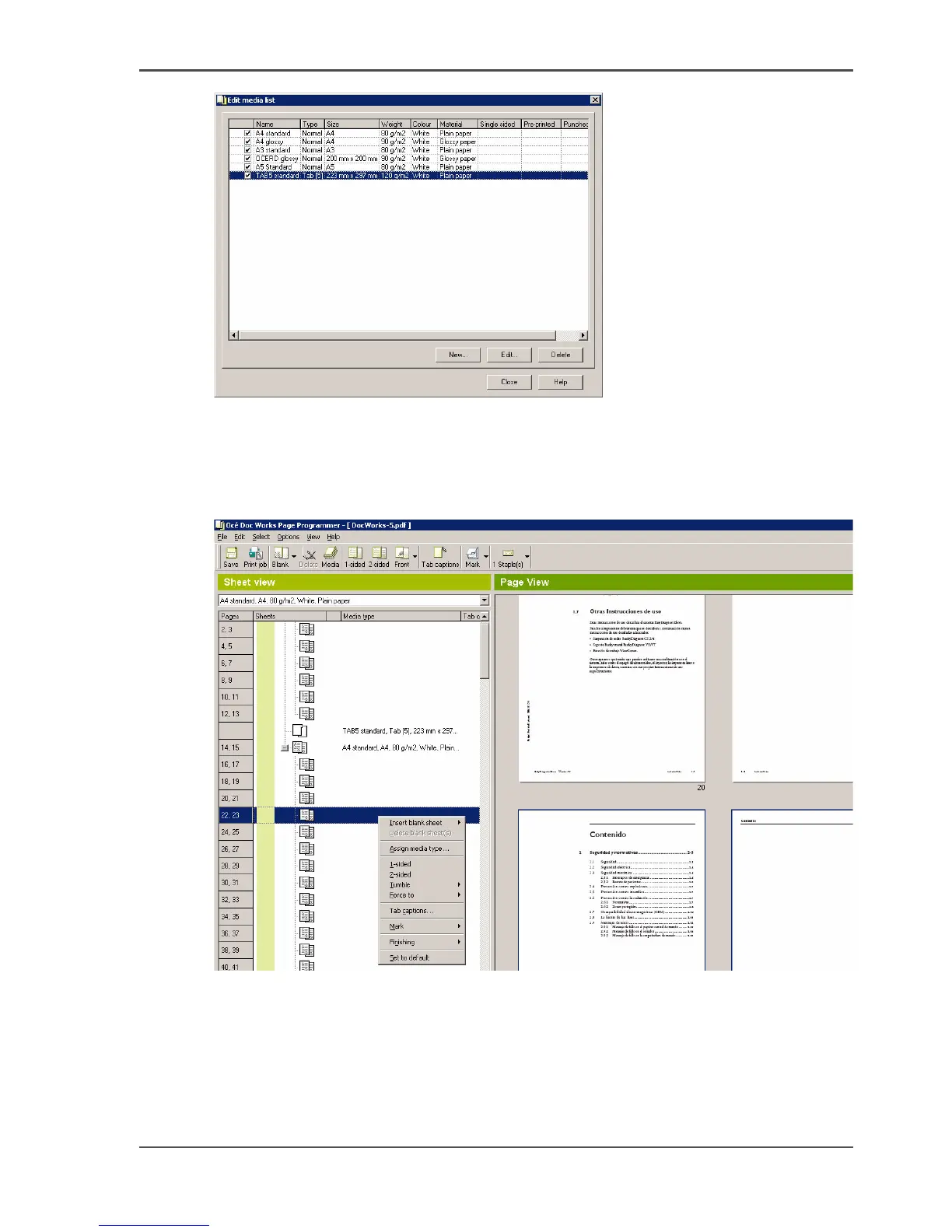
7. Click 'Close'.
Insert tab media in the print file
1. Right-click the first page of each chapter and select 'Insert blank sheet'.
[7]
2. Right-click on each blank sheet.
3. Select 'Assign media type...'.
4. Assign the respective tab media.
5. Click 'Apply' to confirm.













 To Next Page