29
Channel
Del Add EditDel All
Move
Return
MENU
Ch No.
Start Duration Date Mode
Timer
12/04/2009 09:30:00
Exit
Exit
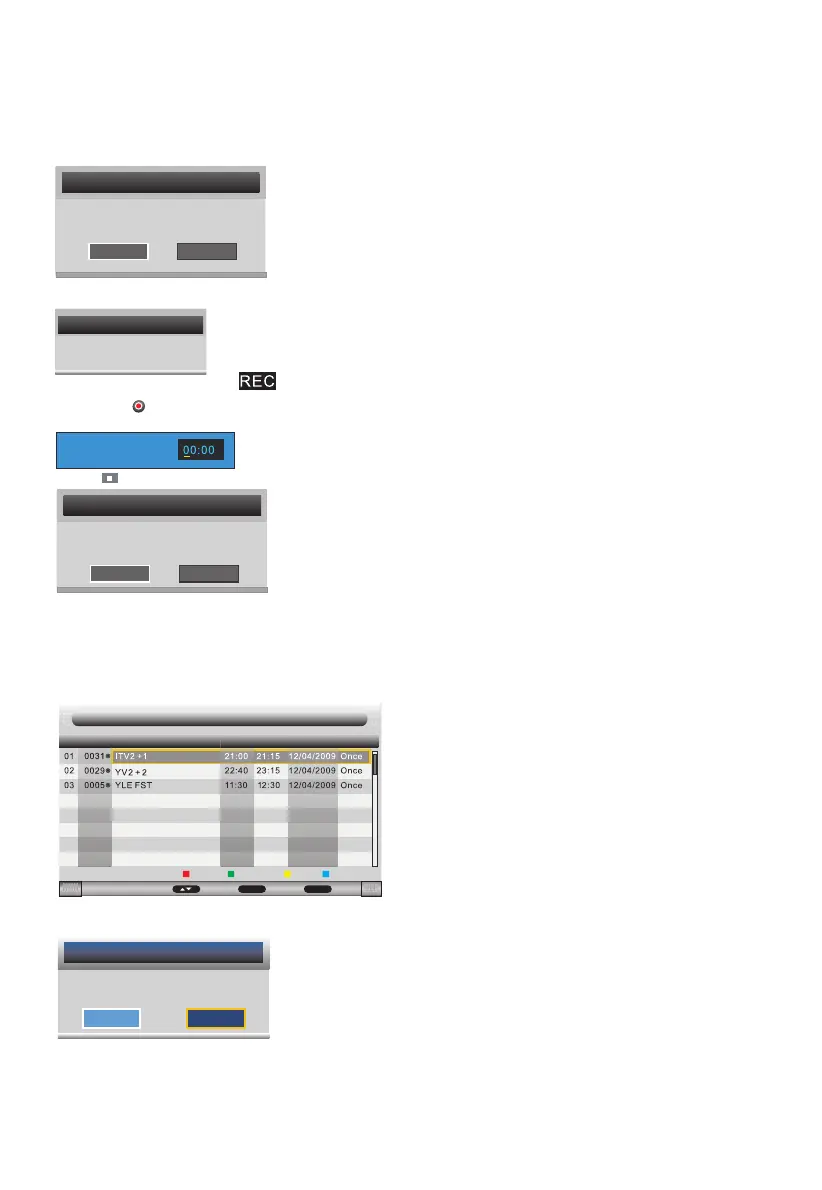
During recording, the icon is displayed on the left.
Rec Duration Time
Press REC again to set the recording time.
Use numeric keys to enter values and direction keys to move from a eld to another.
Press on the remote control to stop recording.
Message
Do you want to stop
Recording?
OK
Cancel
To stop recording choose "OK", to continue recording choose "Cancel".
Timer (Scheduled Recording)
The scheduled recording mode allows you to set the channel to be recorded, start time and duration.
You can also program one or more weekly recordings.
Press ▲/▼ button to select Timer, then press OK button or ► button to enter.
(Tips: You can press "TIMER" button on the remote control to enter.)
If your device speed is not enough, there will be a dialog as follows:
You'd better change a high speed device or select "OK" to continue.
Select "OK" to start recording. You'll see the dialog:
Message
Device speed not enough,
RECORD anyway?
OK Cancel
Initializing Recorder...
Message
Return back to the previous menu if you select "Cancel" and press OK button.
Select "OK" and press OK button to delete the selected program from the timer list.
Press▲/▼ button to select CH No, then press Red button to delete selected channel,
the menu will appear as follows:
Message
Delete Selected Timer?
OK
Cancel



 To Next Page