30
Recor d File Format
Parti ton Select
Timeshift Buf fer
Timer
Recor d List
Recor der Start
Featu re - REC/Time shift
Pictu re
Sound
Chann el
Featu re
Setup
TS
Enter
Auto
Enter
Enter
Enter
Move Enter
OK
Retur n
Menu
Exit
Exit
Move
13/01/2008 07:05:13
MENU
Timer Edit
0~90~9
OK Enter
Recorder
Type
Channel
Start Time
Duration
Date
Mode
On
DTV
Once
Save
Message
Delete all timers?
OK
Cancel
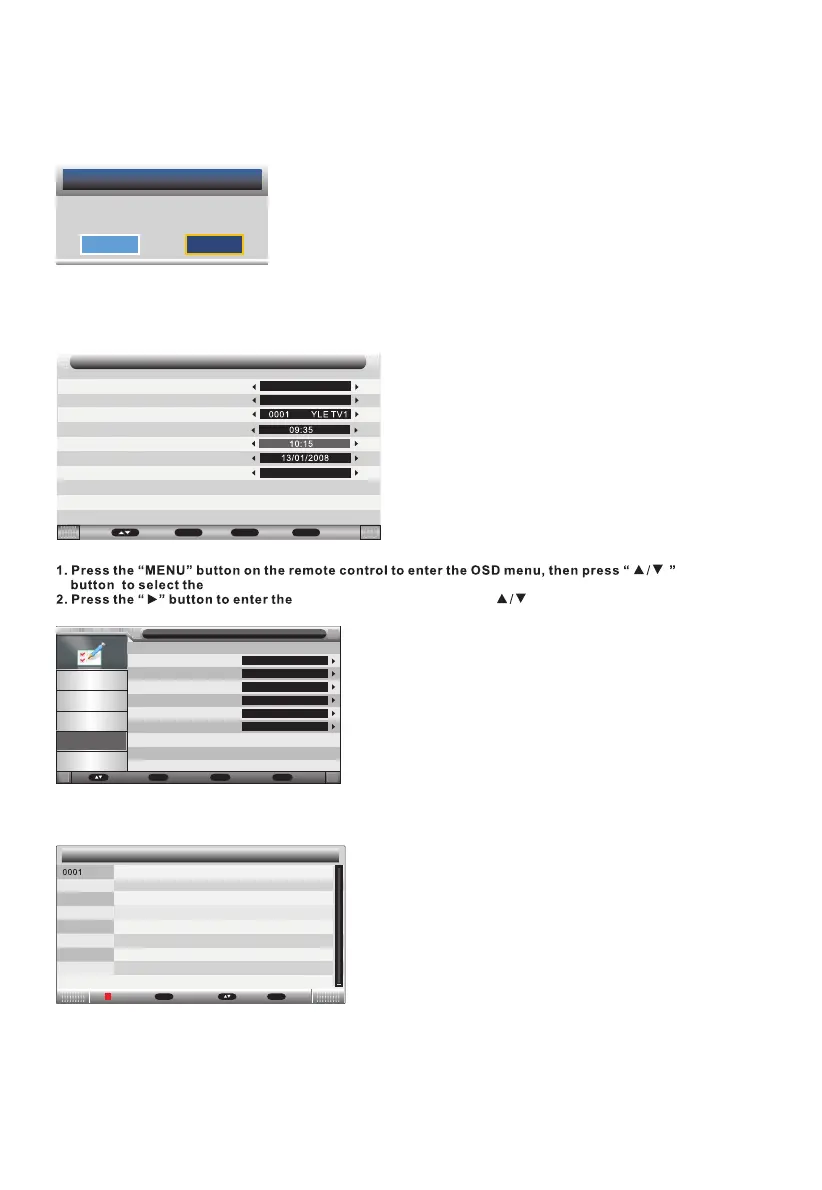
Press Green button to delete all timers, the menu will appear as follows:
Return back to the previous menu if you select "Cancel" and press OK button.
Select "OK" and press OK button to delete all timers.
Notes on recording and USB functions
- Information on the recording format: Recording is done in MPEG-TS format which allows
recording in HD quality identical to the signal received. To play your recordings on another
multimedia device, it may be necessary to install a compatible video codec.
- If you want to record a lm or a long program, use a memory stick of larger capacity (eg. 4GB).
If you want to save several lms, opt for external hard drives of large capacity.
Press▲/▼ button to select channel that you want to edit,
Press Blue button to edit selected channel, the timer edit menu will appear.
Press Yellow button to add channel to the timer list, the menu will appear as follows:
"Feature" menu.
"Feature" menu setting, use " " to choose “REC/Timeshift”
setting as below:
View recorded programs
3. Choose “Recorded List”
Record List menu manages the Recorded programs, User can playback recorders in this menu.
(Tips: You can press "REC.LIST" button on the remote control to enter.)
CANAL_ 2010/02 /16 12:30:16-12:3 3:40
Record List
Enter
OK
Return
Menu
MoveDelete



 To Next Page