21
PROPLUS 4.0 OPERATING MANUAL
© Pelagic, 2019 Doc. No. 12-5669-r01 (1/18/19)
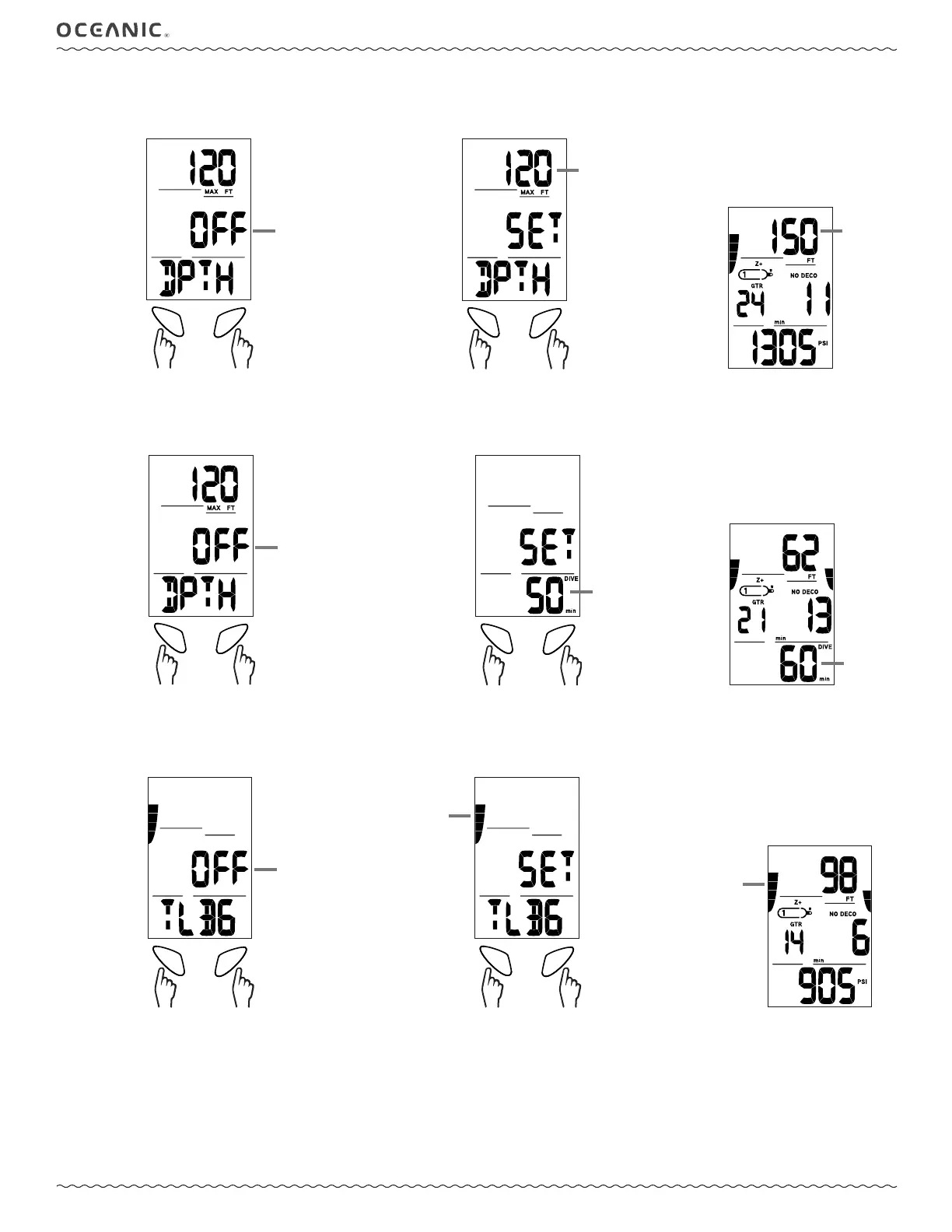
2: DEPTH
The Depth Alarm allows you to set a maximum depth alarm.
SELADV
toggle
setting
save setting,
(proceed to Set EDT Alarm if
ON or OFF, to Set Depth Alarm
if SET)
Choose OFF, ON, or SET
ashing OFF, ON,
or SET
SELADV
toggle
setting
save
setting
Set Depth Alarm
ashing
30 - 330 ft
(10- 100 m)
Depth Alarm Triggered
ashing
3: EDT (ELAPSED DIVE TIME)
The Elapsed Dive Time Alarm allows you to set an alarm to go off at a predetermined amount of dive time.
SELADV
toggle
setting
save setting,
(proceed to Set TLBG Alarm if
ON or OFF, to Set EDT Alarm
if SET)
Choose OFF, ON, or SET
ashing OFF, ON,
or SET
SELADV
toggle
setting
save
setting
Set EDT Alarm
ashing
10 - 180 min
EDT Alarm Triggered
ashing
4: TLBG (TISSUE LOADING BAR GRAPH)
This feature allows you to set an alarm to go off at a predetermined number of Tissue Loading Bar Graph segments being lled.
SELADV
toggle
setting
save setting,
(proceed to Set DTR Alarm if
ON or OFF, to Set TLBG Alarm
if SET)
Choose OFF, ON, or SET
ashing OFF, ON,
or SET
SELADV
toggle
setting
save
setting
Set TLBG Alarm
ashing # of
segments selected
TLBG Alarm Triggered
ashing



 To Next Page