2 Symbols
Instruction Manual Pentacam® AXL (G/70100/EN 1121 Rev04) 3 / 85
The software version of the patient data management appears in the
settings of the patient data management software.
The software version of the Pentacam® AXL program appears in the
Pentacam® AXL settings.
The minimum screen resolution of the Pentacam® displays is
1280x720 with a text size of 100%.
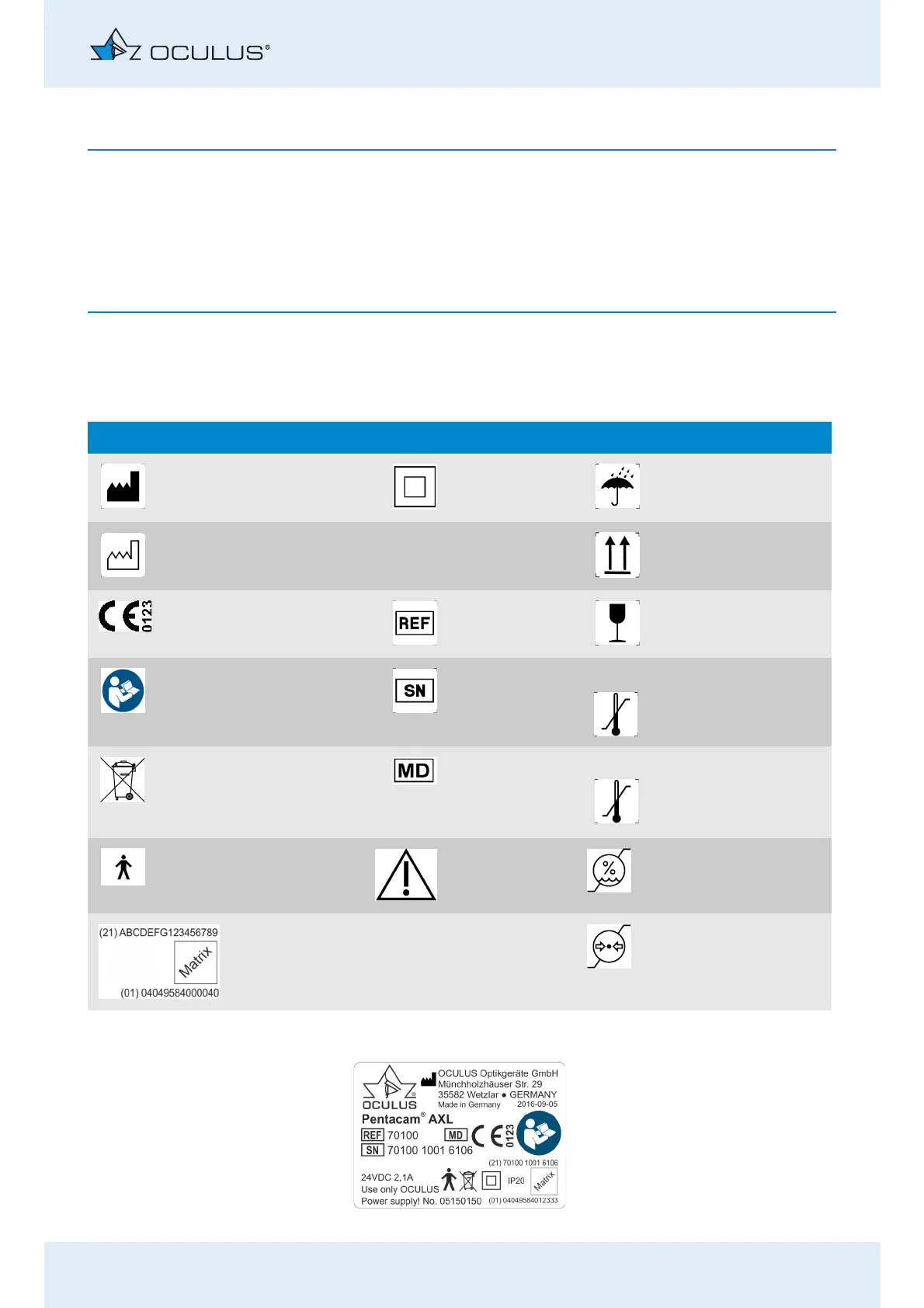
2Symbols
Symbols on the device Symbols, packaging
Manufacturer Protection class Keep dry
Date of
manufacture
IP XX
Type of protec-
tion
This way up
Conformité eu-
ropéenne
Article number Fragile
Follow instruction
for use
Serial number Limit of temperature for
transport
Disposal in house-
hold trash is prohib-
ited
Medical device Limit of temperature for
storage
Applied part Type B Attention Limit of humidity
Example: UDI number, consisting UDI-
DI (Device-Identification)
UDI-PI (Product Identifier)
machine-readable matrix code
Limit of air pressure
Fig. 2-1: Name plate (example)



 To Next Page