Odometer
When selected, the odometer registers total
distance traveled in miles while the ignition is
on A. To change the display from trip meter to
odometer, press and release the
Odometer/Trip meter select button.
Functions switch
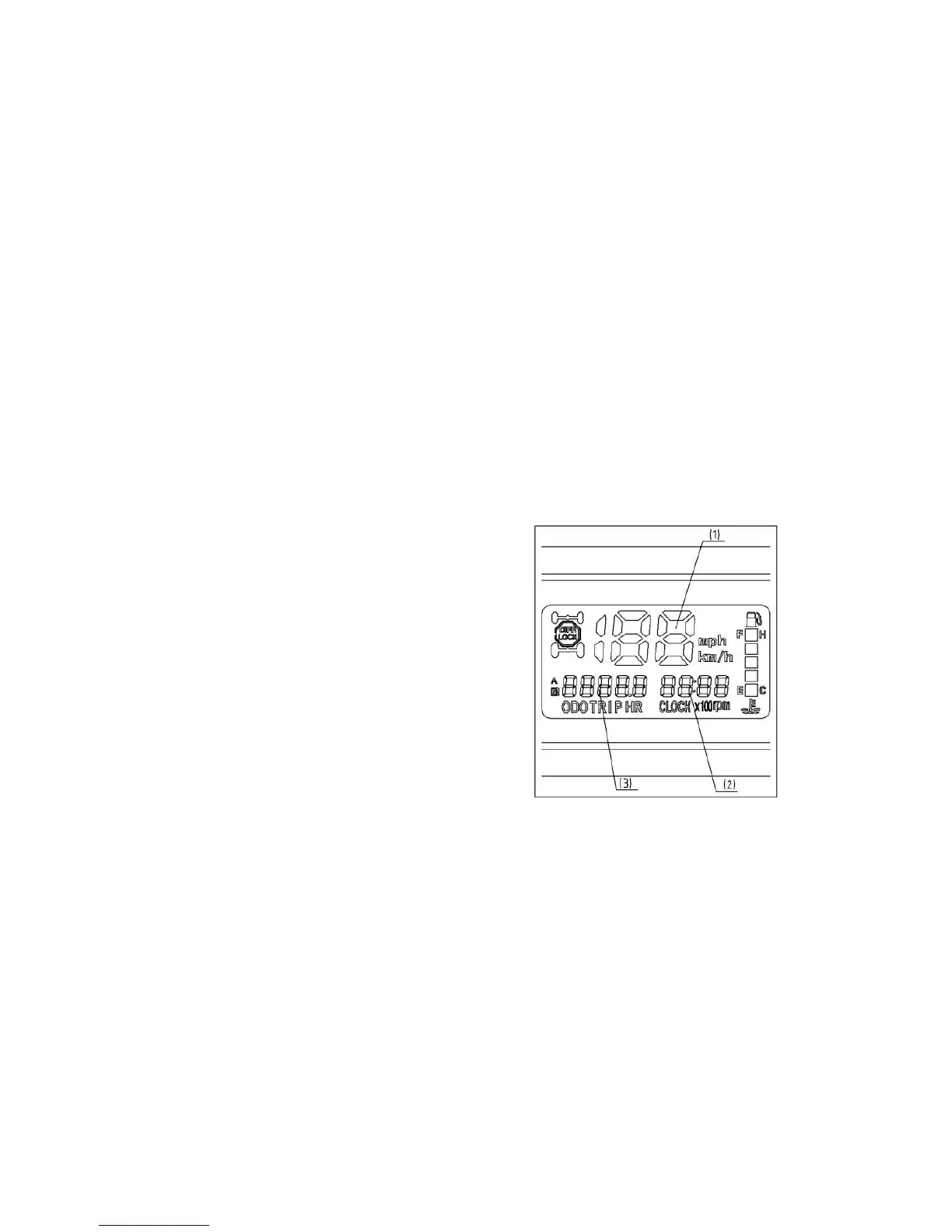
Press the MODE button. The modes of ODO,
TRIP A, TRIP B, HRA and HRB will display in
the odometer and be switched between. The
figure of speed will display and update
synchronous while switching between KM/H
and MPH in unit of pedometer. By pressing
“Time Set ”, the user can set the hour and
minute. Adjust hours or minutes by
ascending or descending by continuing to
press button of mode of “ Set/Reset”, user
can clean the record to zero for particular
period of working mileage and time by pressing
the mode of “Set/Reset “ while showing mode of
“TRIP A and HRA” in the speedometer .
(1). Speed meter
(2). Time
(3). Trip meter


 To Next Page