● Do not use accessories requiring more
than the above maximum capacity. This
may overload the circuit and cause the
fuse to blow.
● If accessories are used without the
engine running or with the headlights
turned on, the battery will lose its charge
and engine starting may become
difficult.
● Do not use an automotive cigarette
lighter or other accessories with a plug
that gets hot because the jack can be
damaged.
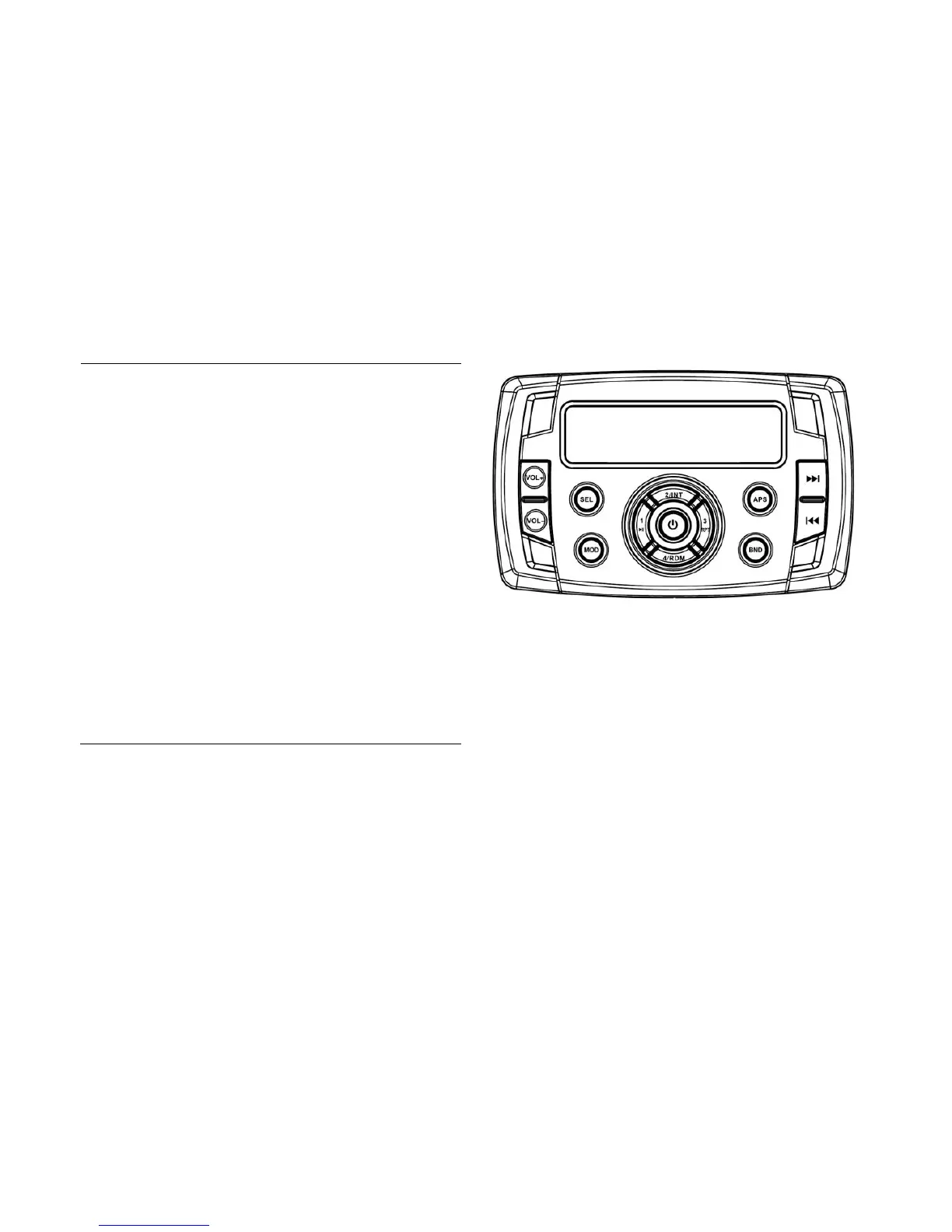
Radio features
1. Front panel layout description
(1).VOL+/VOL-.
Press VOL+ to increase the volume of
the receiver;
Press VOL- to decrease the volume.
(2).SEL.
This button “Selects” a variety of
commands.
(3).MOD.
The Mode button switches between FM,
Auxiliary, USB, and Bluetooth.


 To Next Page