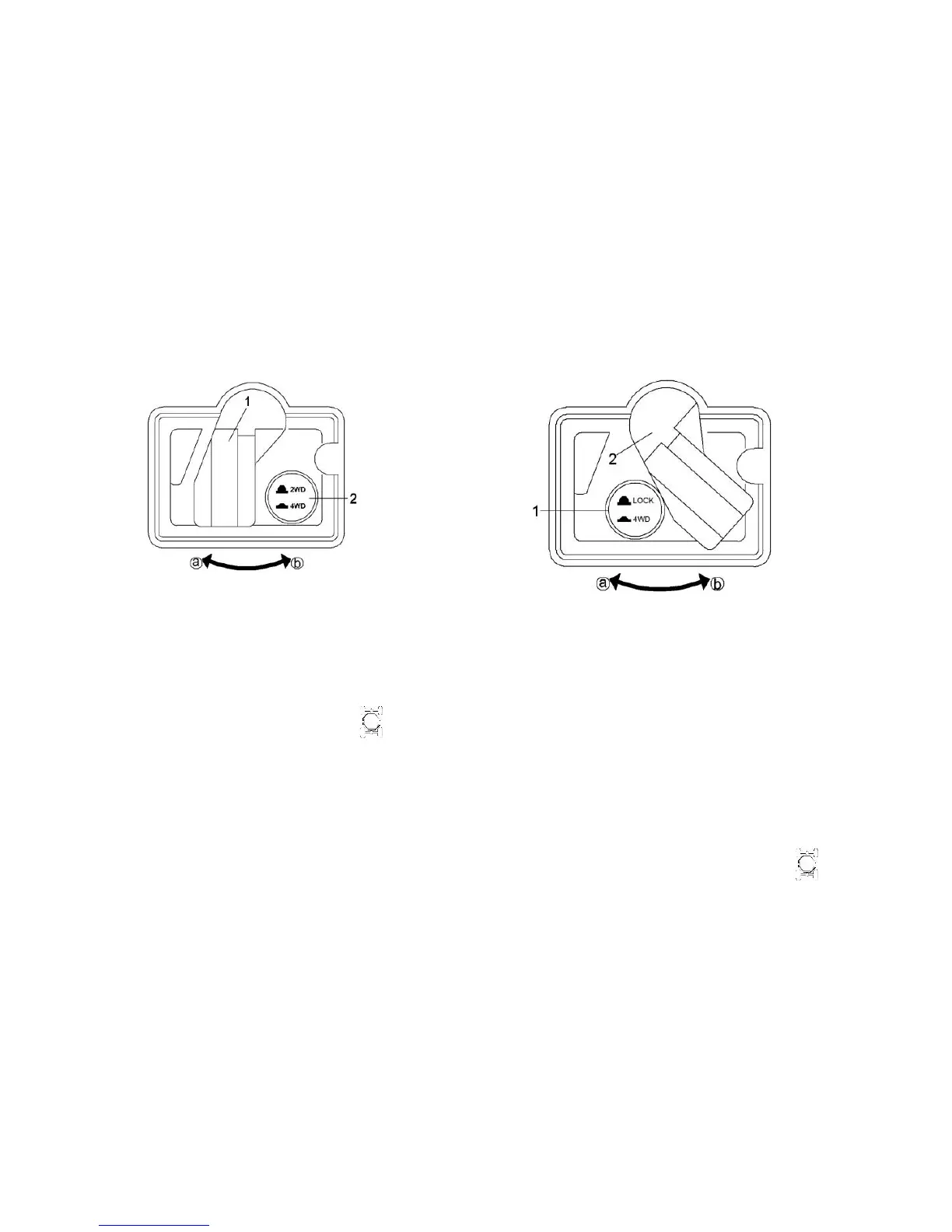
On-Command four-wheel drive switch
"2WD"/"4WD"
1. Lever
2. On-Command four-wheel drive switch "2WD"/"4WD"
To change from 2WD to 4WD, stop the
vehicle, and then set the switch to "4WD".
When the vehicle is in 4WD, the
four-wheel-drive indicator light“ ”will
come on. To change from 4WD to 2WD,
stop the vehicle, be sure the lever is set to
position○
a
, and then set the switch to
"2WD".
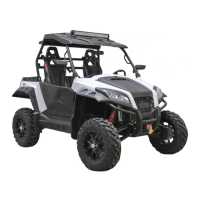
Differential gear lock switch
"LOCK"/"4WD"
1. Differential gear lock switch "LOCK"/"4WD"
2. Lever
To lock the differential gear in 4WD, stop the
vehicle, and make sure the On-Command
four-wheel-drive switch is set to "4WD",
move the lever to position
○
b , and then set
the switch to "LOCK". When the differential
gear is locked, the differential gear lock
indicator light“ ”on, for special edition


 To Next Page