ODYS PDV 67003 DVB-T
28
EN
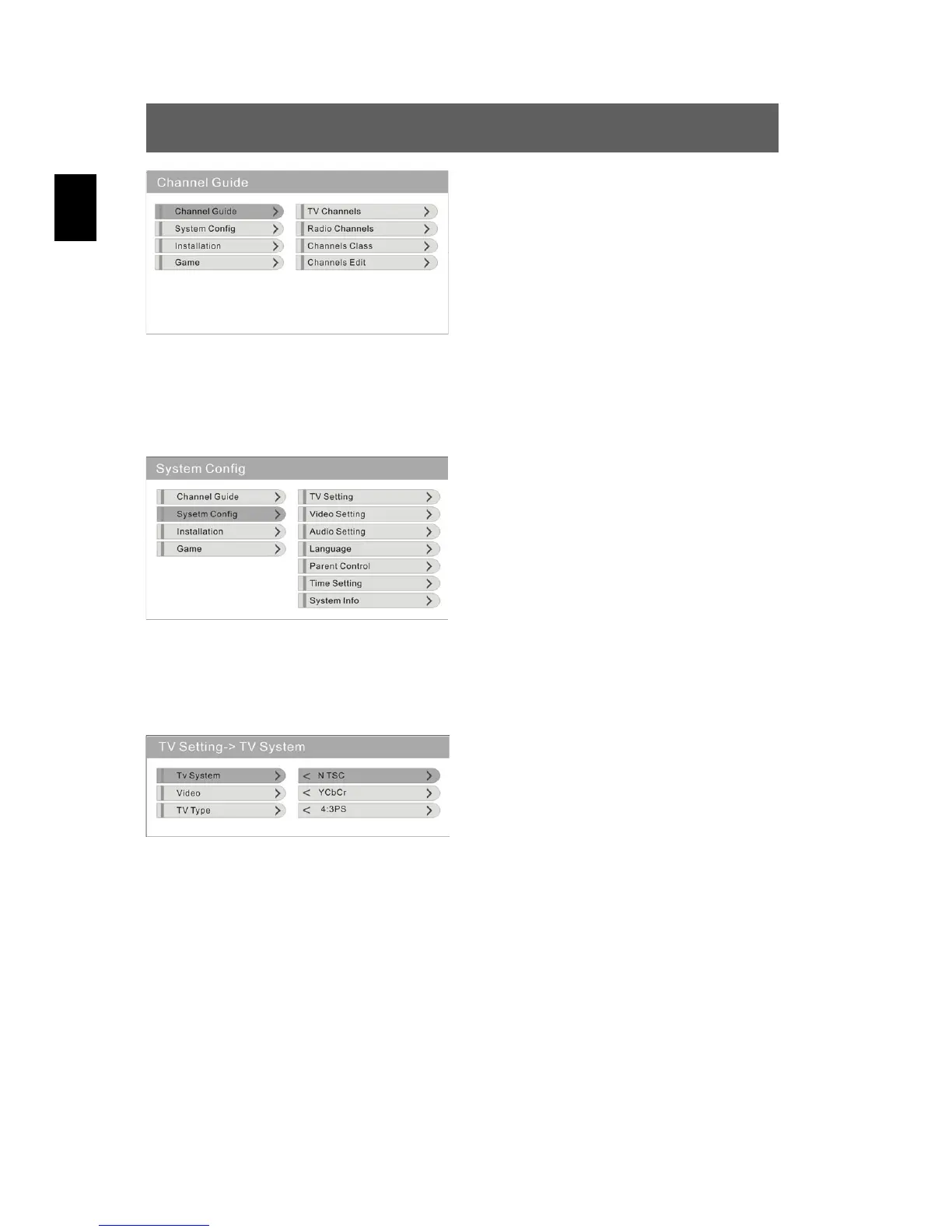
Navigating through the menu
In this menu, press to select the
desired option and confirm using
ENT. Using the SETUP button, you
return to the previous menu.
2. System configuration
Press to select the “System configuration” option and confirm
using ENT. The following menu is displayed:
In this menu, press to select the
desired option and confirm using
ENT. Using the SETUP button, you
return to the previous menu.
TV setting
Press to select the “TV setting” option, confirm using ENT. The
following menu is displayed:
Navigate through this menu as
displayed above and perform your
desired settings for the three options
“TV Norm”, “Video Norm” and
“Screen Mode” (see below).
TV System
Press to select the “TV System” option and confirm using ENT.
Using , select the setting appropriate for you from the NTSC, PAL 60,
PAL, Auto values (e. g. usually PAL) and confirm using ENT.
Video System
Press to select the “Video System” option and confirm using ENT.
Using , select the setting appropriate for you from the YcbCr, TV-
RGB, P-SCAN-YUV, S-Video (e. g. usually TV-RGB) and confirm using
ENT.


 To Next Page