EasyManua.ls Logo

OHAUS EC Series - User Manual

OHAUS EC Series
18 pages
Print Icon
To Next Page IconTo Next Page
Loading...
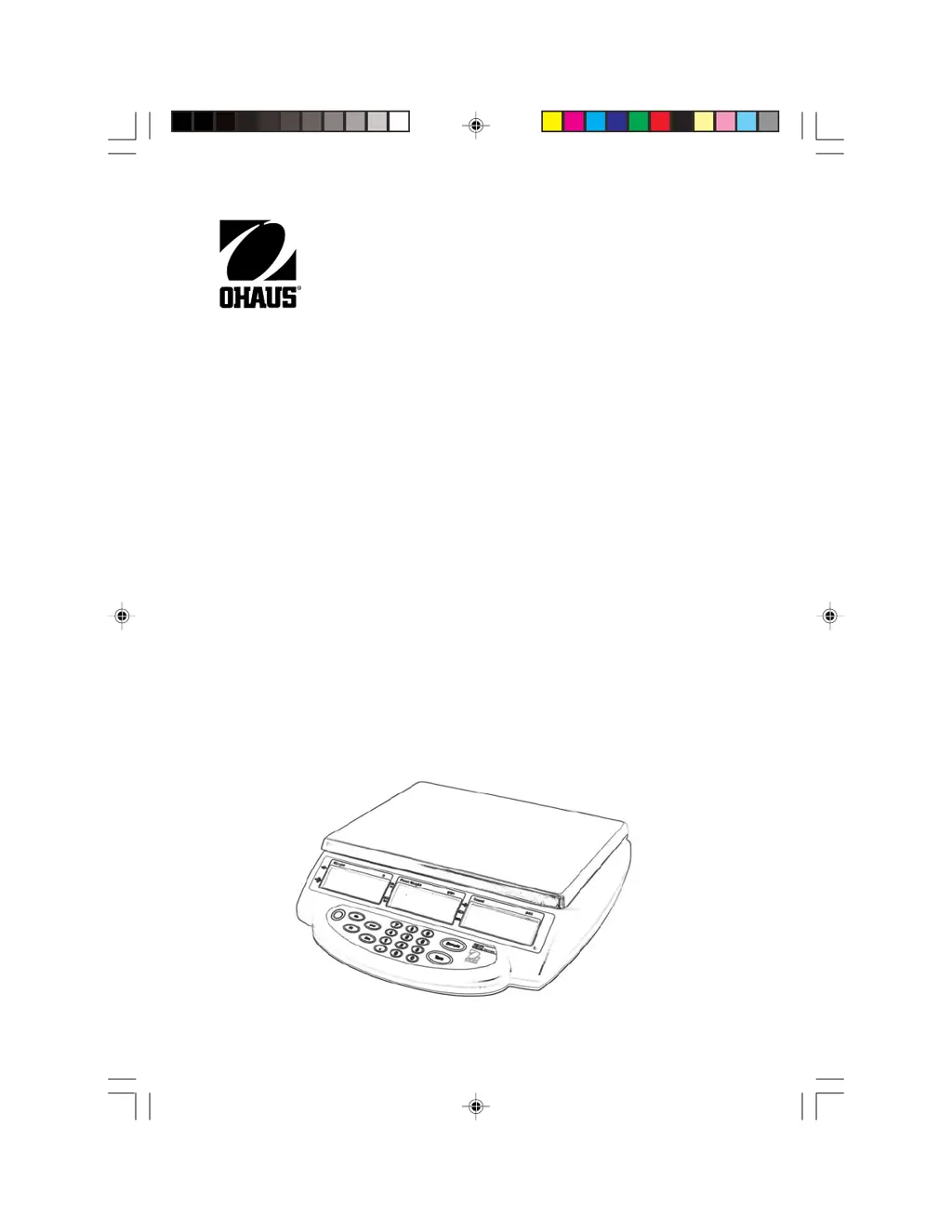
EC Series
Instruction Manual
1 EC-front cover.pmd 8/9/2005, 1:41 PM1

Other manuals for OHAUS EC Series

Questions and Answers

  • J
    Jeffery MillerAug 17, 2025
    Why OHAUS EC not turning on?
    • J
      Jessica EatonAug 17, 2025
      Your OHAUS scale might not be turning on because the AC power is not connected. Ensure that the scale is properly connected to a power source. Alternatively, the battery may be discharged. In this case, connect the scale to a power source to charge the battery.
  • A
    ambershannonAug 20, 2025
    What to do if my OHAUS EC Scales won't turn on with the AC adapter?
    • J
      Jason JenkinsAug 20, 2025
      If your scale isn't turning on with the AC adapter, the adapter itself, the membrane switch, or the main PC board could be defective. First check the AC adapter voltage output. If the voltage is low or nonexistent, replace the AC adapter. If the adapter is OK, test the membrane switch and replace if necessary. If the scale still fails to turn on, the main PC board should be tested and replaced if defective.
  • P
    peter45Aug 26, 2025
    Why OHAUS Scales can be turned on but will not calibrate?
    • S
      Sarah LewisAug 26, 2025
      If your scale turns on but won't calibrate, the issue might be incorrect weights, a defective load cell assembly, or a defective main PC board. First, verify that you're using the correct weights. If so, test the load cell and replace it if defective. If the problem continues, the main PC board should be tested and replaced if defective.
  • K
    Kim BakerAug 28, 2025
    What to do if OHAUS EC Scales does not display accurately?
    • T
      Tanya CaldwellAug 28, 2025
      If your OHAUS scale isn't displaying weight accurately, it might be due to improper calibration. Calibrate the scale using the correct calibration weights to resolve this issue.
  • K
    Kevin HodgeAug 31, 2025
    What to do if OHAUS EC Scales weight reading does not stabilize?
    • J
      Jennifer WilliamsAug 31, 2025
      If the weight reading on your OHAUS scale is unstable, it could be due to an unstable environment. Make sure the scale is placed in a stable location. Another potential cause is interference under the pan. Ensure that the weighing pan is unobstructed and free to move.
  • D
    Derek RobersonSep 2, 2025
    Why does my OHAUS EC read incorrectly or display unstable readings?
    • R
      Richard TurnerSep 3, 2025
      Incorrect readings or unstable balance can be caused by a few things. First, the scales may need calibration. Second, the load cell could be damaged. Third, the main PC board may be defective. You can try to solve this by performing a service calibration. If that doesn't work, test the load cell. If it's defective, replace it. If the issue persists, the main PC board should be tested and replaced if found defective.
  • S
    Scott SmithSep 5, 2025
    What does --OL-- displayed mean on OHAUS EC?
    • A
      Anthony RichardSep 5, 2025
      If your OHAUS scale displays '--OL--', it means the load on the pan exceeds the scale's capacity. Reduce the weight on the pan to resolve this.
  • K
    Kevin MclaughlinSep 8, 2025
    What does E1, E2, E3 displayed mean on OHAUS EC Scales?
    • S
      Sherry TaylorSep 8, 2025
      If your OHAUS scale is displaying 'E1, E2, E3', it could be due to the pan being incorrectly positioned. Reposition the pan correctly. It may also indicate that the zero limit was exceeded during power up. Make sure the pan is empty before switching the scale on.
  • M
    Melissa StevensSep 12, 2025
    What to do if OHAUS EC Scales does not respond to front panel controls?
    • K
      Krista WilliamsSep 12, 2025
      If your scale isn't responding to the front panel controls, the membrane switch may be defective. Test the membrane switch and replace it if necessary. If the membrane switch is OK, test the Main PC Board. If it's defective, replace the Main PC Board.
  • C
    Cassidy HuntSep 13, 2025
    What causes the display to fail on OHAUS Scales (not on or partial characters)?
    • W
      wrightmarkSep 13, 2025
      A display that is not on or showing partial characters indicates that the display PC board is defective or the LCD may be defective. Verify that other problems do not exist first. Test the LCD Display. Replace Display PC Board or LCD.

Summary

1 INTRODUCTION

1.3 Safety Precautions

Provides essential safety precautions for the operation and handling of the EC Series scale.

2 INSTALLATION

2.5 Connecting Power

Provides instructions for connecting the scale to AC power and explains battery power operation.

2.6 Initial Calibration

Recommends initial calibration for accurate weighing results and refers to the calibration section.

3 OVERVIEW OF CONTROLS AND FUNCTIONS

3.1 Display Symbols

Explains the meaning of various symbols and indicators shown on the scale's display.

4 OPERATIONS

4.2 Manual Tare

Explains how to perform a manual tare operation to zero the scale with a container.

4.3 Pre-set Tare

Details how to enter a known tare value using the numeric keypad.

4.5 Sampling, Calculating Average Piece Weight (APW)

Explains how to sample items to calculate the Average Piece Weight (APW) for counting.

4.6 Entering a Known Piece Weight

Details how to manually enter a known piece weight for accurate counting.

5 SCALE SETTINGS

6 CALIBRATION

7 TROUBLESHOOTING

OHAUS EC Series Specifications

General IconGeneral
BrandOHAUS
ModelEC Series
CategoryScales
LanguageEnglish

Related product manuals