2 Explorer
®
Display Tower Mount Kit
2.2 Installation procedure
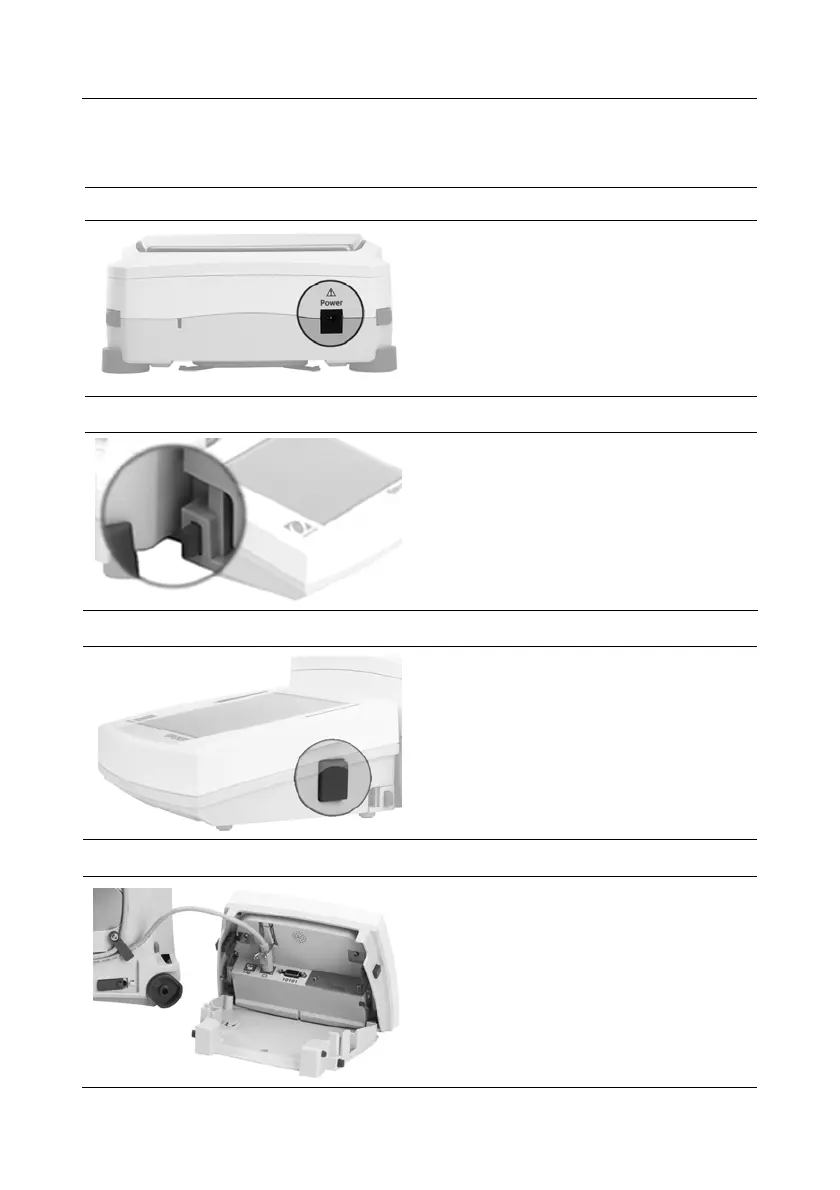
Follow the steps below. Refer to the Figures when performing these steps.
1
Make sure Balance is unplugged
(turned OFF).
2
Detach the Display:
press buttons on both sides to
disconnect. Then pull Display
away from base.
3
Open the Display:
press buttons (enlarged in photo),
on both sides, then lift Display until
it opens.
4
Open the Display to
access and release the
Display Communication Cable.


 To Next Page
 Loading...












