PR Series Balance EN-17
5.3 Balance Setup
Enter this sub-menu to customize the balance functionality.
Note: The factory default settings are shown below in bold.
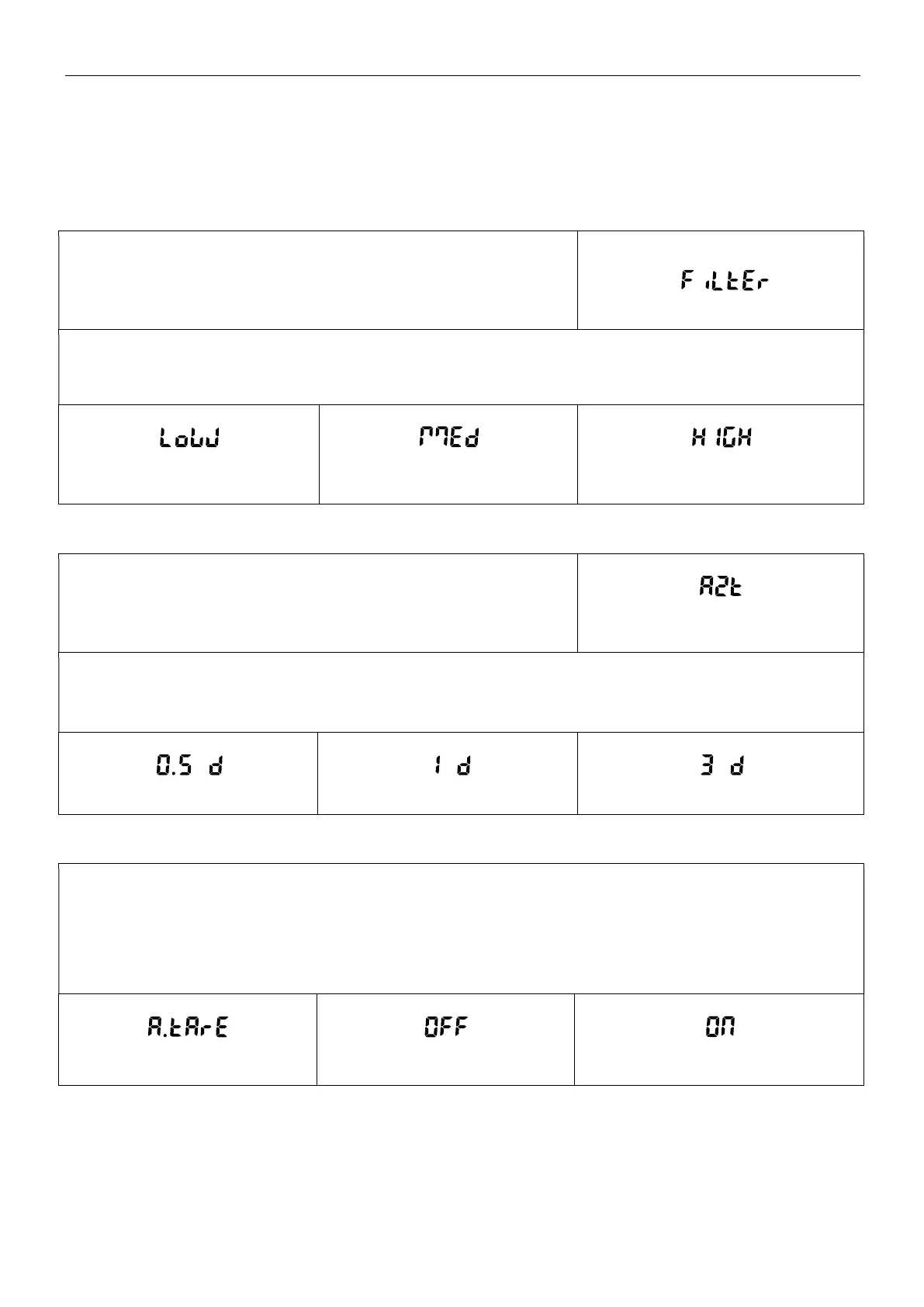
5.3.1 Filter Level
Set the amount of signal filtering.
Low = faster stabilization time with less stability.
Medium = normal stabilization time with normal stability.
High = slower stabilization time with more stability.
Low Medium
High
5.3.2 AZT (Auto Zero Tracking)
Set the automatic zero tracking functionality.
Auto Zero Tracking
Off = disabled.
0.5d = display maintains zero up to a drift of 0.5 graduation per second.
1d = display maintains zero up to a drift of 1 graduation per second.
3d = display maintains zero up to a drift of 3 graduations per second.
0.5 d
1 d 3 d
5.3.3 Auto Tare
Set the automatic tare.
When Automatic Tare is set to On, the first object placed on the pan will be deemed as a container and tared
automatically.
Off = disabled.
On = enabled.
Auto Tare
Off On



 To Next Page