EN-8 SCOUT PRO
Symbols Used for Operation of the Balance
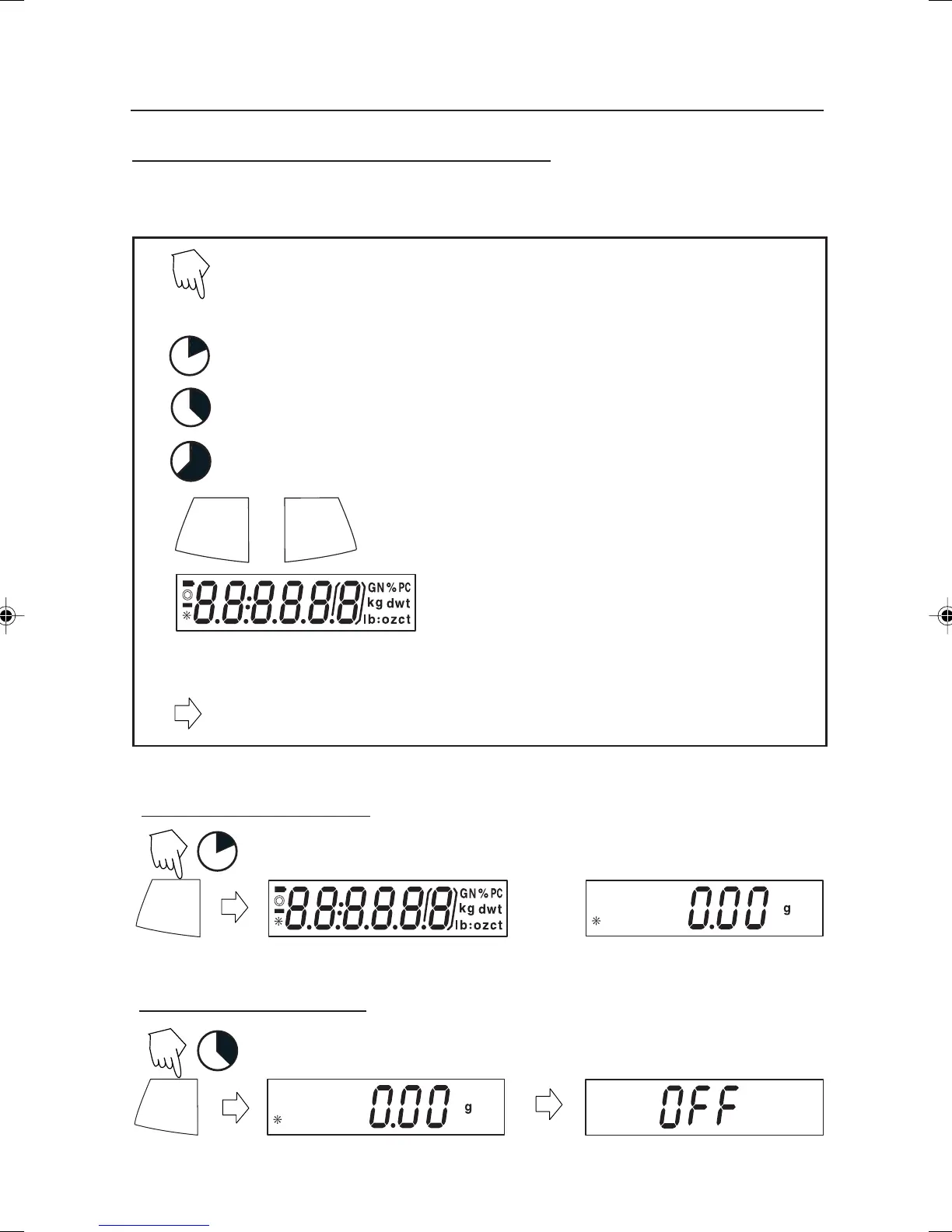
Symbols are used to simplify the setup and operation of the balance. A description of
each symbol follows:
1
3
5
PRINT
Unit
Press
The clock symbols adjacent to the finger symbol indicates the
length of time to press a button.
ON/ZERO
Off
Panel control buttons used to intiate actions.
Displays are shown as they actually appear on
the balance. Model with 200g capacity was
used in the displays shown in this manual.
Indicates scrolling to a final display. The first and last displays are shown.
ON/ZERO
Off
1
Indicates advances to next display.
Turning the Balance On
Turning the Balance Off
ON/ZERO
Off
3
1 second momentary press.
3 second extended press.
5 second extended press.
4 Scout Pro English Operation 1 71160417.p65 3/6/2003, 11:00 AM8



 To Next Page