EN-4 SCOUT PRO
Platform Installation
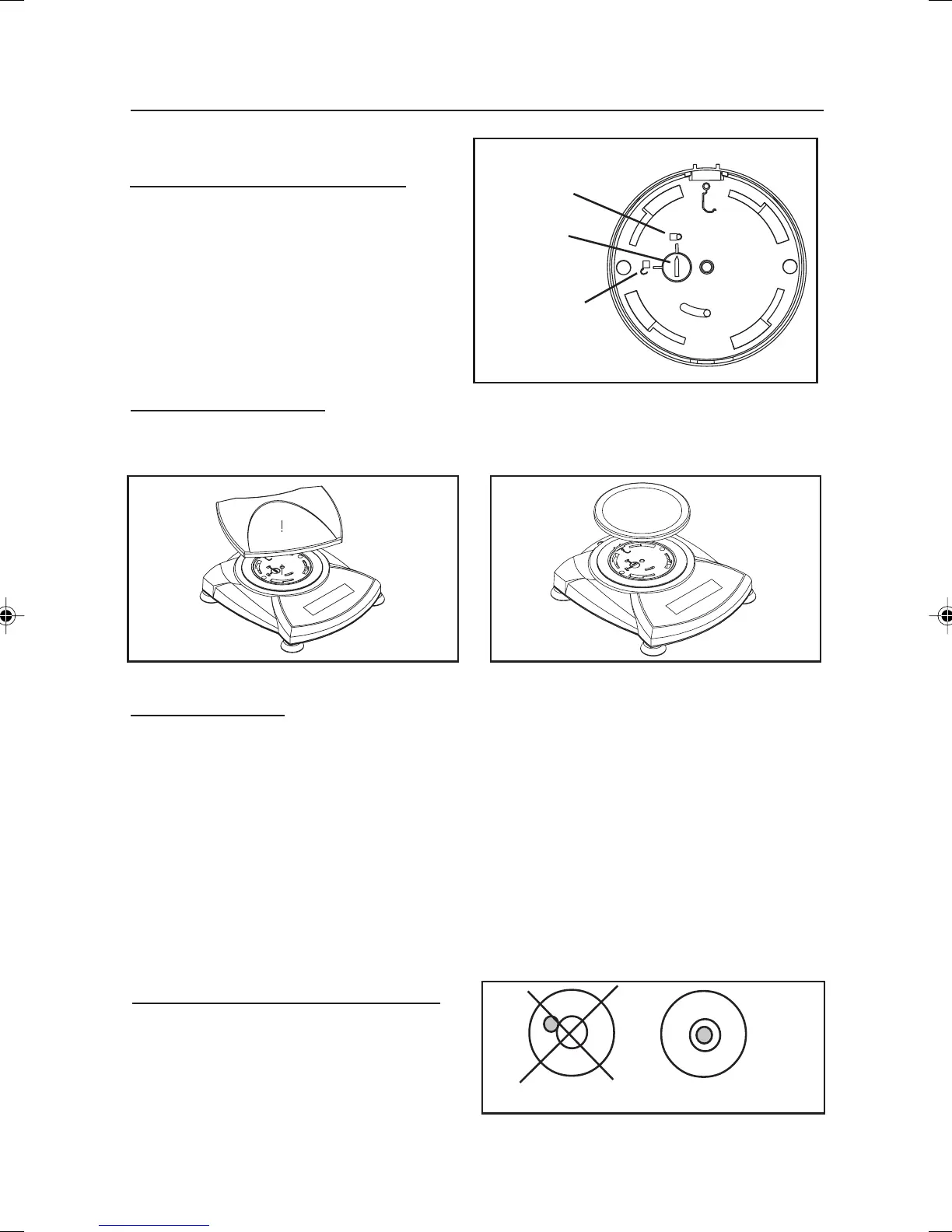
Balances with a rectangular platform are placed into the subplatform as shown and
rotated counter-clockwise until it locks. Round platforms are placed straight down.
Releasing the Shipping lock.
Unlocked
Position
Locked
Position
Installing Components
Releasing the Shipping Lock
On top of the balance, turn the pointer 90
degrees counter-clockwise to unlock.
Platform Installations.
Pointer
Security Bracket
A security bracket is provided at the rear of the balance allowing the balance to be
secured by an optional cable and lock accessory.
Selecting the Location
For best performance, the Scout Pro balance should be used in a clean, stable
environment. Do not use the balance in environments with excessive drafts, rapid
temperature changes, near magnetic fields or equipment that generates magnetic fields,
or vibrations.
Incorrect Correct
Bubble Level indicator
Balances with Level Adjustment
Balances containing leveling feet and a
bubble level must be leveled before using.
See illustration for correct leveling.
3 Scout Pro English Intro 71160417.p65 3/6/2003, 10:59 AM4



 To Next Page