EN-10 SCOUT PRO
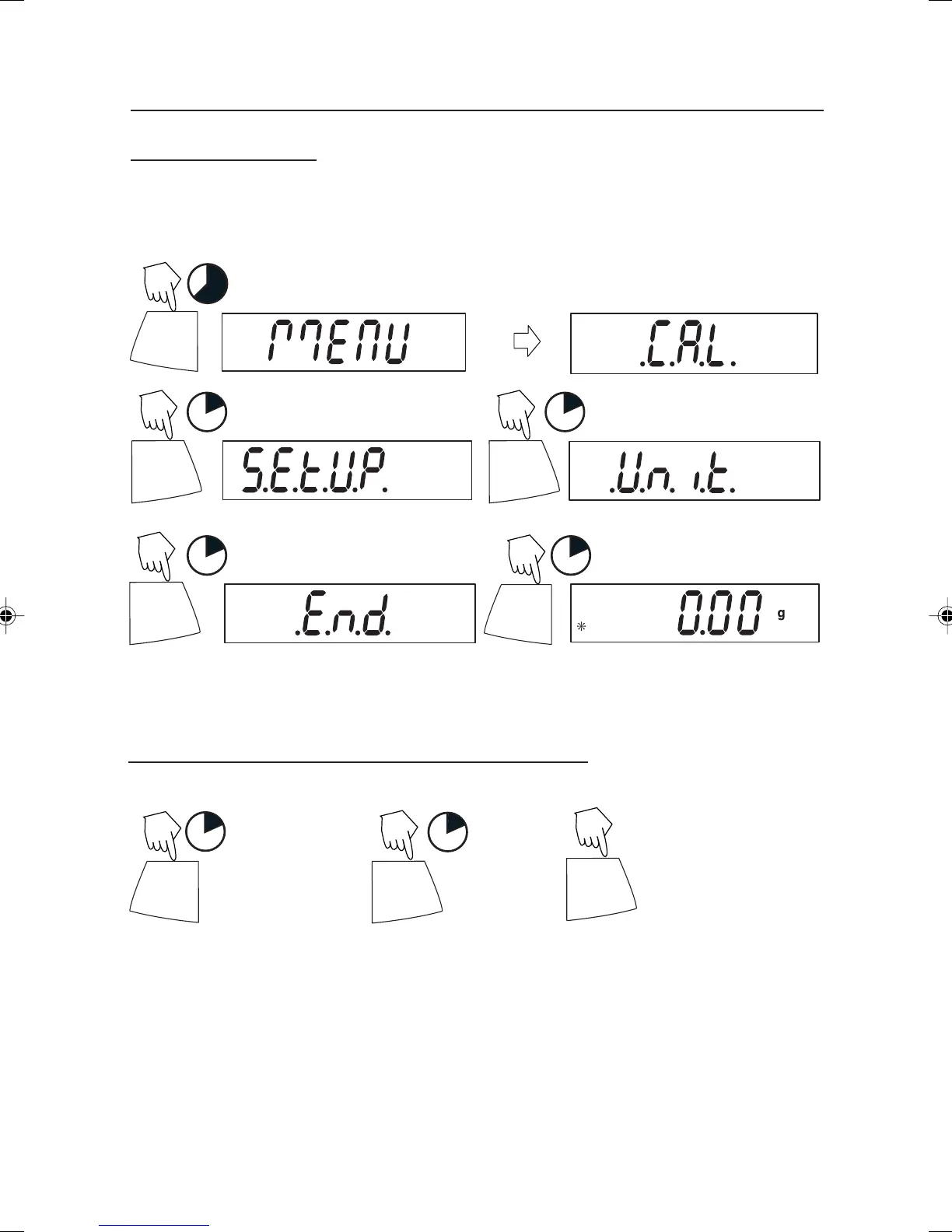
Entering the Menus
There are four main menus in the balance: .C.A.L., .S.E.T.U.P., .U.N.I.T.S. and .E.N.D.
Start with the balance off and the Lock Switch OFF (see page 21).
The sequence is shown below.
ON/ZERO
Off
5
1
PRINT
Unit
1
PRINT
Unit
1
PRINT
Unit
ON/ZERO
Off
1
(Weigh Mode)
(Release button)
Accepting / Bypassing an Individual Menu Item
Start with menu item displayed.
ON/ZERO
Off
1
= YES Accept
1
PRINT
Unit
= NO
PRINT
Unit
(Short presses
advances through
menu)
N
N
N
Y
Y
N
N
4 Scout Pro English Operation 1 71160417.p65 3/6/2003, 11:00 AM10



 To Next Page