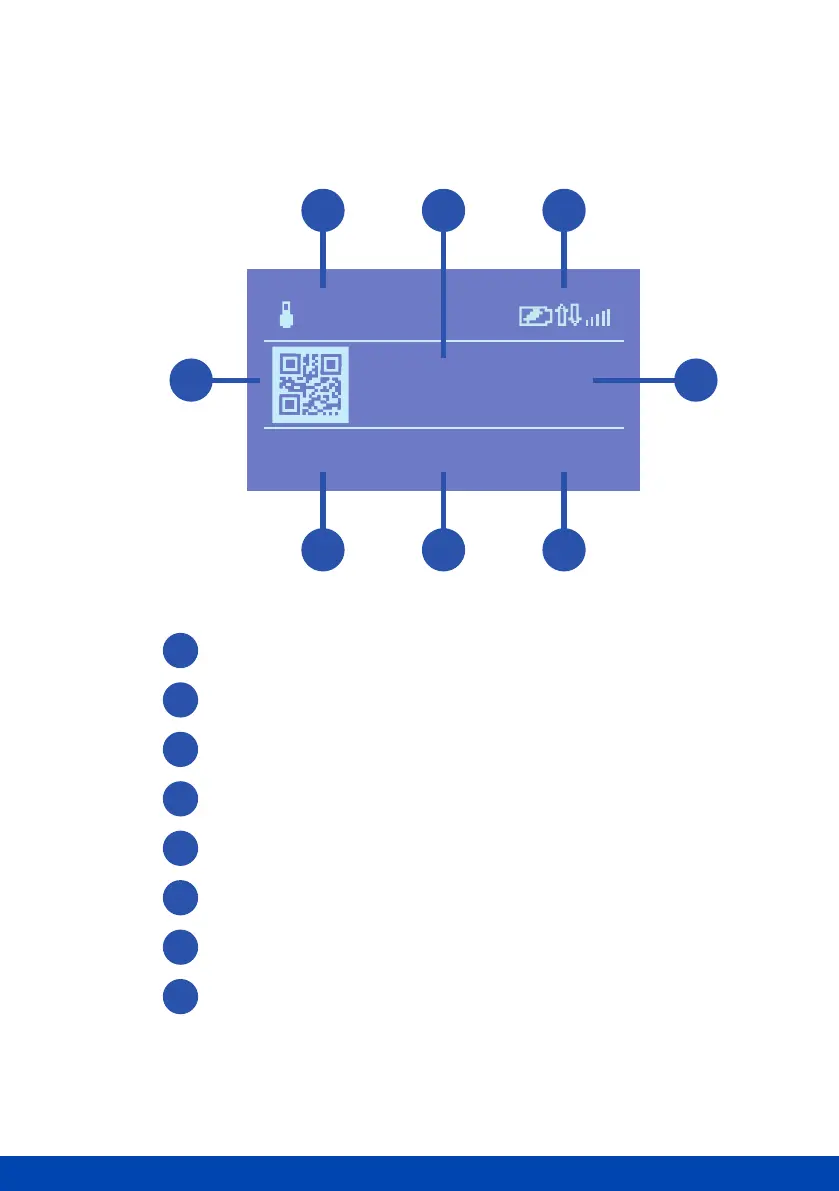
Understanding the display screen
Internal temperature of the Ohme unit
Number of amps the charger has been set to deliver
Connectivity status bar
Total kWh charged and time elapsed in a session
Real time kW being delivered to the car
Real time amps being delivered to the car
Mains voltage
QR code to link charger with Ohme app
1
2
3
4
5
6
7
8
32A
3.200kWh
00:31:42
7.39kW
32A
234V
28°
c
1
7
8 4
2
6
3
5



 To Next Page