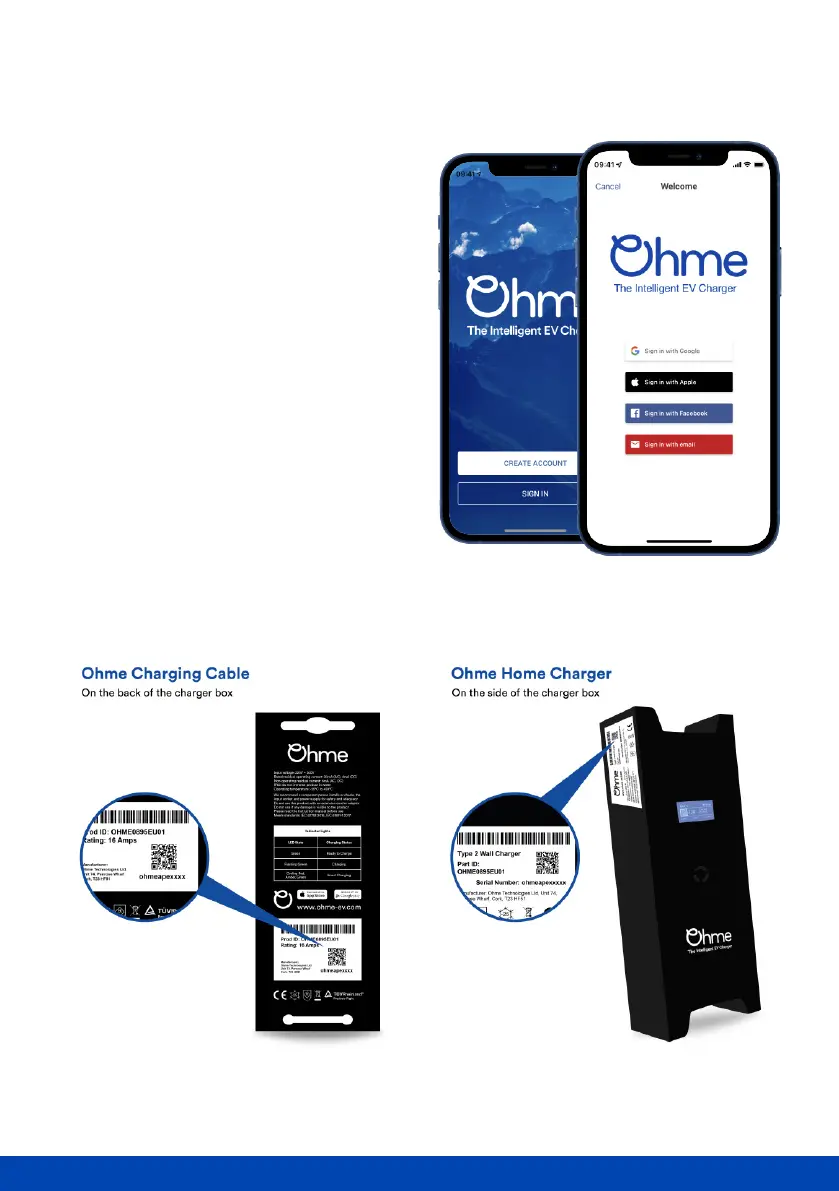
Create an account
Once you've downloaded the app,
creating an account is easy.
Tap 'Create Account' and ll in the
relevant information or for quick sign-in
choose to sign in with Google, Facebook,
or your Apple ID.
If you want to download the Ohme app on
multiple devices, choose the option to
sign in with your email.
Next, you will need to 'pair' your new
Ohme account with your charger by
scanning the QR code on your charger.
See below on where to nd the QR code.



 To Next Page