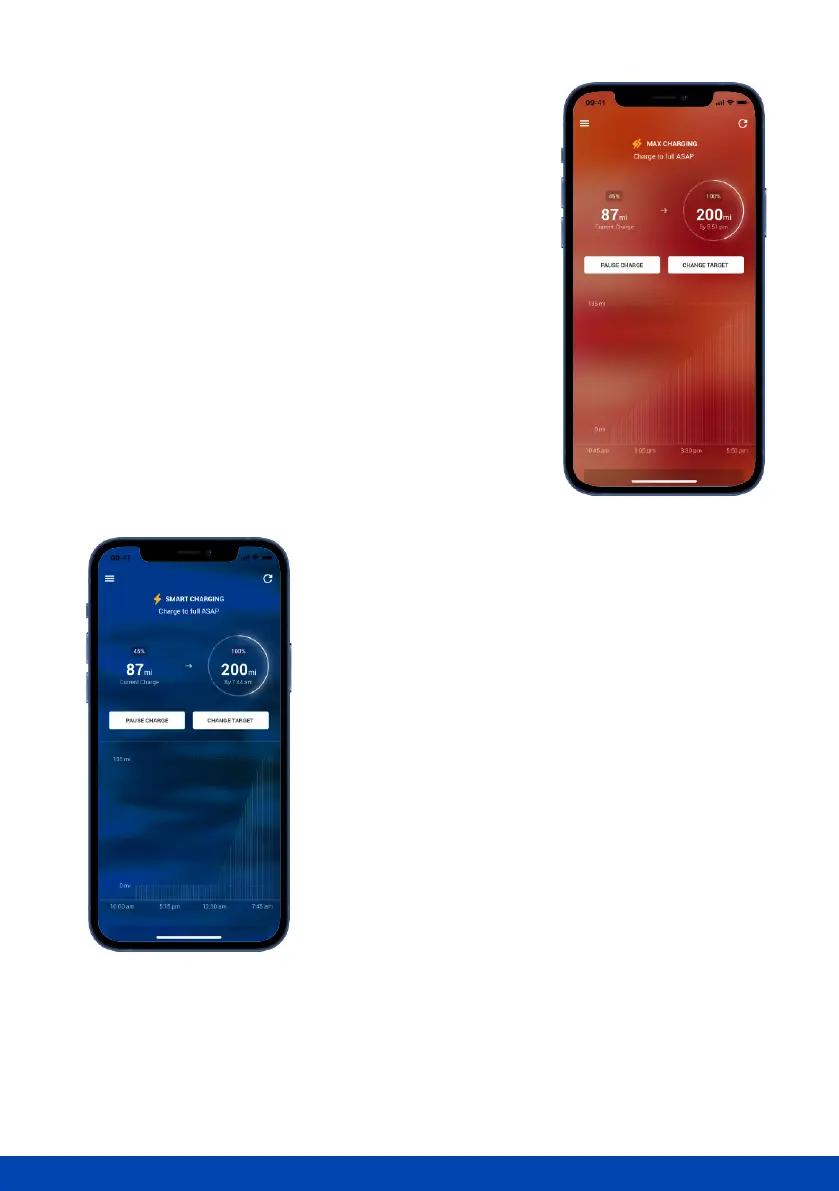
Max charging
Plans change, so when you need to charge your car as
soon as possible, simply switch to ‘Max Charge’.
Once the car has been plugged in, tap 'Change Target’
on the ‘Dashboard’ where you'll see 'Switch to Max
Charging'. Slide the toggle to the right to enable the
setting, and don't forget to tap 'Conrm'. Ohme will
now set a ‘Charge to full ASAP’ schedule.
The Max Charge will end once you've unplugged. Next
time you plug in, Ohme will follow your Charge
Schedules as normal.
Alternatively, you can turn o your Charge Schedule and
Price Cap before you plug in, and Ohme will simply
charge immediately until your car is full.
Connecting to your car
If you've signed in with your manufacturer's account
when selecting your car, Ohme will communicate with
the car to get the battery's current state of charge. This
will allow for more precise charging, with the option to
set a target you wish to achieve. Ohme will calculate how
long the charge will take based on the current level of
charge and the desired target charge.
If your manufacturer is not currently supported, Ohme
will assume the battery is at 0% when you plug in. This
may mean your car nishes charging sooner than
expected.



 To Next Page