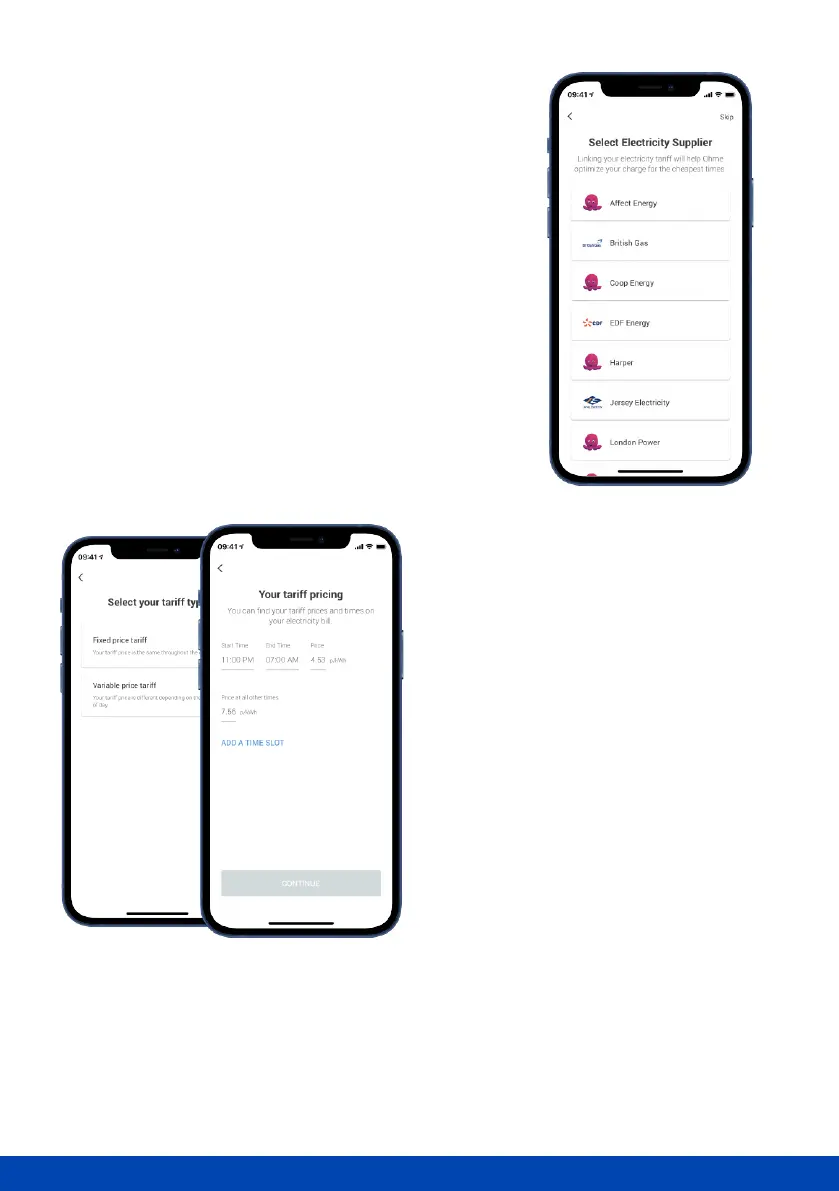
Select your tari
Choose your energy supplier and tari from the list
provided. If you have a variable or time-of-use tari, we
can use this information to save you money by charging
at the cheaper rates. If no taris are listed once you've
entered your postcode, get in touch with our Customer
Care Team who will be able to help.
Can't see your electricity supplier or tari
listed? You can create a custom tari by
selecting the 'Create New Tari' option
located at the bottom of the ‘Select
Electricity Supplier’ list.
If your tari is a single price throughout the
day and night, choose ‘Fixed price tari’. If
your tari has an o-peak period, choose
‘Variable price tari’.



 To Next Page