1-
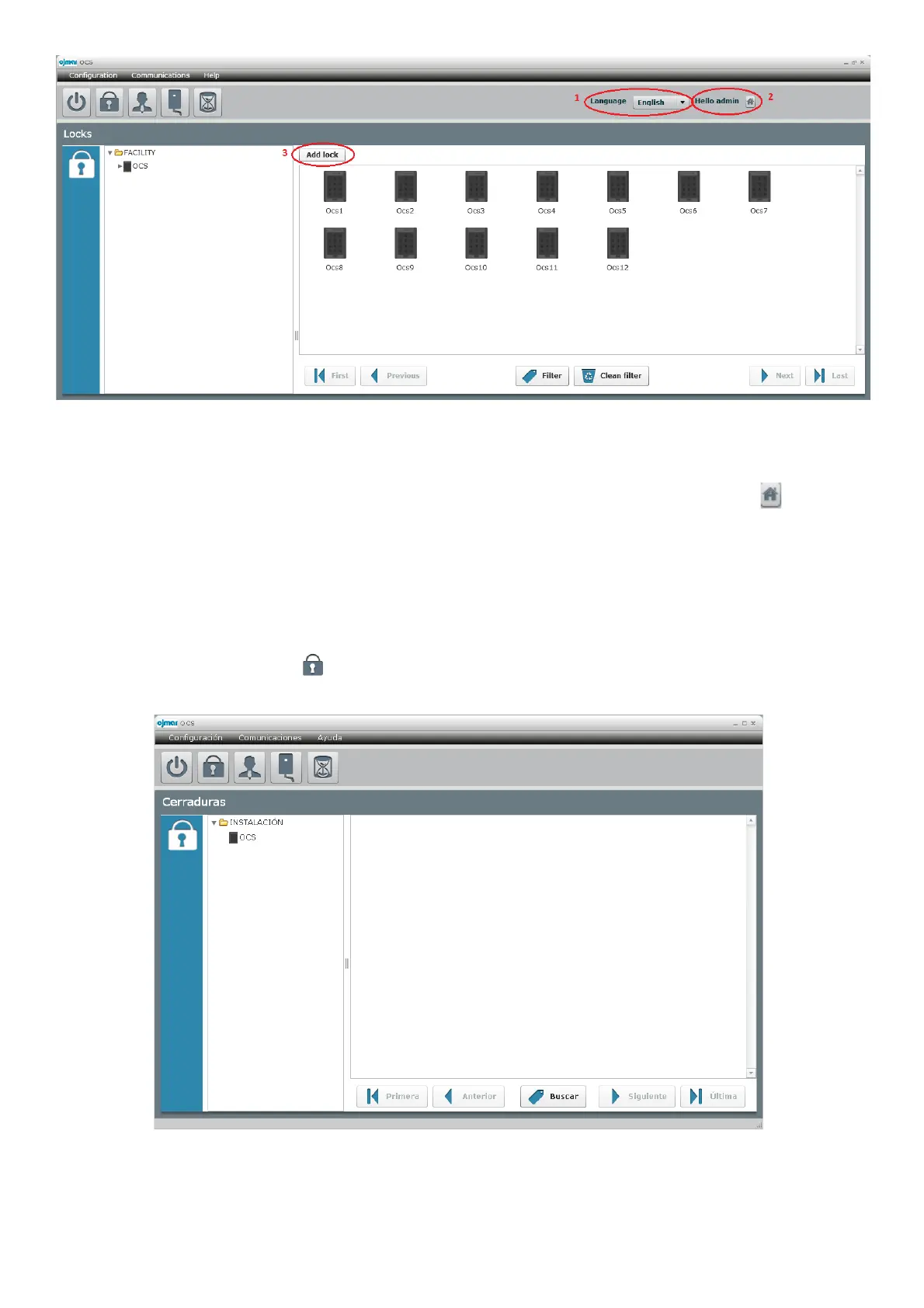
Language: Possibility of changing languague in SW. Following languages can be selected: Spanish, English, French,
Deustch or Portuguese
2-
Hello “Operator”: Identifies which operator has been logged with, and a close session shortcut is created
3-
Add lock: Only available in “Lock” screen. By clicking in “Add Lock” button, option to create locks appears.
4.1 Configuration and start-up of the locks
To start the locks up, you have to configure a series of data that must be entered for the correct operation of the system.
We find the main screen or "Lock" screen when we open the application this screen can also be reached from
“Configuration
à
Locks" or pressing the icon .



 To Next Page