OCS SOFTWARE OJMAR 12
When the key has been connected, reading/writing operations can be carried out with it.
IMPORTANT NOTE: Before unplugging the programming key from its USB cable, it is highly recommended to use the disconnect
button and wait for the key to return to its standby status (LED of the key lit in amber).
4.1.2.2 Manual connection programming key port
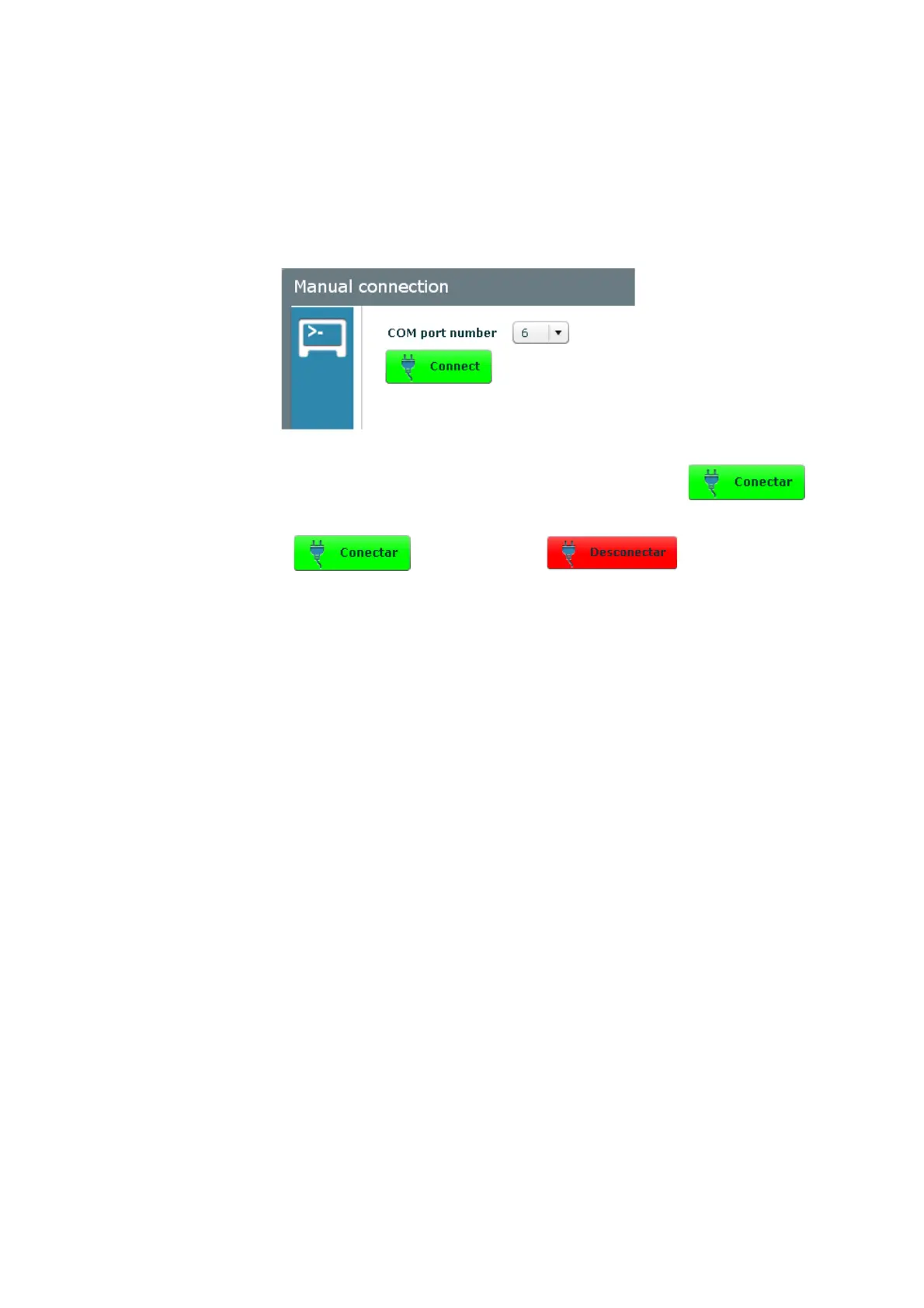
The port the programming key is going to be connected to can be manually assigned.
From “Communications
à
Manual connection” the screen where the port to be used will be selected.
Select the port where the programming key is connected from the dropdown list of ports and click the button.
When the connection has finished, the button will change to indicating that the key is
connected and ready for use. In the same way, the key's LED will turn from amber to green.
4.1.3 Initialisation key
An initialisation key can carry out the following actions:
1.
Start-up of an OCS lock
2.
Collect events from an OCS lock
3.
Delete the information from the OCS lock
To know who to carry out these actions, see
Section 2.3
.
To programme the programming key as an initialisation key, we go to the “Communications
à
programming key”. When the
key has been selected we select “Initialisation” and the different details to be filled in pop up on the right-hand side of the
screen.



 To Next Page