Maintenance > 113
...
THE
PAPER
PATH
IN
THE
ADF
If marks are found on an image which has been read by the ADF, or the ADF does not feed
documents smoothly, follow the cleaning procedure below.
1. Switch the MFP OFF.
2. Open the ADF top cover.
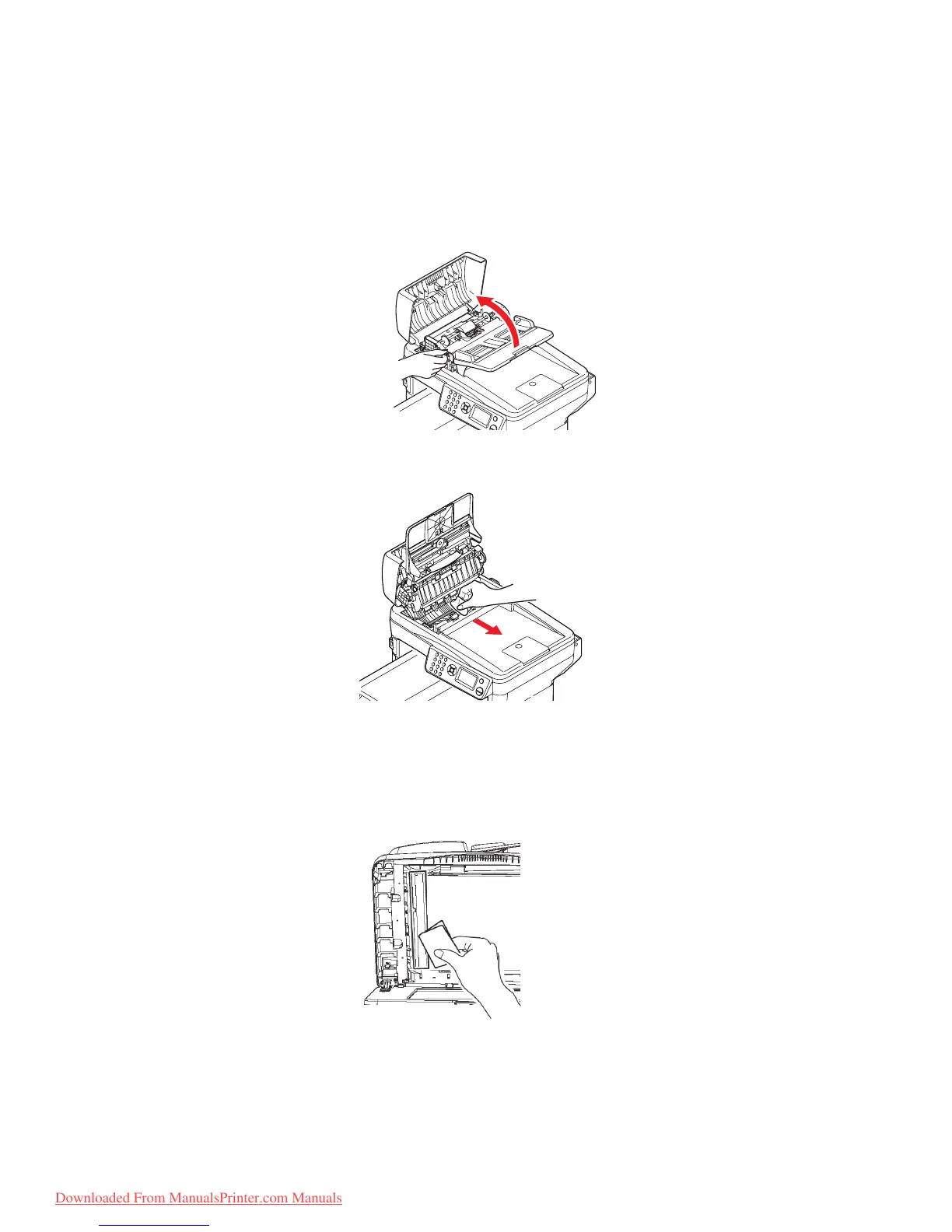
3. Pinch the ADF lock lever and swing the feeder mechanism up until it is locked.
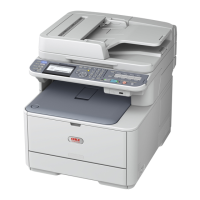
4. Moisten a soft, clean lint free cloth and remove any marks by wiping the cloth in the
direction of the arrow, as shown.
5. Return the feeder mechanism to its original position.
6. Close the ADF top cover.
...
THE
UNDERSIDE
OF
THE
ADF
1. Open the document cover.
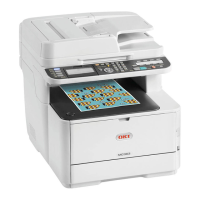
2. Moisten a soft, clean, lint free cloth and remove any marks, as shown.
3. Close the document cover.
Downloaded From ManualsPrinter.com Manuals



 To Next Page