Remove The Shipping Restraints From The Power Paper Stacker (If Equipped)
18
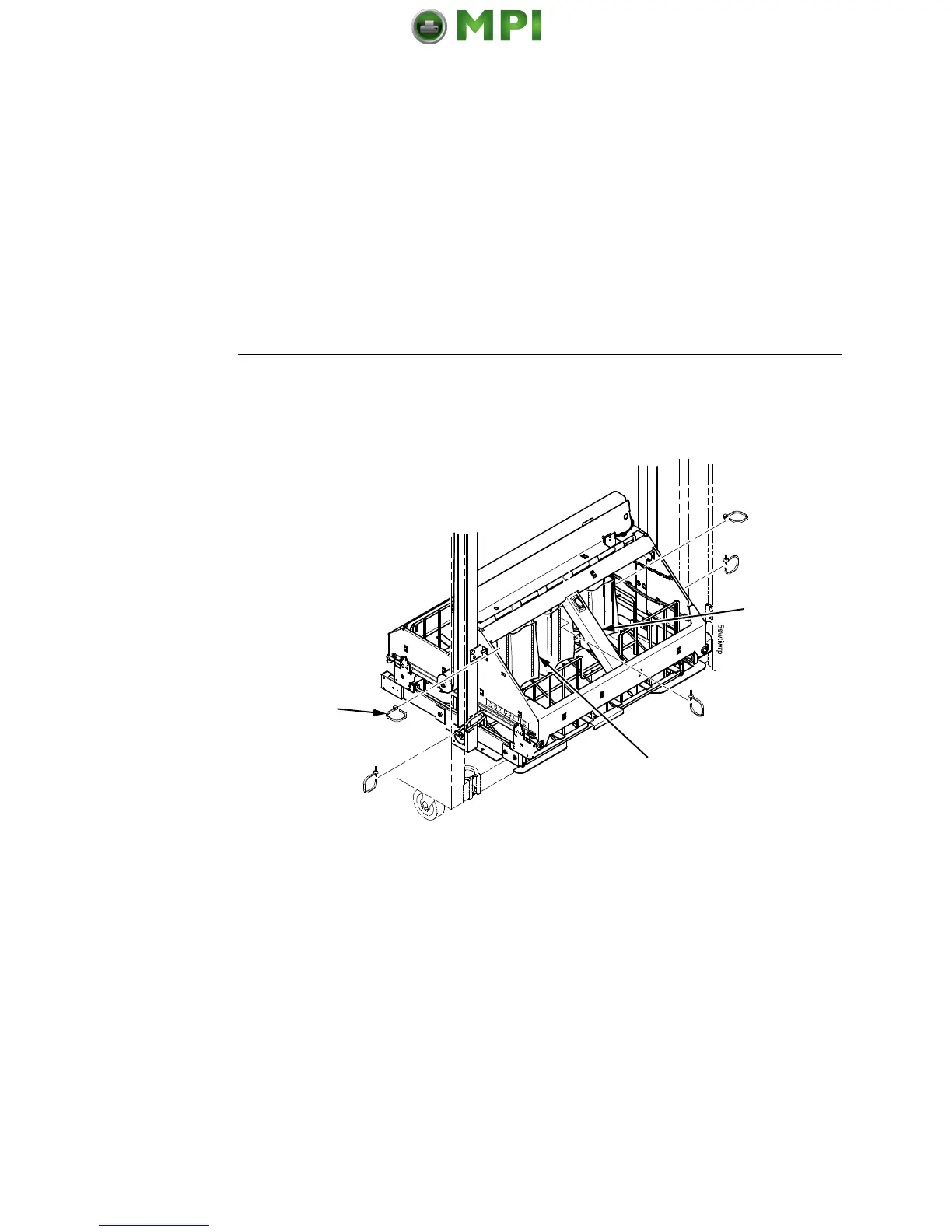
Figure 10. Removing the Shipping Restraints
1. Open the rear door panel.
2. Remove the five tie wraps.
3. Raise the power paper stacker frame to its highest position by
pulling up on the elevator lift handle.
4. Remove the plastic bags from the paper chains.
Tie Wrap (5)
Plastic Bag (3)
Elevator Lift
Handle


 To Next Page
 Loading...