Power Paper Stacker Option
44
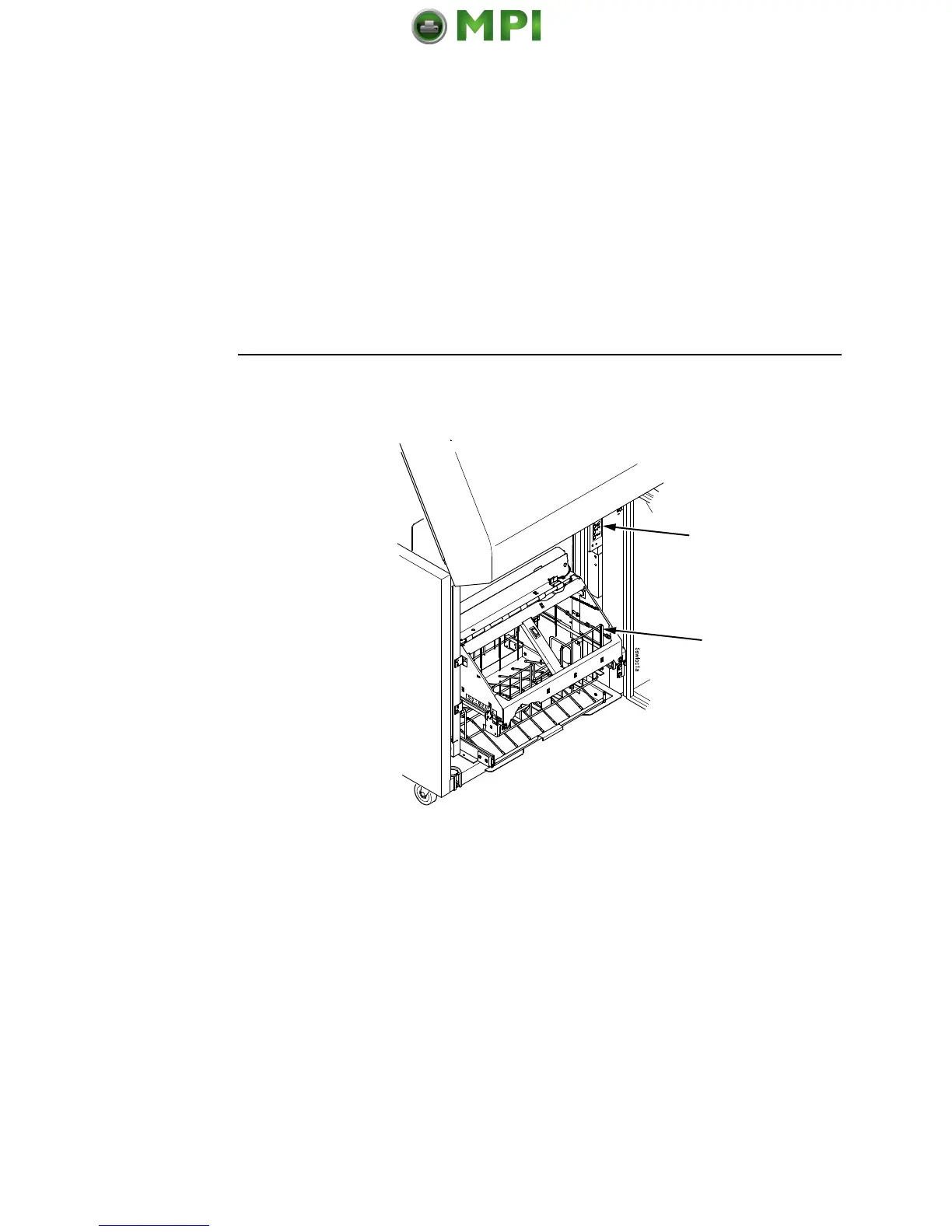
Figure 35. Returning the Stacker Frame to its Proper Position
3. Press the ON LINE/CLEAR key, from either the front or rear
control panel, to put the printer in the online state. The stacker
frame then returns to its proper position for printing.
4. Check that the paper is still centered between the paper
guides.
5. Close the cabinet rear door.
Rear Control
Panel
Paper Guide


 To Next Page
 Loading...