EasyManua.ls Logo

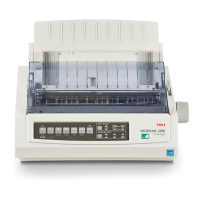
Oki ML1120 Plus - User Manual

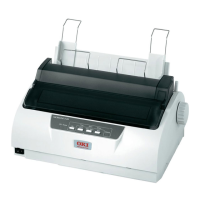
Oki ML1120 Plus
89 pages
Print Icon
To Next Page IconTo Next Page
Loading...
User’s Guide
ML1120 Plus/ML1190 Plus

Table of Contents

Questions and Answers

  • J
    Julia ThomasAug 31, 2025
    Why characters are too pale to display properly on the paper with Oki Printer?
    • S
      stevensonjenniferAug 31, 2025
      If the characters are too pale to display properly on the paper when using your Oki Printer, it may be because the Paper Thickness lever position does not match the paper. Correct the Paper Thickness lever setting.
  • C
    Carlos DayAug 30, 2025
    How to replace ribbon when Oki Printer ribbon has reached its end of life?
    • G
      Gwendolyn JohnsonAug 30, 2025
      If the ribbon has reached its end of life in your Oki Printer, replace the ribbon with a new one.
  • S
    starkmarilynAug 29, 2025
    What to do if Oki ML1120 Plus paper has run out?
    • C
      Corey JohnsonAug 29, 2025
      If the paper has run out in your Oki Printer, add paper and press the SEL button.
  • J
    John ChristensenAug 28, 2025
    Why SEL indicator is illuminated but no printing takes place on Oki ML1120 Plus?
    • A
      Aaron WeaverAug 28, 2025
      If the SEL indicator is illuminated on your Oki Printer but no printing occurs, the interface cable might be disconnected or the wrong cable might be in use. Reconnect the interface cable or use the correct interface cable.
  • A
    Angela ClarkAug 27, 2025
    Why Oki ML1120 Plus Printer has no power?
    • A
      Amy LawsonAug 27, 2025
      If your Oki Printer has no power, first, check that the power cable is properly connected to both the power outlet and the printer. If it is, and there's still no power, plug another appliance into the same outlet to check if the outlet is working correctly. The issue may be a power outlet problem or a power outage.
  • C
    Christopher DavisAug 27, 2025
    What to do if interface cable is not properly connected to Oki ML1120 Plus?
    • T
      Tanner SmithAug 27, 2025
      If the interface cable is not properly connected to your Oki Printer, reconnect the cable correctly.
  • J
    Jonathan JacksonAug 25, 2025
    Why print head is moving but no printing takes place on Oki ML1120 Plus Printer?
    • T
      tony61Aug 26, 2025
      If the print head is moving but no printing takes place on your Oki Printer, install the ribbon cartridge.
  • M
    mhernandezAug 25, 2025
    What to do if continuous forms jammed in Oki ML1120 Plus Printer?
    • A
      Anthony BurnsAug 25, 2025
      If continuous forms are jammed in your Oki Printer, turn the power off. Tear off any unprinted forms. Remove the Paper Tray and Input Tray together. Raise each Pin Tractor cover and remove the forms from the Pin Tractors. Rotate the Platen Knob and remove the forms from the front of the printer. If a fragment remains, place two or three forms in a stack on the Pin Tractors and turn the Platen Knob to push the fragment out. Replace the Input Tray and Paper Tray, and turn the power back on.

Summary

ML1120 Plus;ML1190 Plus Users Guide

Preface

Introduction and disclaimers for the user guide.

Introduction and Guide Overview

Overview of the printer and explanation of the user guide's content and navigation.

Getting Started

Initial setup, component identification, and basic operation of the printer.

Connecting to a Computer

Steps for connecting the printer to a computer and installing necessary drivers.

Printer Utilities

Details on available software utilities for controlling and managing the printer.

Paper Handling

Comprehensive guide on loading, feeding, and managing various paper types.

Operating Instructions

How to use the printer's control panel, buttons, menus, and settings.

Troubleshooting

Solutions for common printer problems, including paper jams and error conditions.

Cleaning Your Printer

Procedures for maintaining printer cleanliness, covering both exterior and interior parts.

Consumables and Accessories

Information on printer consumables, replacement procedures, and ordering details.

Printer Specifications

Technical details and performance characteristics for both ML1120 Plus and ML1190 Plus models.

Oki Contact Details

Contact information for Oki support and service centers globally.

Oki ML1120 Plus Specifications

General IconGeneral
TypeDot Matrix Printer
Print Head9-pin
ConnectivityParallel
Number of Pins9
InterfaceParallel
Paper SizeA4, Letter, Legal
Resolution240 x 216 dpi
Print MethodImpact
Print Width80 columns
Paper HandlingContinuous Forms, Cut Sheet

Related product manuals