- 98 -
Printer Maintenance
9
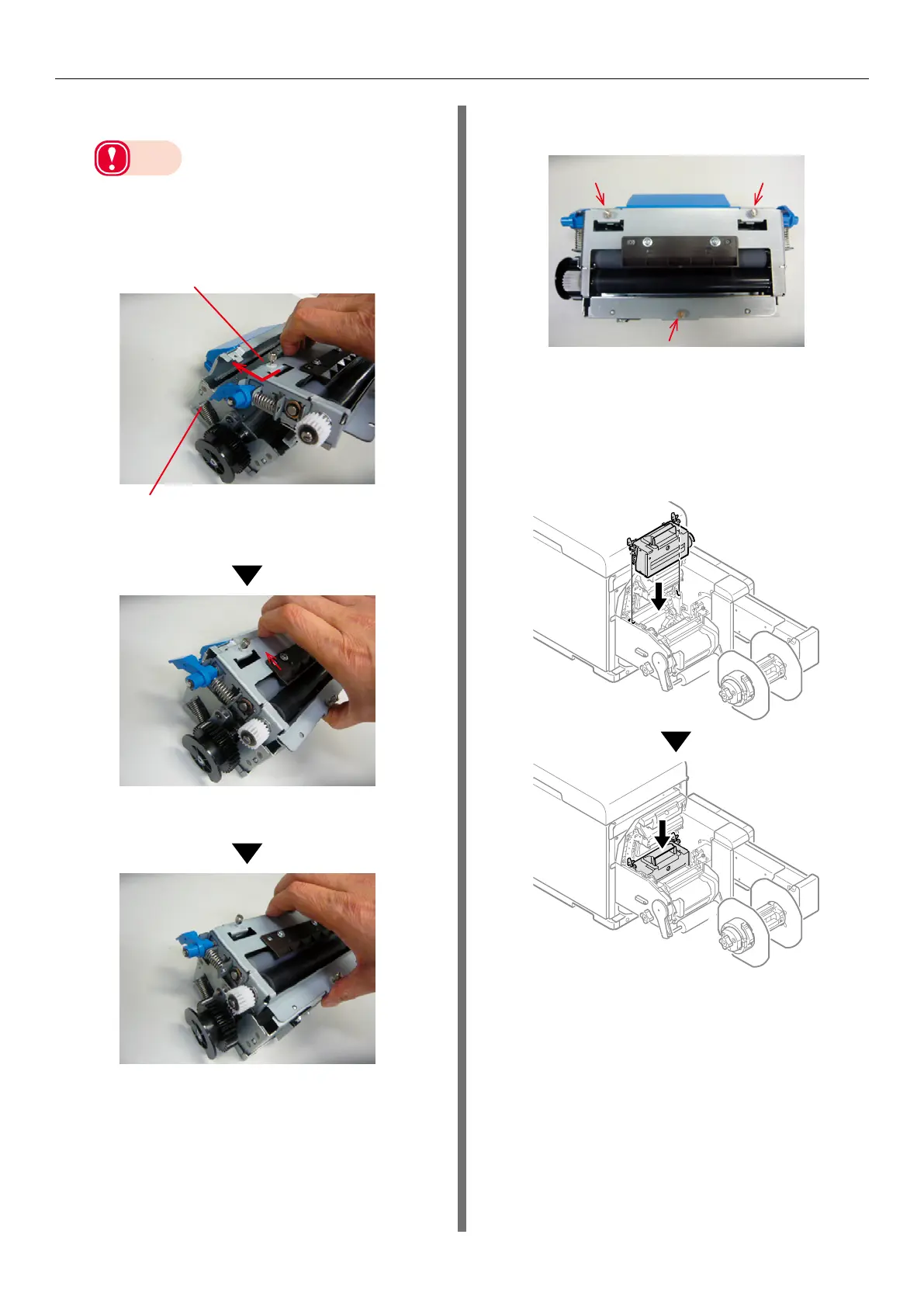
Assemble the cleaned cutter unit.
Note
z
There are blades inside the cutter unit for cutting
roll paper. Do not touch the blades of the cutter
with your hands. There is a risk of injury.
(1)
Assemble the F1 roller unit.
F0 roller unit
Cutter part
Hold the F0 roller unit and insert it at
an angle (arrow direction).
Slide the F0 roller unit in the direction
of the arrow.
(2)
Use a flathead screwdriver to
tighten the 3 screws.
10
Put the cutter unit into the unwinder.
(1)
Align the positions of the cutter
unit lock levers on both ends of the
cutter unit with the notches in the
unwinder.



 To Next Page