32 Operating modes
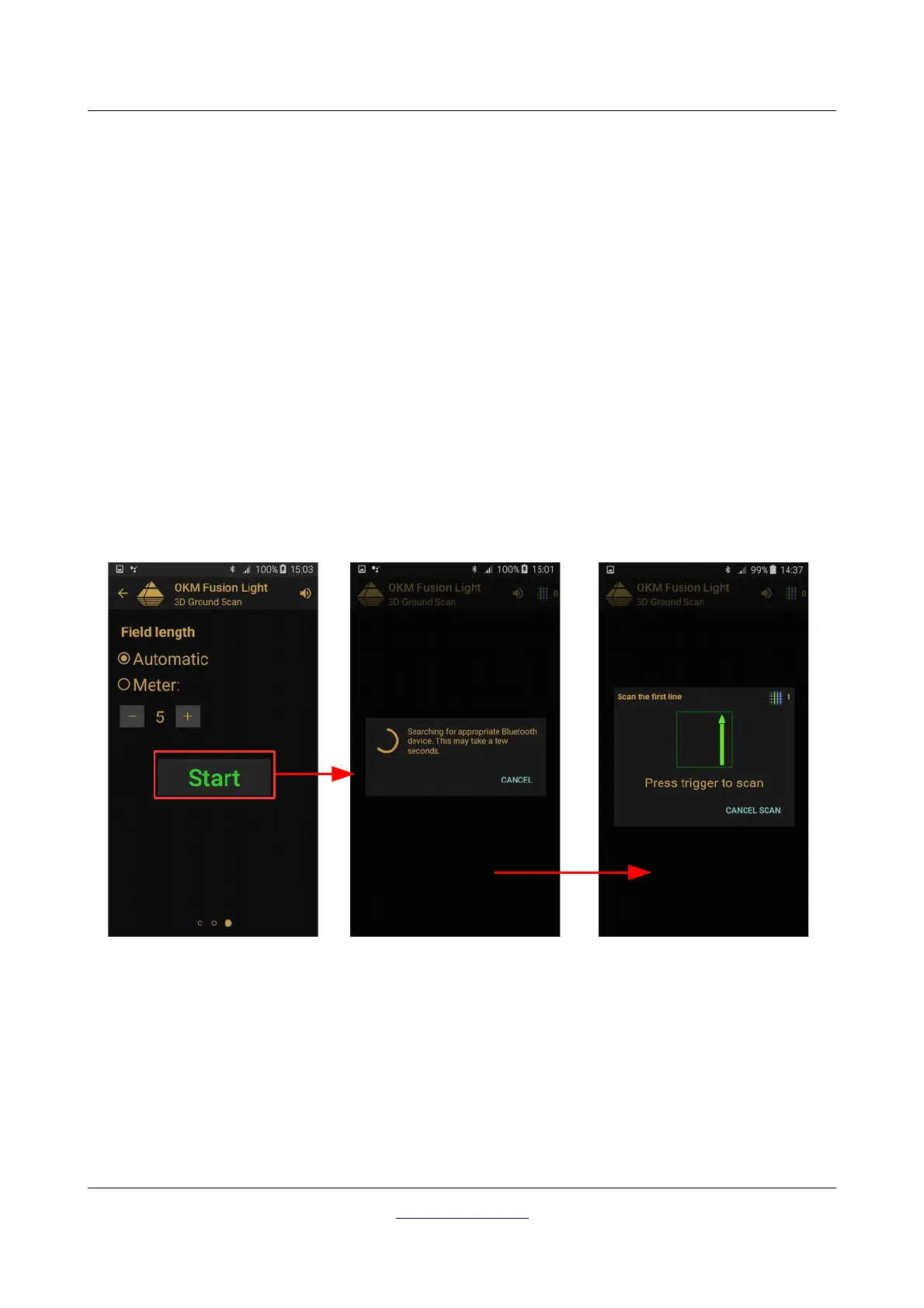
• Field length
◦ Automatic
The length of a scan line is determined when reaching the end of the first path. There you have to
push the trigger button of your Fusion Light to indicate the end of the first scan line. All
succeeding scan lines will have the same length as the first one.
◦ Meters
The length of a scan line that is defined prior to the begin of a scan. Each scan line has the same
length and will run automatically to the end of each predetermined line. At the end of each scan
line, the device will stop and will wait for the user to either start a new scan line or save the
current scan.
After all of the parameters have been selected, tap the “Start” button.
7.3.2 Measurement Procedure
Before the actual measurement starts, a Bluetooth connection between Fusion Light control unit and
smartphone must be established.
As soon as the connection is established, stand at the beginning of the first scan line in order to begin the
scan. As indicated in figure 7.6 you have to press the trigger button of your Fusion Light to scan the first line.
OKM GmbH
www.okmdetectors.com



 To Next Page