Operating modes 31
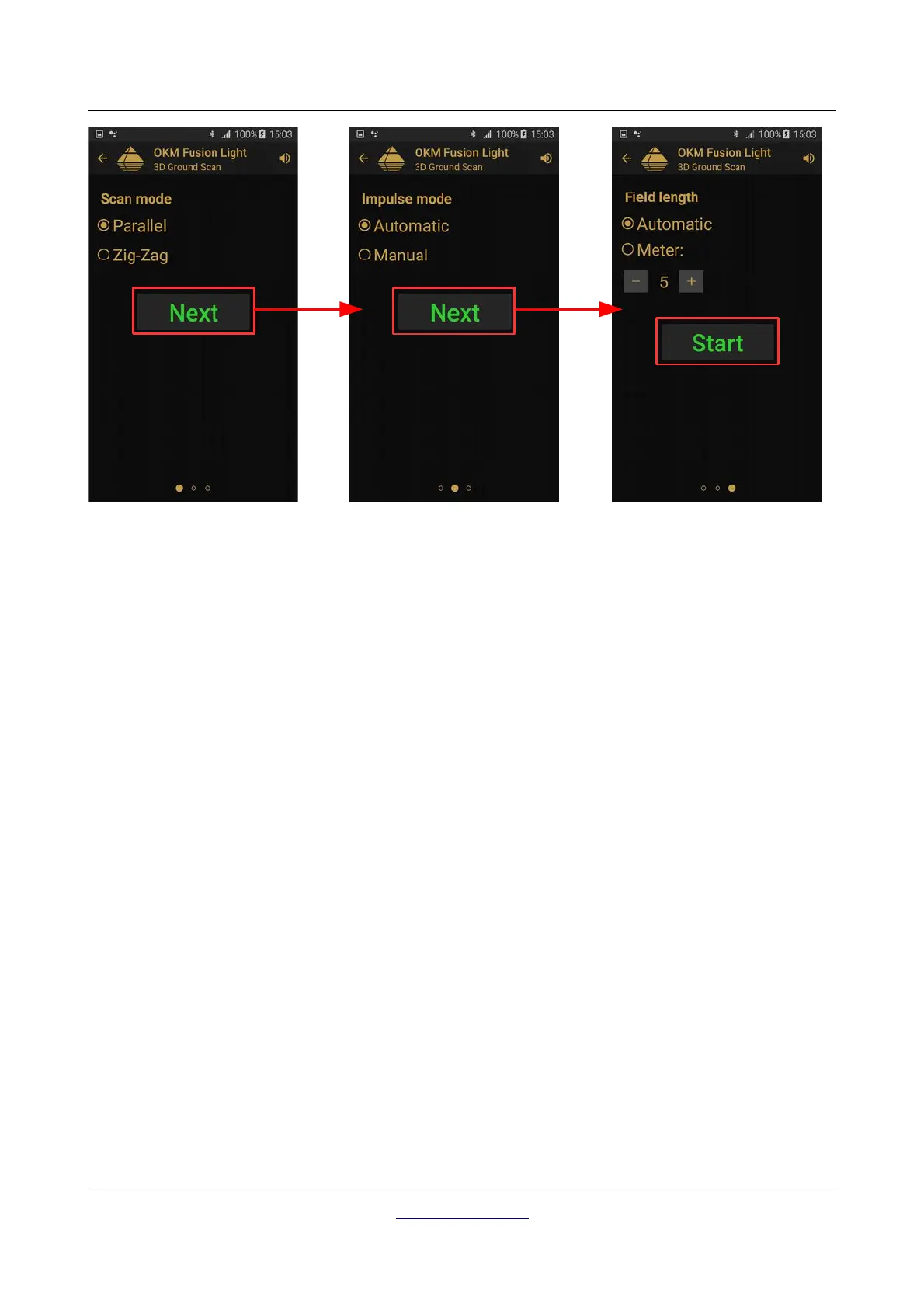
Figure 7.5 illustrates the process of configuring the scan settings. You can change the following options:
• Scan Mode
The scan mode determines the manner in which the measurement field or scan area is to be
performed. Further information can be found in Chapter 8.1.1 “Scan Mode” on page 40. The following
options are available:
◦ Parallel
A method of measurement whereas the operator will gather and store information traveling in
only one direction. This method will give a more precise method of making a scan.
◦ Zig-Zag
A method of measurement whereas the operator will gather and store information traveling in
both directions. Once going away from the starting point, moving to the left of the start point and
returning.
• Impulse Mode
The impulse mode sets the way how the individual measurements or scans are taken. The following
options are available:
◦ Automatic
The individual measured values are recorded in succession without a break and controlled by the
software. There is no user interaction until the cycle is complete.
◦ Manual
This method is completely controlled by the user by pushing on the trigger button to manually
record a measurement value.
OKM GmbH
www.okmdetectors.com



 To Next Page