ENGLISH
EN - 12
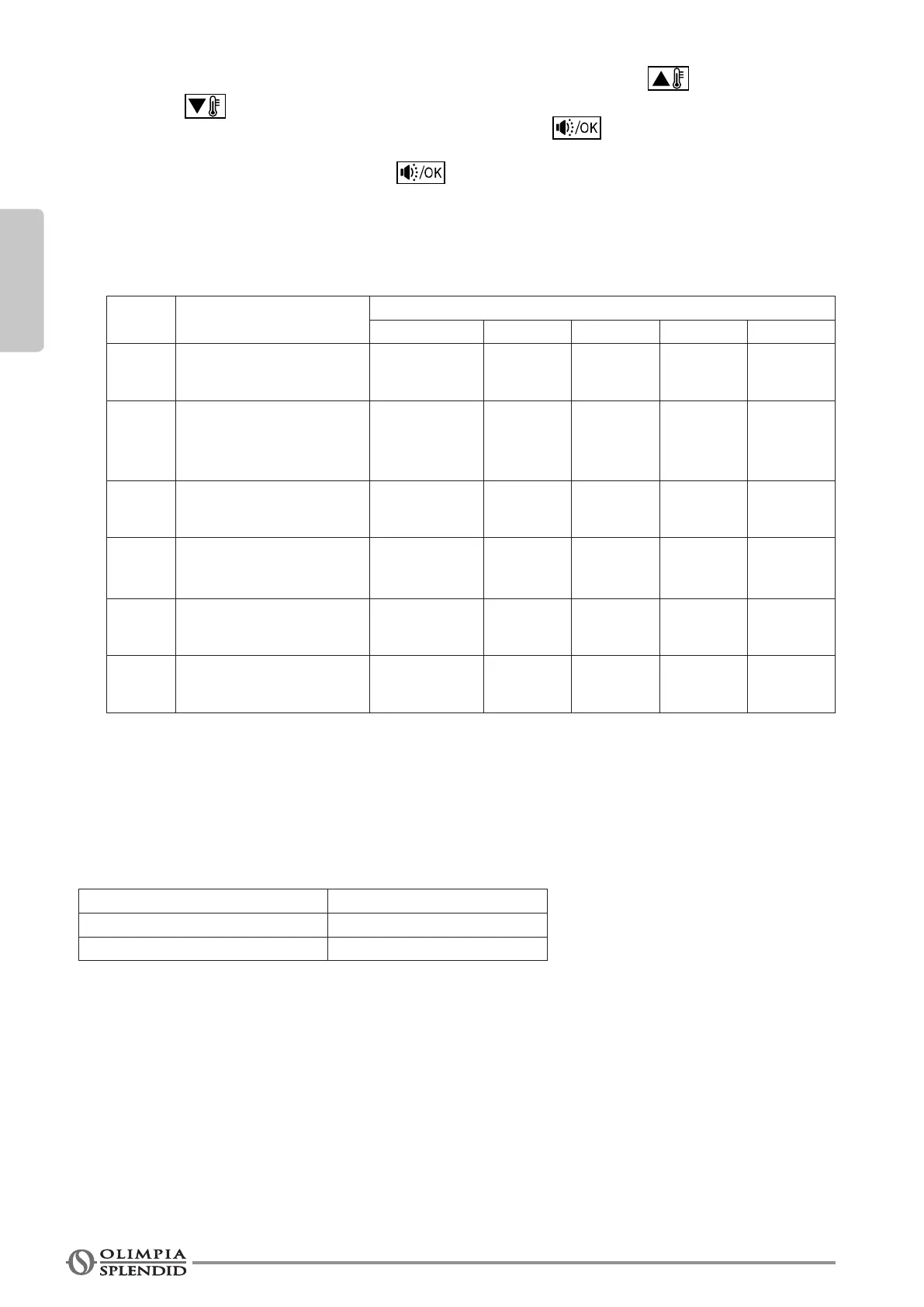
- Thevalueoftherstcode“X” is “0”; press the temperature setting keys
and to adjust the value of the second code;
- After having set the value of the second code, press the key to save and pass to the next
code;
- When reaching code “6”, press the key to exit parameters setting.
4. The remote control is factory-set. Change the parameters only is particular operating conditions are
required(inparticularthefrequencyofcleaningtheairlter).
First
code
Function
Second code
0 1 2 3 4
0
Cool Only/Cool-Heat
Selection
Cool-Heat
(default)
Cool Only
/ / /
1
Setting
the communication
address of the internal
unit
YES
(default)
NO / /
/
2 Switch-off memory
YES
(default)
NO / /
/
3 Airltercleaninginterval
Function
disabled
1250
hours
2500
hours
(default)
5000 10000
5
Remote reception
function
YES
(default)
NO / /
/
6
Temperature selection
°C - °F
Centigrade °C
(default)
Fahrenheit / /
/
2 - TECHNICAL DATA AND FUNCTIONS
2.1 - TECHNICAL DATA
Input voltage DC +5V
Environment temperature -5 ~ 43°C
Environmental humidity RH40% ~ RH90%
2.2 - FUNCTIONS
Main features of the remote control:
1. ConnecttheremotecontroltotheapplianceviathefourportsA,B,C,D(g.2).
2. Set the operating mode via remote control keys.
3. Remote control with LCD.
4. Remotecontrolttedwithtimerfunction.





 To Next Page