16
EN
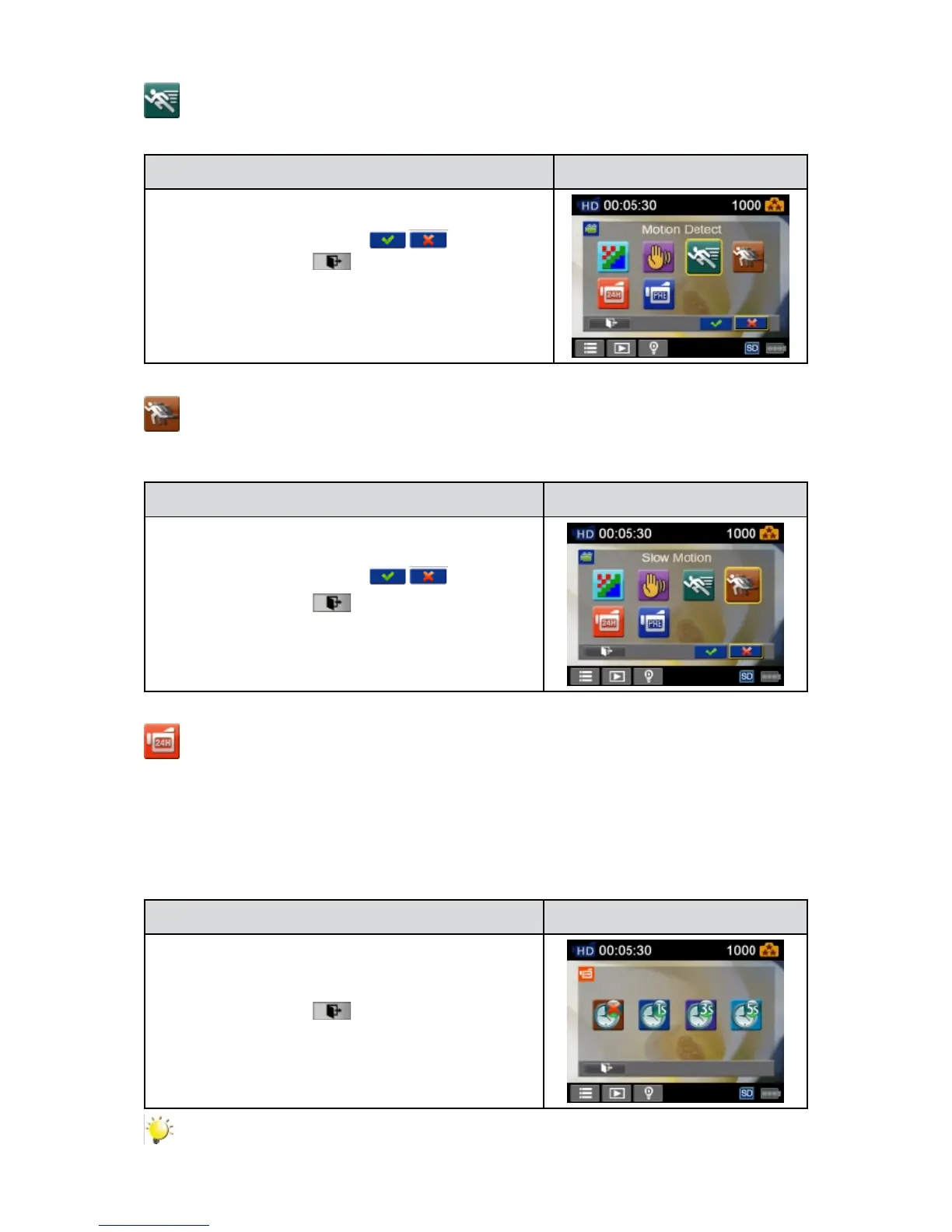
Motion Detection
Record videos automatically when the camera detects a movement.
Operation Display Screen
IntheVideomenu,touchthe[1. MotionDetect] icon on the
screen.
Touch to select [On] or [Off] 2. (
).
Touch the Exit icon 3. (
)to exit.
Camera will start to record video automatically if it detects 4.
a movement. Stop recording if it does not detect a
movement.
Slow Motion
Recordvideoswithslowmotioneffect.Whenthevideoisplayed,theplaybacktimewillbelongerthan
the actual recording time.
Operation Display Screen
IntheVideomenu,touchthe[SlowMotion]icononthe1.
screen.
Touch to select [On] or [Off] 2. ( ).
Touch the Exit icon 3. (
)to exit.
Time Lapse
Recordstillimagesatspecicintervalsyoucansetandplaythemasonevideole.
Off:• Disable Time Lapse.
• 1 Second.: Record one frame per second.
•3 Seconds: Record one frame every 3 seconds.
•5 Seconds: Record one frame every 5 seconds.
Operation Display Screen
IntheVideomenu,touchthe[TimeLapse]icononthe1.
screen.
Touch to select the desired option.2.
Touch the Exit icon 3. (
)to exit.
Note
Pause function can not be used when Time Lapse function is activated.•


 To Next Page