32
EN
Section 8
Uploading Files to Internet
Thebuilt-inInternet Direct applicationoffersyouaneasywaytouploadyourlestoInternetinstantly.
Ithelpsyousharethemwithyourfamilyandfriendsonthewebsite.
To upload les to Internet:
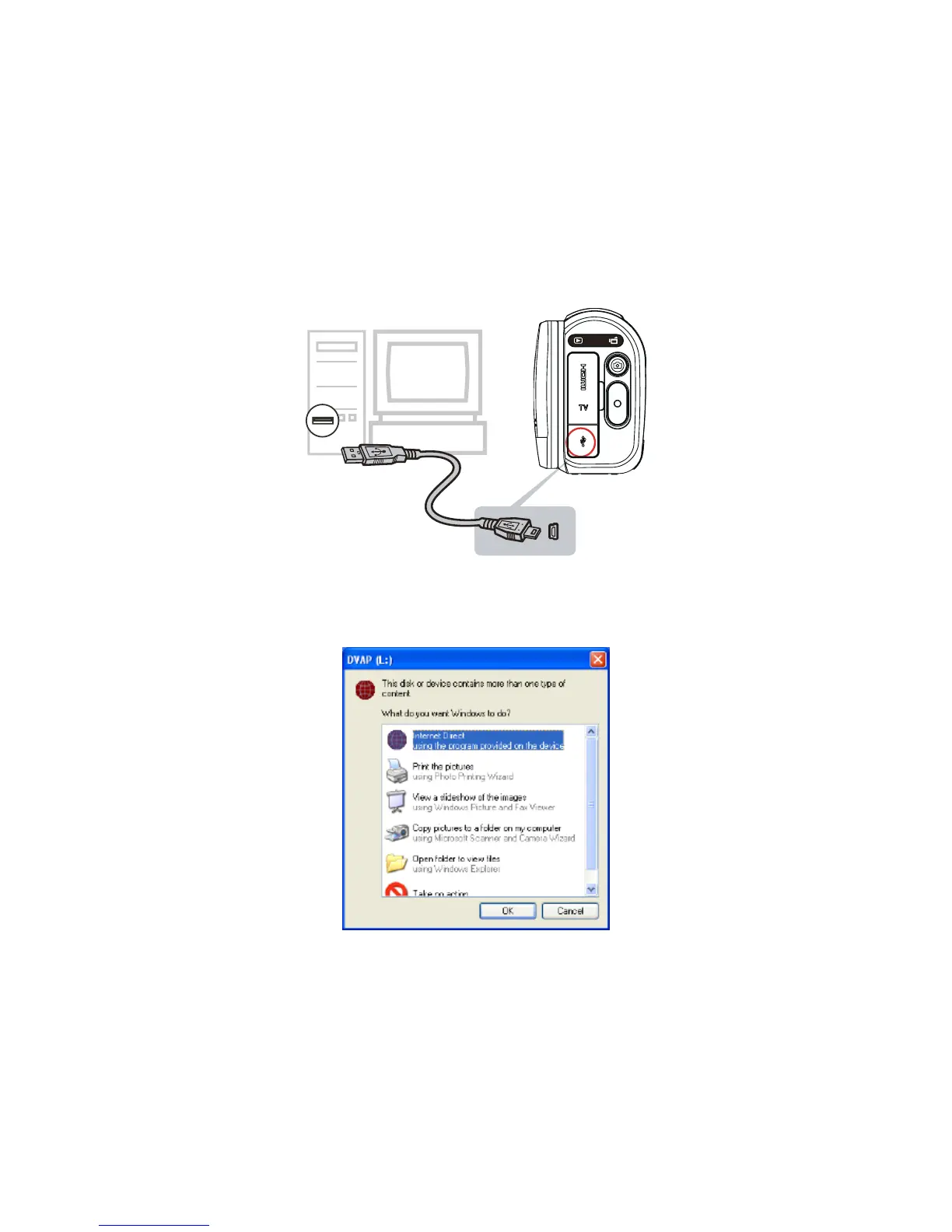
ConnectthecameratoyourcomputerbyusingthesuppliedUSBcable.1.
AftermakingaUSBconnection,theAutoPlaywindowwillappear.(ItmaybedifferentbasedonOS2.
recognition.IftheAutoPlaywindowdoesnotappear.Pleaseclick[MyComputer]-->[DVAP]-->[DVAP.
exe]toexecutetheapplication.)
(InWindowsXP)


 To Next Page