20
EN
White Balance
Thecameraadjuststhecolorbalanceofimagesautomatically.Threemanualwhitebalancesettingsare
available:
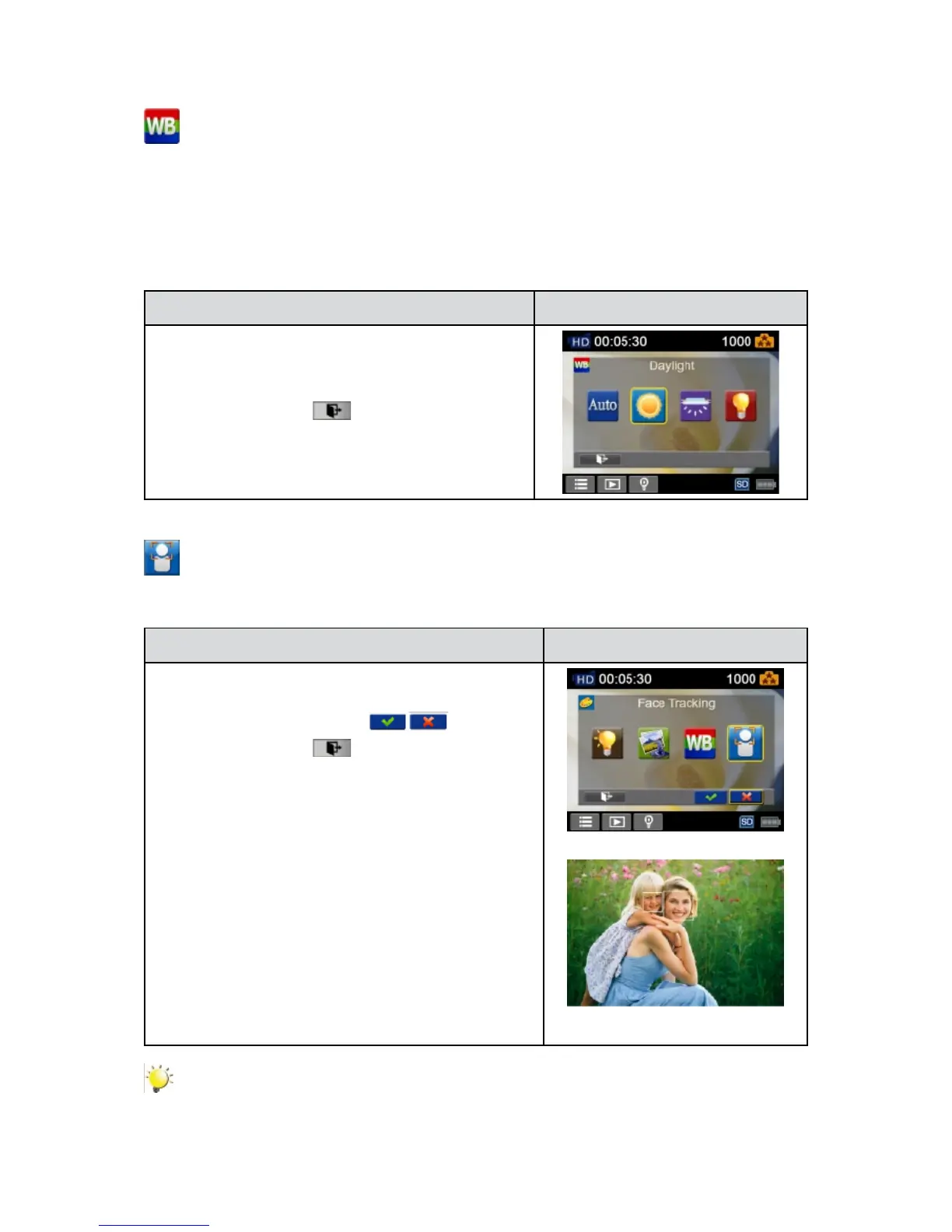
Auto: • Thecameraautomaticallyadjustswhitebalance.
Daylight: • Under outdoor condition.
Fluorescent: • Underuorescentlightcondition.
Tungsten: • Under tungsten light condition.
Operation Display Screen
IntheEffectmenu,touchthe[WhiteBalance]iconon1.
the screen.
Touch to select the desired option.2.
Touch the Exit icon 3. (
)to exit.
Face Tracking (Photo Only)
The camera can detecthumanface(s)andfocusontheface(s)automatically.Thisfunctioncanworks
withphotocapturing.Itiswonderfulforcapturingbeautifulportraitsinbacklightsituation.
Operation Display Screen
In the Effect menu, touch the [FaceTracking]icon on1.
the screen.
Touch to select [On] or [Off] 2. ( ).
Touch the Exit icon 3. (
)to exit.
Note
When Face Tracking is activated, aim the camera at the human face(s). The focus frame(s) will
show on the LCD before the [Photo Button] is pressed.


 To Next Page