19
EN
Light
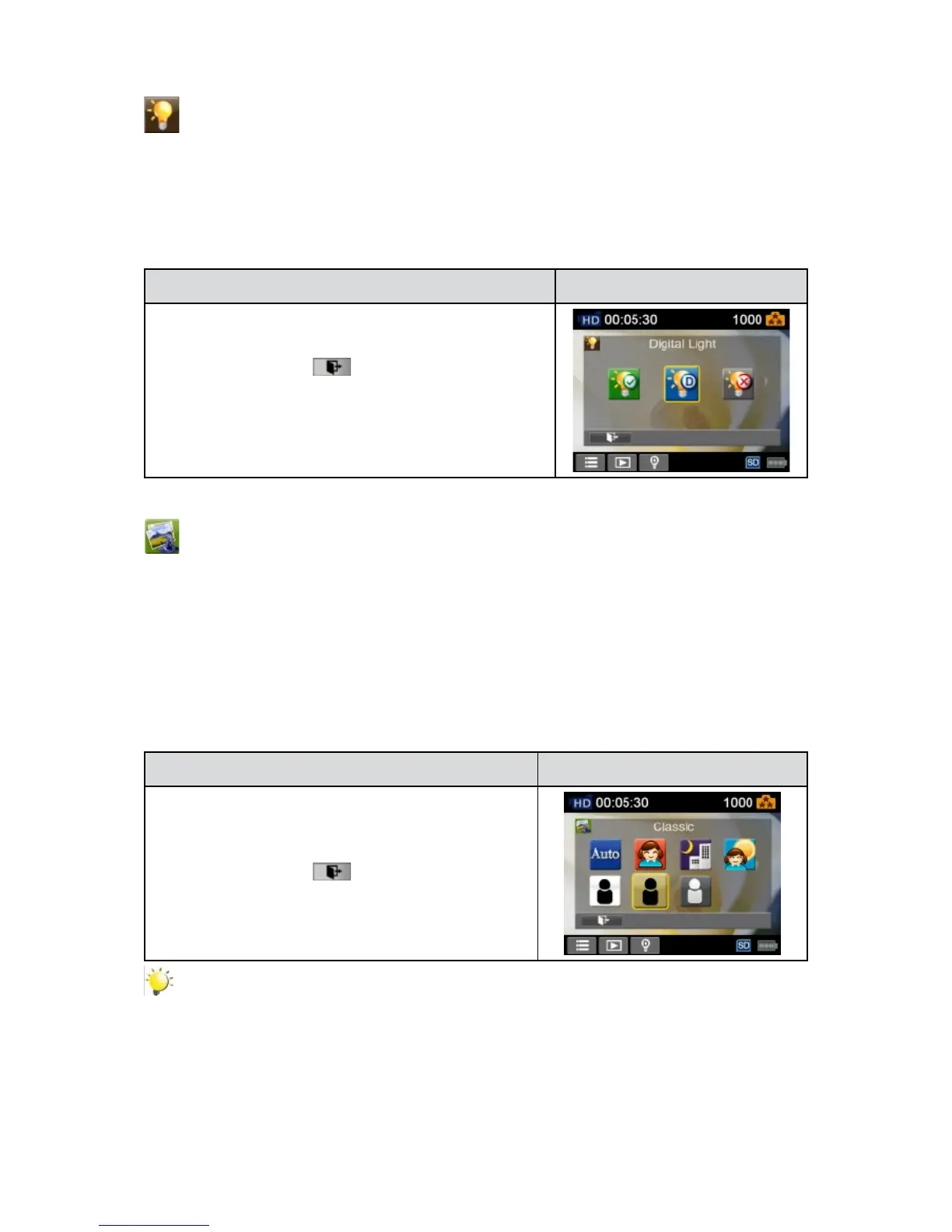
Three light settings are available.
Light On• : Thelightwillbeturnedonandkeepprovidinglight.
Digital Light• : Toextendthedynamicrangeforbacklightandhighcontrastsensesothattheobjects
will be brighter and clearer.
Light Off• : The light is turned off.
Operation Display Screen
IntheEffectmenu,touchthe[Light]icononthescreen.1.
Touch to select the desired option.2.
Touch the Exit icon 3. (
)to exit.
Scene
Youcanselectthemodeaccordingtothescenecondition.
Auto:• Shootwithoutanyspecialeffectontheimage.
Skin: • Shootwithaneffectthatmakesskintonesmorenatural.
Night: • UseNightModefornightscenesorlowlightconditions.
Backlight:• Youcantakeshotswhenthebrightlightisbehindthesubject.
Black/White: • Theimageisconvertedtoblack-and-white.
Classic: • Theimageisconvertedtoasepialook.
Negative: • The image is converted as the negative of the normal.
Operation Display Screen
In the Effect menu, touch the [Scene] icon on the1.
screen.
Touch to select the desired option.2.
Touch the Exit icon 3. (
)to exit.
Note
Toavoidblurryphotos,placethecameraonaat,steadysurface,oruseatripodwhentaking
shots in the Night Mode.


 To Next Page